


 FREE Delivery over £35
 Unbeatable Prices
Best All-In-One Printers (2025)
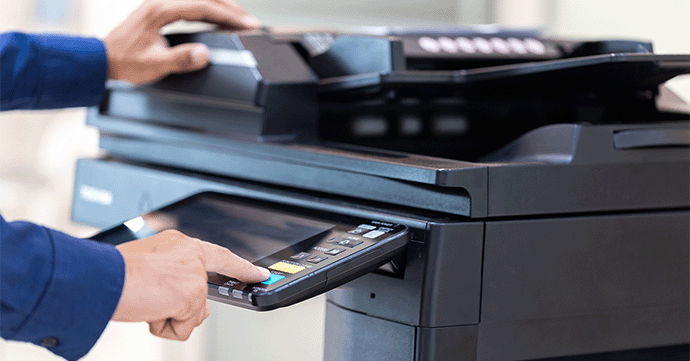
Here you’ll find our recommendations of the best all-in-one printers (AIO) for 2025. As printer technology continues to advance, many machines can now also scan, copy and fax, as well as print. Multifunction printers are ideal for homes and home offices, as well as businesses. Our all-in-one printer guide will help you choose from the wide range of multifunction printers available on the market.
Unsure about some of the terms used in this guide? Check out our printing glossary.
Cartridge People Expert Recommendations
Here at Cartridge People, we’re an experienced UK online retailer of printer consumables and office supplies. Trusted by millions since 2001, our hardworking team has a wealth of knowledge and experience, so you know you’re in safe hands. The printers in this guide have been chosen based on how well they fit into each category, simply find a category from the list below that best describes what you’re looking for:
| Category | Printer | Print Speed | Print Quality | Connectivity |
|---|---|---|---|---|
| Best AIO Printer Overall | Epson WorkForce WF-2930DWF | Mono: Up to 33ppm, Colour: Up to 18ppm | 5760 x 1440 dpi | USB, Wireless, Wi-Fi Direct |
| Best Budget AIO Printer | Canon Pixma TS3350 | Mono: Up to 7.7ipm, Colour: Up to 4ipm | Up to 4800 x 1200 dpi | Wireless, USB |
| Best AIO Inkjet Printer | Epson Expression Home XP-4200 | Mono: Up to 33ppm, Colour: Up to 15ppm | 5760 x 1440 dpi | USB, Wi-Fi, Wi-Fi Direct |
| Best AIO Laser Printer | HP Colour Laser MFP 179fnw | Mono: Up to 18ppm, Colour: Up to 4ppm | Up to 600 x 600 dpi | USB, Ethernet, Wireless (built-in Wi-Fi) |
| Best AIO Printer for Home Office | Epson WorkForce WF-2960DWF | Mono: Up to 33ppm, Colour: Up to 20ppm | Up to 4800 x 1200 dpi | USB, Network, Wireless, Wi-Fi Direct, Ethernet |
| Best AIO Business Printer | Brother DCP-L3520CDW | Mono: Up to 18ppm, Colour: Up to 18ppm | Up to 600 x 2400 dpi | USB, Wireless |
| Best for Copying | Brother DCP-L2620DW | Mono: Up to 32ppm | Up to 1200 x 1200 dpi | USB, Wireless |
| Best AIO Photo Printer | Epson Expression Photo XP-970 | Mono: 28ppm, Colour: 28ppm | 5760 x 1440 dpi | USB, Ethernet, Wireless, Wi-Fi Direct |
| Best AIO for High-Volume Printing | HP Color LaserJet Pro MFP 4302fdw | Mono: Up to 33ppm, Colour: Up to 33ppm | Up to 600 x 600 dpi | Ethernet, USB, Wi-Fi, Wi-Fi Direct |
Epson WorkForce WF-2930DWF: The Best All-In-One Printer
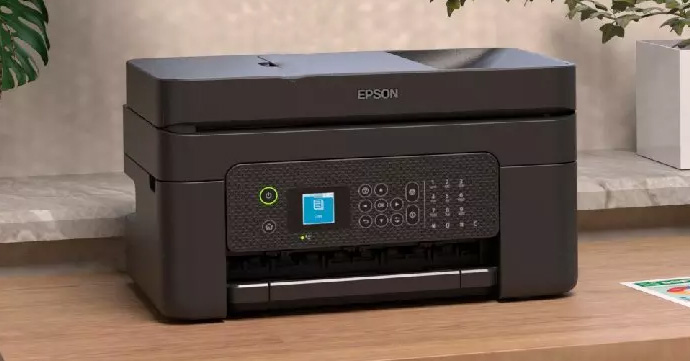
The Epson WorkForce WF-2930DWF is our pick for the best all-in-one printer overall. Ideal for home office users that need a compact and intuitive multifunction inkjet printer, this Epson WorkForce device also features wireless connectivity.
Key Features
Print Speed: Mono = Up to 33ppm/Colour = Up to 18ppm
Connectivity: USB, Wireless and Wi-Fi Direct
Capacity: 100 sheet input tray and 30 sheet ADF
Ink Cartridges: Epson 604 ink
Eco-Friendly Features: Automatic duplex printing
Pros
Print/scan/copy/fax, compact, wireless connectivity
Review
Your home office can produce professional quality prints thanks to the 5760 x 1440 dpi resolution of the Epson WF-2930DWF. With print speeds of up to 33ppm for mono printouts and 18ppm for colour, this Epson multifunction printer is geared towards home workers and small offices that need to print a high volume of text documents. Capable of printing, scanning, copying and faxing, the Epson WorkForce WF-2930DWF streamlines workflows for home offices, with an intuitive interface and LCD. Seamlessly connect to this printer with wireless, Wi-Fi Direct and USB connectivity.
Working from home and need a versatile all-in-one printer to assist with a wide range of administrative tasks? Look no further than the Epson WF-2930DWF, which combines high speeds and professional quality prints. Its versatility, compact form and connectivity options make it the right choice for most home/small offices.
Shop the Epson WF-2930DWF
Canon Pixma TS3350: The Best Budget All-In-One Printer
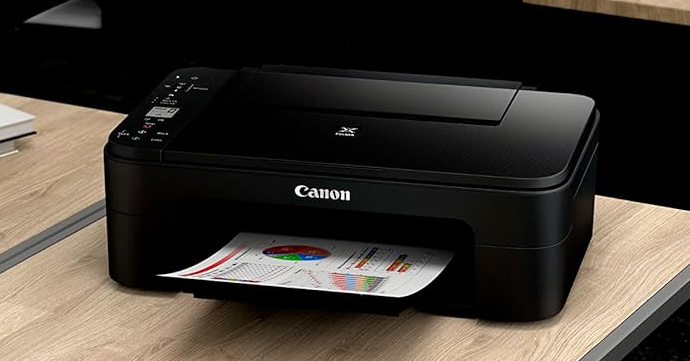
The Canon Pixma TS3350 is perfect for small office/home office (SOHO) users that need an intuitively seamless printing process for a low price.
Key Features
Print Speed: Mono = Up to 7.7ipm /Colour = Up to 4ipm
Connectivity: Wireless, USB
Capacity: 60 sheet paper capacity
Ink Cartridges: Canon PG-545/CL-546
Eco-Friendly Features: Auto-on/off
Pros and Cons
Pros: Easy to setup wireless connectivity, low price
Cons: Slower speeds, can’t fax, lower paper capacity
Review
The Canon Pixma TS3350 is an affordable A4 colour multifunction inkjet printer that can print, scan and copy, (it can’t fax, however). This Canon printer is more suited to home printing tasks such as photo printing, with an impressive print resolution of up to 4800 x 1200 dpi, for highly detailed prints. While print speeds of 7.7ipm (mono) and 4ipm (colour) could be faster, this isn’t as much of an issue for homes where fast, high-volume printing isn’t necessary. Easy to use and featuring a hassle-free set-up, you can start printing quickly. Finally, with Wi-Fi, Apple AirPrint and Mopria connectivity, as well as a 3.8cm mono LCD, the Canon Pixma TS3350 focuses on convenience.
Shop the Canon Pixma TS3350 today to get a versatile MFP for less.
Epson Expression Home XP-4200: The Best All-In-One Inkjet Printer
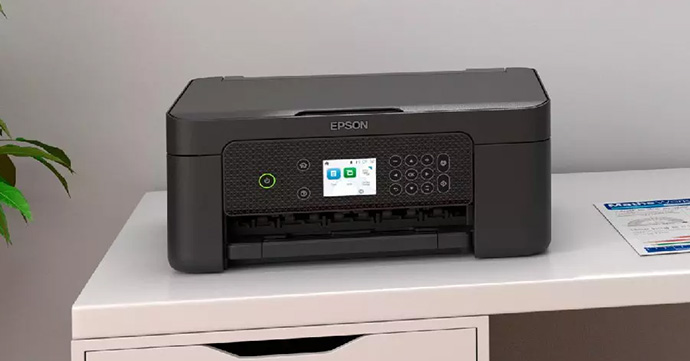
The Epson Expression Home XP-4200 is ideal for home users that need simple and convenient printing, copying and scanning, all in one compact device.
Key Features
Print Speed: Mono = Up to 33ppm /Colour = Up to 15ppm
Connectivity: USB, Wi-Fi, Wi-Fi Direct
Capacity: 100 sheets
Ink: Epson 604 ink
Eco-Friendly: Automatic duplex printing
Pros and Cons
Pros: Straightforward operation, 6.1cm LCD screen
Cons: Can’t fax, colour print speeds less than mono
Review
Our choice of the best AIO inkjet printer has to be the Epson Expression Home XP-4200, as it combines effortless wireless printing with an impressive print resolution of 5760 x 1440 dpi. While colour print speeds are less than that of the mono speeds, they’re more than adequate for home users who only need to print occasionally. Choose between Wi-Fi, Wi-Fi Direct and USB connectivity. The compact Epson XP-4200 is the ideal home printing companion for those who prioritise straightforward printing, scanning and copying, with lots of features designed to streamline the process even further.
Shop the Epson Expression Home XP-4200 for a compact inkjet printer that can also scan and copy.
HP Colour Laser MFP 179fnw: The Best All-In-One Laser Printer
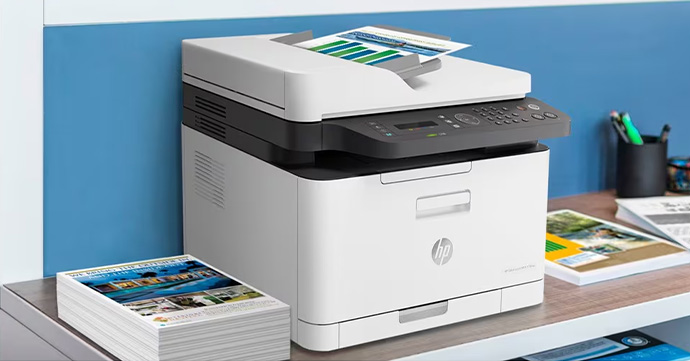
The HP Colour Laser MFP 179fnw is ideal for office workers that need fast and secure document printing in high volumes.
Key Features
Print Speed: Mono = Up to 18ppm / Colour = Up to 4ppm
Connectivity: USB, Ethernet, Wireless (built-in Wi-Fi)
Capacity: Up to 150 sheets
Toner: HP 117A
Eco-Friendly: HP Auto-Off Technology
Pros and Cons
Pros: Print/scan/copy/fax, fast mono print speeds
Cons: No auto duplex printing, slower colour print speeds
Review
For those who need a compact all-in-one laser printer, we recommend the HP Colour Laser MFP 179fnw because of its impressive mono print speeds, comprehensive security features and print/copy/scan/fax support. While the resolution isn’t as high as other printers in this list at up to 600 x 600 dpi, it’s still impressive and sure to produce professional documents. With Ethernet, USB and built-in Wi-Fi, the HP 179fnw offers flexible connectivity options for your workforce. Wireless printing support gives you greater freedom in terms of where you print from.
Overall, the HP Colour Laser MFP 179fnw is a versatile, fast printer for businesses who need high volume printing.
Shop the HP Colour Laser MFP 179fnw
Epson WorkForce WF-2960DWF: The Best Home Office All-In-One Printer
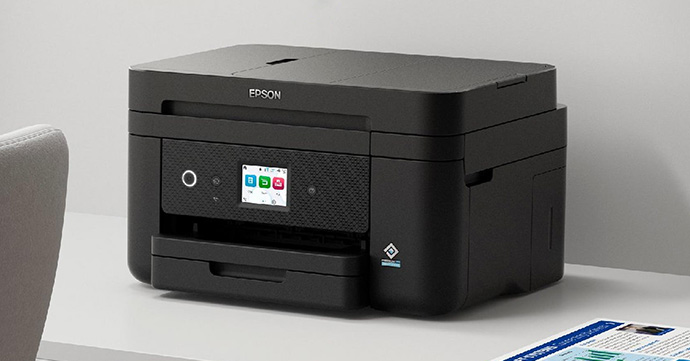
The Epson WorkForce WF-2960DWF is ideal for those working from home that need a compact printer with print, scan, copy and fax functionality.
Key Features
Print Speed: Mono = Up to 33ppm / Colour = Up to 20ppm
Connectivity: USB, Network, Wireless, Wi-Fi Direct, Ethernet
Capacity: 150 sheets, 30 sheet ADF
Ink: Epson 503 ink
Eco-Friendly: Automatic duplex printing
Pros and Cons
Pros: Exceptionally fast print speeds, individual inks, 6.1cm touchscreen
Cons: Slower (but still fast) colour print speeds
Review
Looking for a multifunction printer for your home office? We recommend the Epson WorkForce WF-2960DWF because of its versatility, speed and quality printing. An impressive all-in-one, printing, scanning, copying and faxing are all supported on this affordable printer, broadening the range of home office tasks you can carry out. Impressively quick print speeds of 33ppm for mono and 20ppm for colour boost your productivity, while a 4800 x 1200 dpi print resolution ensures quality is not compromised at these fast speeds. Wireless printing support also gives you greater flexibility in terms of where you print from, which is ideal for those working from home, where space may be limited.
Shop the Epson WorkForce WF-2960DWF for home offices that also need to scan, copy and fax.
Brother DCP-L3520CDW: The Best All-In-One Business Printer
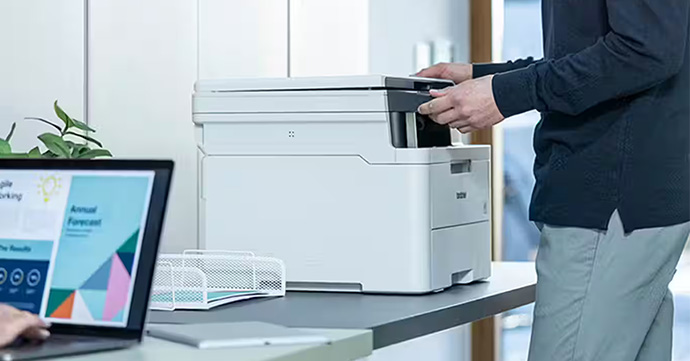
The Brother DCP-L3520CDW is ideal for small offices that need to print, scan and copy efficiently.
Key Features
Print Speed: Mono = Up to 18ppm / Colour = Up to 18ppm
Connectivity: USB, Wireless
Capacity: 250 sheet
Toner: Brother TN-248
Eco-Friendly: Automatic duplex printing
Pros and Cons
Pros: 250 sheet input tray, 2 line LCD control panel
Cons: No fax support
Review
Produce professional documents for your business with the Brother DCP-L3520CDW. Its print resolution of up to 600 x 2400 dpi ensures each print has a high level of detail, and as such is ideal for businesses that need to print images and graphics. The speed of printing is still impressive however, as evidenced by the printer’s speeds (both mono and colour) of up to 18ppm. Effortlessly print a high volume of documents with a 250 sheet input tray which reduces the amount of trips you need to take to top up your printer paper.
Optimise your office’s productivity with the DCP-L3520CDW. Shop today to ensure the smooth running of your business.
Brother DCP-L2620DW: The Best All-In-One Printer for Copying
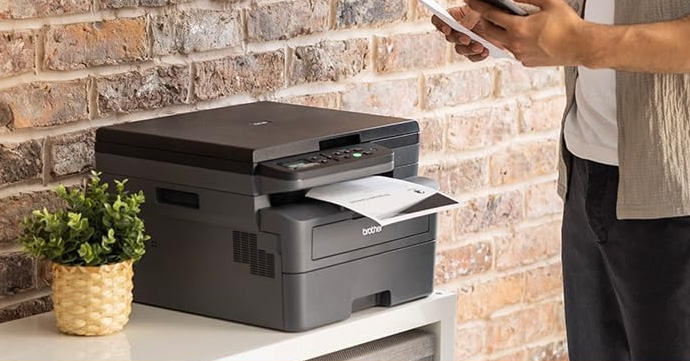
The Brother DCP-L2620DW is ideal for both offices and homes that need to produce high-quality copies with a resolution of up to 600 x 600 dpi.
Key Features
Print Speed: Mono = Up to 32ppm
Connectivity: USB, Wireless
Capacity: 250 sheet
Toner: Brother TN-2510
Eco-Friendly: Blue Angel, GS Mark, Nordic Swan, automatic duplex printing
Pros and Cons
Pros: Fast copy speed
Cons: Can’t fax
Review
The Brother DCP-L2620DW is our pick for the best AIO for copying. It features useful copying functions such as multi-copying and can produce up to 32 copies per minute, with the first page being copied in as little as 10 seconds. Designed for greater efficiency, the DCP-L2620DW features an impressive paper tray capacity of 250 sheets and even supports auto duplex printing, potentially halving your paper usage. Easily create copies of important documents and photos with this efficiency-focused printer.
Shop the Brother DCP-L2620DW today for an MFP with copying functionality.
Epson Expression Photo XP-970: The Best All-In-One Printer for Photography
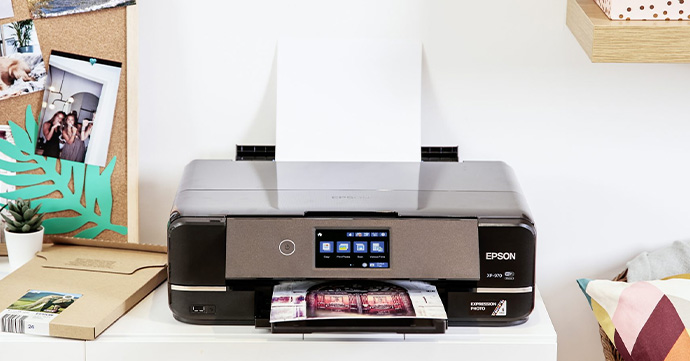
The Epson Expression Photo XP-970 is ideal for photographers and home users that need high-quality, durable photos.
Key Features
Print Speed: Mono = 28ppm / Colour = 28ppm
Connectivity: USB, Ethernet, Wireless, Wi-Fi Direct
Capacity: 100 sheets
Ink: Epson 24
Eco-Friendly: Automatic duplex printing
Pros and Cons
Pros: Print up to A3, Wi-Fi Direct support
Cons: No fax functionality, paper capacity is comparatively low
Review
Produce visually impressive photographs with the Epson Expression Photo XP-970, thanks to a 5760 x 1440 dpi print resolution. Utilising a 6 colour ink system, this Epson photo printer uses Claria Photo HD Inks. High-quality photos don’t mean slow print speeds however, as the Epson XP-970 can produce 28 pages per minute. Also featured here is the ability to borderless print, giving your photos a more professional appearance. Wireless connectivity allows you to seamlessly print photos without the device needing to be physically connected to the printer.
Shop the Epson Expression Photo XP-970 for highly detailed photos.
HP Color LaserJet Pro MFP 4302fdw: The Best All-In-One Printer for High-Volume Printing
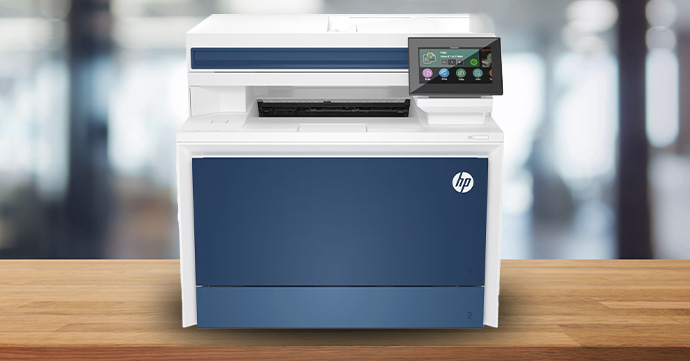
The HP Color LaserJet Pro MFP 4302fdw is ideal for small-medium size businesses that need professional printing in high volumes.
Key Features
Print Speed: Up to 33ppm (mono/colour)
Connectivity: Ethernet, USB, Wi-Fi, Wi-Fi Direct
Capacity: 250 sheet input tray, 50 sheet ADF, 50 sheet multipurpose tray
Toner: HP 220A/220X
Eco-Friendly: HP Auto-On/Auto-Off, Instant-on technology, automatic duplex printing
Pros and Cons
Pros: Print/scan/copy/fax, 250 sheet input tray, 50 sheet ADF
Cons: Comparatively low resolution
Review
Combining fast print speeds with a high paper capacity, the HP Color LaserJet Pro MFP 4302fdw supports high volume printing and is ideal for business use. This laser printer from HP can produce 33 pages per minute and features a 250 sheet input tray, a 50 sheet ADF and a 50 sheet multipurpose tray. Get more work done with useful features like auto duplex printing and print/scan/copy/fax functionality. Wireless connectivity streamlines the process, giving you more versatility in terms of where you print from and saving you the hassle of having to plug in your computer.
Shop the HP Color LaserJet Pro MFP 4302fdw for efficient and productive printing.
How to Choose an All-In-One Printer
Here we’ll outline why an all-in-one printer could be the best option for you. We’ll also let you know what you need to think about when buying a multifunctional printer.
Why Choose an All-In-One Printer?
All-in-one printers, (or MFPs), are suitable for a wider variety of tasks than print-only machines. This versatile printer type is ideal if you need to print photos, (in which case you may need to check out our range of photo paper). They can also help to digitise important documents, create duplicate copies of paperwork, or print homework or coursework. All-in-one printers are great for both household and business printing tasks.
Often proving to be more compact and economical, you won’t need to run multiple machines and can save money on running costs, too. This versatility doesn’t mean they compromise on print quality, though. Multifunction printers can produce high-quality prints, copies, scans and faxes.
Key Factors
What type of multifunction printer you buy will be affected by where you plan to use it, at home or in the office. For example, many businesses will opt for mono printers over colour as they have a lower cost per page. Colour printers are more expensive to run but allow you to print out high-quality photos and graphics if you need to.
Next you need to decide whether wireless printing is a priority for you. Many multifunction printers feature Wi-Fi Direct and Apple AirPrint support. These services allow you to print directly from a smart device. The convenience these features offer can’t be understated, especially in a work environment.
The choice of inkjet vs laser will also be driven by whether it’s intended for home or business use. Ink cartridges are less expensive than toner cartridges, generally. However, they run out quicker, meaning that you’ll have to replace them more frequently. Another option to consider is a cartridge-free printer, which uses ink bottles.
You’ll also need to think about whether you’d like your all-in-one printer to include an ADF, also known as an automatic document feeder. This useful feature allows you to load a multi-page document into the top of the printer, where it automatically feeds each page to be scanned, copied or faxed.
Other useful features to think about when buying an all-in-one printer are high capacity paper trays and auto duplex print support.
To Sum Up
Multifunction printers can be a great way to save space and money, eliminating the need to purchase multiple machines.
If you found this article helpful, it may interest you to know that we’ve also produced a wide variety of other buyer’s guides, including a general guide to buying a printer. Are you looking for the best small office printer? Maybe you want to buy a home office printer? Our comprehensive guides outline everything you need to think about when buying a new printer, alongside our expert recommendations of the best printers in each category.
About The Author
