Black
Number in Pack: 1
Volume of Ink: 6ml each
MPN: CB316EE
Cyan
Number in Pack: 1
Volume of Ink: 3ml each
MPN: CB318EE
Magenta
Number in Pack: 1
Volume of Ink: 3ml each
MPN: CB319EE
Yellow
Number in Pack: 1
Volume of Ink: 3ml each
MPN: CB320EE
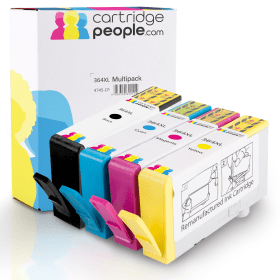
Order now for dispatch tomorrow
Black
Number in Pack: 1
Volume of Ink: 20ml each, 233% extra ink vs the OEM option
MPN: CN684EE
Cyan
Number in Pack: 1
Volume of Ink: 12ml each, 300% extra ink vs the OEM option
MPN: CB323EE
Magenta
Number in Pack: 1
Volume of Ink: 12ml each, 300% extra ink vs the OEM option
MPN: CB324EE
Yellow
Number in Pack: 1
Volume of Ink: 12ml each, 300% extra ink vs the OEM option
MPN: CB325EE
Order now for dispatch tomorrow
Black
Number in Pack: 1
Volume of Ink: 18ml each
MPN: CN684EE
Order now for dispatch tomorrow
Black
Number in Pack: 2
Volume of Ink: 6ml each
MPN: CB316EE
Order now for dispatch tomorrow
Black
Number in Pack: 1
Volume of Ink: 6ml each
MPN: CB316EE
Order now for dispatch tomorrow
Black
Number in Pack: 1
Volume of Ink: 20ml each, 11% extra ink vs the OEM option
MPN: CN684EE
Order now for dispatch tomorrow
Cyan
Number in Pack: 1
Volume of Ink: 3ml each
MPN: CB318EE
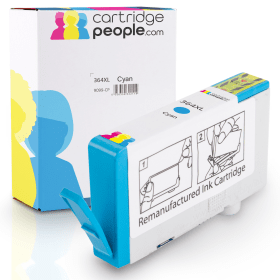
Order now for dispatch tomorrow
Cyan
Number in Pack: 1
Volume of Ink: 12ml each, 300% extra ink vs the OEM option
MPN: CB323EE
Order now for dispatch tomorrow
Magenta
Number in Pack: 1
Volume of Ink: 3ml each
MPN: CB319EE
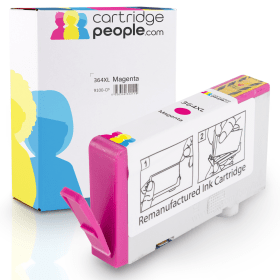
Order now for dispatch tomorrow
Magenta
Number in Pack: 1
Volume of Ink: 12ml each, 300% extra ink vs the OEM option
MPN: CB324EE
Order now for dispatch tomorrow
Yellow
Number in Pack: 1
Volume of Ink: 3ml each
MPN: CB320EE
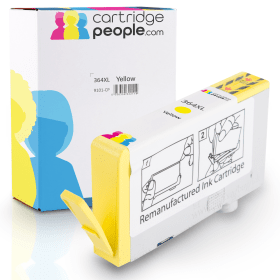
Order now for dispatch tomorrow
Yellow
Number in Pack: 1
Volume of Ink: 12ml each, 300% extra ink vs the OEM option
MPN: CB325EE
Order now for dispatch tomorrow
To ensure you receive an answer to your question as quickly as possible, we recommend contacting our customer service team directly using one of the following methods:
If you have a product-related question that may benefit other customers, please proceed. Your question and our response may be published on cartridgepeople.com following approval.
Asked by Anonymous - Published over 3 years ago
Asked by Carol Gaches - Published over 3 years ago
Asked by tom richardson - Published over 3 years ago
The HP Photosmart 5520 e-All-in-One printer is a device ideally suited to home users who are looking to get the most of their digital images by printing high quality hard copies.
In terms of the quality of results given by this printer, a print resolution of 4800 x 1200dpi ensures that prints are of a high standard. There are also print speeds of 11ppm for mono text documents and 8ppm for colour text documents offered for this machine.
The added functionality of the 5520 means you can enjoy high quality copying and scanning as well as conventional printing.
Wi-Fi connectivity is provided in addition to a more traditional USB connection and there is the added benefit of this machine being supported by Apple AirPrint.
Usability is enhanced thanks to a 6.74cm touchscreen to help you navigate your way around the printer’s functions.
For users looking for a printer that will minimise their printing costs, the 5520 uses individual ink cartridges meaning users can save money by only having to replace the ink that’s been used. Additionally, this printer offers double-sided printing so you can effectively halve your paper costs through utilising both sides of the page.
The HP Photosmart 5520 e-All-in-One Printer is able to print, scan and copy with wireless capability.
HP has described the 5520 as a device for home users wanting easy and affordable printing of professional-quality photos.
With auto duplexing (double sided printing) as standard and wireless functionality this printer is a welcome upgrade from the 5510. Though there may not be much difference between the HP 5520 and its predecessor in terms of looks, there are some additional features which see this model as an improvement.
An enlarged touchscreen is easy to navigate and the on-screen animations can help guide you when you’re initially setting up the printer. The auto duplexing is certain to be a winner for those who look to get the most value from their colour printing.
As a multifunctional colour inkjet printer, the Photosmart 5520 offers high-quality colour prints whether they are graphics for documents or family photographs. Print speeds are up to 11ppm for mono and up to 8ppm for colour meaning that this printer may not be the fastest on the market but still delivers results.
In terms of the HP 5520’s wireless capabilities, set up is easy and there are also memory and SD card slots making this a very capable home printer for families who like to print photos in colour from their smartphones or tablets.
Whilst some observers may complain that there is no marked improvement in how much can be held in the paper tray, there will be little complaint about the standard of photo prints from this affordable all-in-one device.
Pros
Cons
Star Rating: 4.5