Black
Number in Pack: 1
Volume of Ink: 15ml each, 22% extra ink vs the OEM option
MPN: C13T33514010, T3351
Photo Black
Number in Pack: 1
Volume of Ink: 11ml each, 35% extra ink vs the OEM option
MPN: C13T33614010, T3361
Cyan
Number in Pack: 1
Volume of Ink: 11ml each, 23% extra ink vs the OEM option
MPN: C13T33624010, T3362
Magenta
Number in Pack: 1
Volume of Ink: 11ml each, 23% extra ink vs the OEM option
MPN: C13T33634010, T3363
Yellow
Number in Pack: 1
Volume of Ink: 11ml each, 23% extra ink vs the OEM option
MPN: C13T33644010, T3364
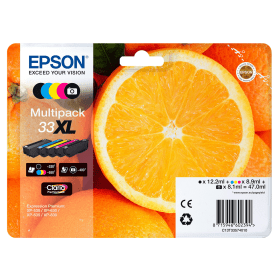
Black
Number in Pack: 1
Volume of Ink: 12.2ml each
MPN: C13T33514010, T3351
Cyan
Number in Pack: 1
Volume of Ink: 8.9ml each
MPN: C13T33624010, T3362
Magenta
Number in Pack: 1
Volume of Ink: 8.9ml each
MPN: C13T33634010, T3363
Yellow
Number in Pack: 1
Volume of Ink: 8.9ml each
MPN: C13T33644010, T3364
Photo Black
Number in Pack: 1
Volume of Ink: 8.1ml each
MPN: C13T33614010, T3361
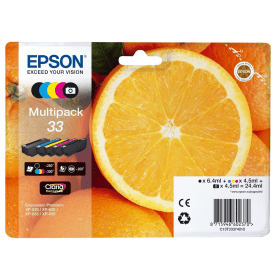
Black
Number in Pack: 1
Volume of Ink: 6.4ml each
MPN: C13T33314010, T3331
Photo Black
Number in Pack: 1
Volume of Ink: 4.5ml each
MPN: C13T33414010, T3341
Cyan
Number in Pack: 1
Volume of Ink: 4.5ml each
MPN: C13T33424012, T3342
Magenta
Number in Pack: 1
Volume of Ink: 4.5ml each
MPN: C13T33434010, T3343
Yellow
Number in Pack: 1
Volume of Ink: 4.5ml each
MPN: C13T33444010, T3344

Black
Number in Pack: 1
Volume of Ink: 15ml each, 22% extra ink vs the OEM option
MPN: C13T33514010, T3351

Black
Number in Pack: 1
Volume of Ink: 12.2ml each
MPN: C13T33514010, T3351

Black
Number in Pack: 1
Volume of Ink: 6.4ml each
MPN: C13T33314010, T3331
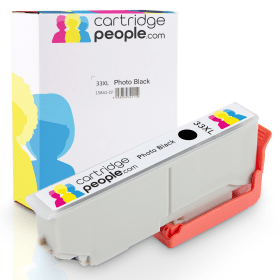
Photo Black
Number in Pack: 1
Volume of Ink: 11ml each, 35% extra ink vs the OEM option
MPN: C13T33614010, T3361

Photo Black
Number in Pack: 1
Volume of Ink: 8.1ml each
MPN: C13T33614010, T3361

Photo Black
Number in Pack: 1
Volume of Ink: 4.5ml each
MPN: C13T33414010, T3341

Cyan
Number in Pack: 1
Volume of Ink: 11ml each, 23% extra ink vs the OEM option
MPN: C13T33624010, T3362

Cyan
Number in Pack: 1
Volume of Ink: 8.9ml each
MPN: C13T33624010, T3362

Cyan
Number in Pack: 1
Volume of Ink: 4.5ml each
MPN: C13T33424012, T3342
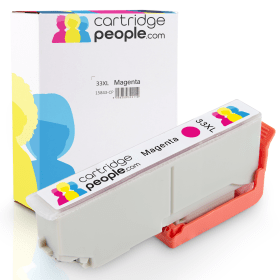
Magenta
Number in Pack: 1
Volume of Ink: 11ml each, 23% extra ink vs the OEM option
MPN: C13T33634010, T3363

Magenta
Number in Pack: 1
Volume of Ink: 8.9ml each
MPN: C13T33634010, T3363

Magenta
Number in Pack: 1
Volume of Ink: 4.5ml each
MPN: C13T33434010, T3343
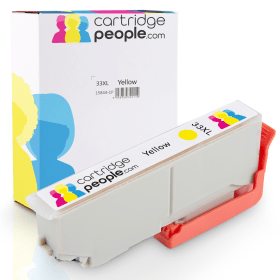
Yellow
Number in Pack: 1
Volume of Ink: 11ml each, 23% extra ink vs the OEM option
MPN: C13T33644010, T3364

Yellow
Number in Pack: 1
Volume of Ink: 8.9ml each
MPN: C13T33644010, T3364

Yellow
Number in Pack: 1
Volume of Ink: 4.5ml each
MPN: C13T33444010, T3344
Enjoy glossy photo prints and crisp text documents when you use this Epson Expression Premium XP-635 in your home or small office.
You can easily print or scan from a smartphone or tablet through the iPrint app whilst Epson Email Print will enable you to print from anywhere in the world by emailing the printer directly. Should you wish to print your favourite Facebook photographs, the Creative Print app will access the social media site in order to create custom greeting cards and stationery.
For added convenience, Wi-Fi Direct is included so you can print without the need for a network connection.
Usability is aided by a tilting 6.8cm LCD screen and control panel in addition to dual paper trays and a double-sided printing facility. Memory card slots are also available so you can print without the need for a PC.
The Epson Expression Premium XP-635 can deliver ISO print speeds of 13ppm for mono and 10ppm for colour.
With its tilting touch panel and wireless connectivity options, the Epson Expression Premium XP-635 is a high quality printer if you’re looking for clear documents and vibrant photo prints.
Combining the versatility of the Creative Print app and the machine’s PictBridge support, you can enjoy a range of functions that can meet the demands of a home office. The fact you only need to replace the colour ink that’s been used is a plus point for those who look to keep their ink costs low.
The small footprint of the XP-635 will suit a desktop either at home or in a student’s accommodation.
Auto duplexing is always welcome as a way to save paper by utilising both sides of the page although there is no Automatic Document Feeder available.
Print speeds will be acceptable to a moderate printer user but the 100-sheet paper capacity may seem small to those who print in high volumes frequently.
Pros
Cons
Star Rating: 4


 FREE Delivery over £35
 Unbeatable Prices