The following ink cartridges are guaranteed to work with the Canon Pixma TR4550


Black
Number in Pack: 1
Volume of Ink: 16.5ml each, 10% extra ink vs the OEM option
MPN: 8286B001AA
Colour
Number in Pack: 1
Volume of Ink: 15ml each, 15% extra ink vs the OEM option
MPN: 8288B001AA
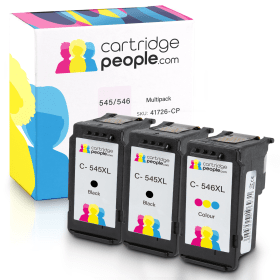
Black
Number in Pack: 2
Volume of Ink: 16.5ml each, 10% extra ink vs the OEM option
MPN: 8286B001AA
Colour
Number in Pack: 1
Volume of Ink: 15ml each, 15% extra ink vs the OEM option
MPN: 8288B001AA
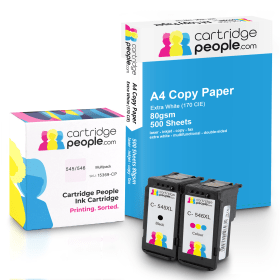
Black
Number in Pack: 1
Volume of Ink: 16.5ml each
MPN: 8286B001AA
Colour
Number in Pack: 1
Volume of Ink: 15ml each
MPN: 8288B001AA
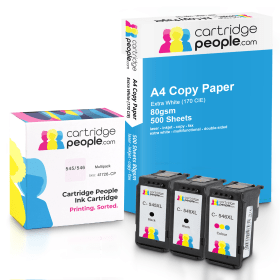
Black
Number in Pack: 2
Volume of Ink: 16.5ml each
MPN: 8286B001AA
Colour
Number in Pack: 1
Volume of Ink: 15ml each
MPN: 8288B001AA
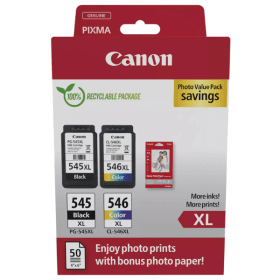
Black
Number in Pack: 1
Volume of Ink: 15ml each
MPN: 8286B001AA
Colour
Number in Pack: 1
Volume of Ink: 13ml each
MPN: 8288B001AA

Black
Number in Pack: 1
Volume of Ink: 8ml each
MPN: 8287B001AA
Colour
Number in Pack: 1
Volume of Ink: 9ml each
MPN: 8289B001AA
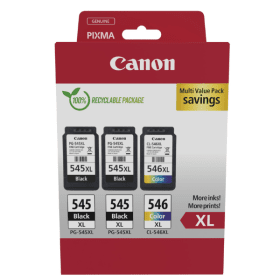
Black
Number in Pack: 2
Volume of Ink: 15ml each
MPN: 8286B001AA
Colour
Number in Pack: 1
Volume of Ink: 13ml each
MPN: 8288B001AA

Black
Number in Pack: 2
Volume of Ink: 15ml each
MPN: 8286B001AA
Colour
Number in Pack: 1
Volume of Ink: 13ml each
MPN: 8288B001AA

Black
Number in Pack: 1
Volume of Ink: 16.5ml each, 10% extra ink vs the OEM option
MPN: 8286B001AA

Black
Number in Pack: 1
Volume of Ink: 15ml each
MPN: 8286B001AA

Black
Number in Pack: 1
Volume of Ink: 8ml each
MPN: 8287B001AA

Colour
Number in Pack: 1
Volume of Ink: 15ml each, 15% extra ink vs the OEM option
MPN: 8288B001AA

Colour
Number in Pack: 1
Volume of Ink: 13ml each
MPN: 8288B001AA

Colour
Number in Pack: 1
Volume of Ink: 9ml each
MPN: 8289B001AA
Whether you're printing documents, presentations, or photos, the right ink ensures lasting quality. The dual-cartridge system in the Pixma TR4550 makes replacements quick and easy while delivering consistent results. Standard and high-capacity XL cartridges are available to suit your printing needs and budget.
Multipacks combine black and colour cartridges for better value than buying them separately. For even greater savings, our high-quality Cartridge People Own Brand cartridges provide excellent print results at a lower cost. With fast UK shipping and fantastic prices, keeping your Canon Pixma TR4550 running smoothly is simple. Order today for reliable, cost-effective Canon TR4550 ink.
View the full range of Canon cartridges.
To replace the ink cartridges, ensure the printer is powered on, then open the front cover to access the cartridge holder. Wait for the holder to move to the replacement position. Press down on the empty cartridge to release it, remove it from its slot, and unpack the new cartridge, removing any protective tape.
Insert the new cartridge into the corresponding slot (black on the right, colour on the left) at a slight angle, then push it up firmly until it clicks into place. Close the front cover to complete the process.


 FREE Delivery over £35
 Unbeatable Prices



