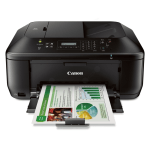
Whether you’re looking to print, scan, copy or fax, the Canon Pixma MX535 represents an outstanding purchase for your home office printing needs.
With Wi-Fi connectivity and cloud-enabled functions, this printer can easily by shared around an office allowing multiple users to enjoy the exceptional quality prints this device produces. That high standard of printing is enhanced with the use of the range of ink cartridges available through Cartridge People.


Black
Number in Pack: 1
Volume of Ink: 22ml each, 100% extra ink vs the OEM option
MPN: 5222B005AA
Colour
Number in Pack: 1
Volume of Ink: 18ml each, 20% extra ink vs the OEM option
MPN: 5226B005AA, 5226B001

Black
Number in Pack: 2
Volume of Ink: 22ml each, 100% extra ink vs the OEM option
MPN: 5222B005AA
Colour
Number in Pack: 1
Volume of Ink: 18ml each, 20% extra ink vs the OEM option
MPN: 5226B005AA, 5226B001
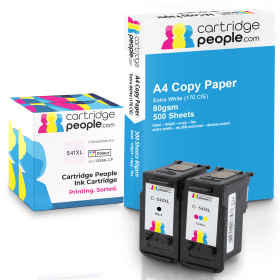
Black
Number in Pack: 1
Volume of Ink: 22ml each
MPN: 5222B005AA
Colour
Number in Pack: 1
Volume of Ink: 18ml each
MPN: 5226B005AA, 5226B001
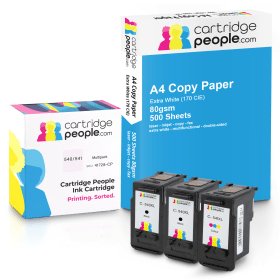
Black
Number in Pack: 2
Volume of Ink: 22ml each
MPN: 5222B005AA
Colour
Number in Pack: 1
Volume of Ink: 18ml each
MPN: 5226B005AA, 5226B001
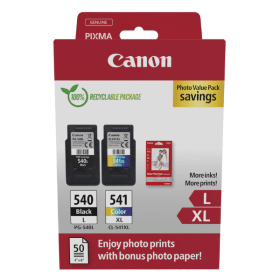
Black
Number in Pack: 1
Volume of Ink: 11ml each
MPN: 5224B010, 5224B001
Colour
Number in Pack: 1
Volume of Ink: 15ml each
MPN: 5226B005AA, 5226B001

Black
Number in Pack: 1
Volume of Ink: 8ml each
MPN: 5225B001
Colour
Number in Pack: 1
Volume of Ink: 8ml each
MPN: 5227B005AA, 5227B001

Black
Number in Pack: 2
Volume of Ink: 11ml each
MPN: 5224B010, 5224B001
Colour
Number in Pack: 1
Volume of Ink: 15ml each
MPN: 5226B005AA, 5226B001

Black
Number in Pack: 2
Volume of Ink: 11ml each
MPN: 5224B010, 5224B001
Colour
Number in Pack: 1
Volume of Ink: 15ml each
MPN: 5226B005AA, 5226B001

Black
Number in Pack: 1
Volume of Ink: 8ml each
MPN: 5225B001
Colour
Number in Pack: 1
Volume of Ink: 8ml each
MPN: 5227B005AA, 5227B001

Black
Number in Pack: 1
Volume of Ink: 22ml each, 100% extra ink vs the OEM option
MPN: 5222B005AA
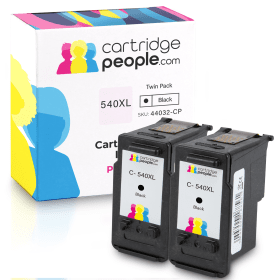
Black
Number in Pack: 2
Volume of Ink: 22ml each, 100% extra ink vs the OEM option
MPN: 5222B005AA
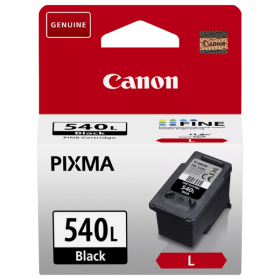
Black
Number in Pack: 1
Volume of Ink: 11ml each
MPN: 5224B010, 5224B001
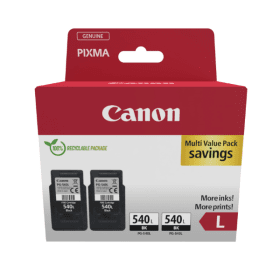
Black
Number in Pack: 2
Volume of Ink: 11ml each
MPN: 5224B010, 5224B001

Black
Number in Pack: 1
Volume of Ink: 8ml each
MPN: 5225B001
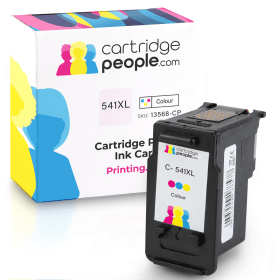
Colour
Number in Pack: 1
Volume of Ink: 18ml each, 20% extra ink vs the OEM option
MPN: 5226B005AA, 5226B001
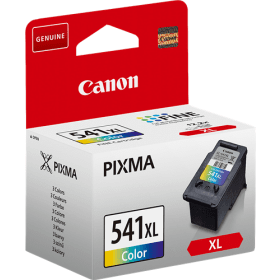
Colour
Number in Pack: 1
Volume of Ink: 15ml each
MPN: 5226B005AA, 5226B001
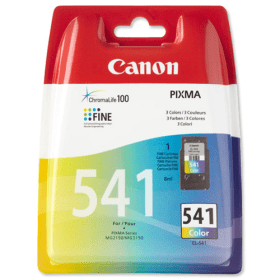
Colour
Number in Pack: 1
Volume of Ink: 8ml each
MPN: 5227B005AA, 5227B001
For a busy small office home office (SOHO) environment, being able to connect several PCs, laptops or smartphones to one printer can be an important way of maintaining productivity.
The Canon Pixma MX535 provides users with this connectivity wirelessly, with smart device and cloud printing made possible thanks to features such as Pixma Cloud Ink. There is also Pixma Printing Solutions, an app that allows you to print to or scan from your smartphone device from wherever you may be in the home or office workplace. Adding to the connectivity features for the MX535 are Apple AirPrint and Google Cloud Print which are both supported by this machine.
In terms of the quality of printing, users can enjoy vivid images and high clarity text documents through the use of Canon’s FINE ink technology. This machine is able to print at 9.7ipm mono and 5.5ipm colour whilst an A4 colour page will be copied in around 24 seconds.
Managing your printing costs can be a balancing act for many home office users and the optional XL cartridges that can be accommodated by this machine will be a welcome benefit to many. Savings can amount to up to 50 per cent per page and the cost savings extend to the device’s automatic duplexing (double-sided) feature allowing you to print on both sides of the paper.
Productivity is helped further by a fully-integrated 30-sheet Automatic Document Feeder (ADF) which allows quick and easy scanning, copying and faxing.
Part of the home and small office MX series, the Canon Pixma MX535 is the big brother to the MX475 and comes with a range of features that are designed to fulfil the needs of any casual user.
A printer, scanner, copier and fax machine, the MX535 sports an attractive body with large rounded corners and sleek lines helping to mask what is one of the larger Canon’s in the range.
Overall size is increased when the folded tray is opened out for printing, but the machine does a good job of fitting an Automatic Document Feeder (ADF) and simple control panel into the lid of the flatbed scanner.
Printing is the main function of this all-in-one and Canon does a great job, in speed and in quality. Mono churns out at a claimed 9.7 pages per minute (ppm) and colour at 5.5 ppm, with duplex (double-sided) printing as an added bonus. Print results benefit greatly from the 4800 x 1200dpi print resolution, while scanning is equally as impressive thanks to an optical resolution of 1200 x 2400dpi.
The MX535 uses only two ink cartridges, which can be installed with relative ease at the front of the machine.
Fax machine performance is helped by the availability of the ADF, while features such as PictBridge for digital camera printing and a USB port improve the overall experience. Wireless connectivity allows for Apple AirPrint, Google Cloud Print and email printing. Bluetooth technology is enabled; and users have plenty to play around with thanks to Canon’s bundled photo editing software.
Pros
Cons
Star Rating: 4


 FREE Delivery over £35
 Unbeatable Prices