The Canon Pixma MG4150 is the type of stylish and compact all-in-one that has become synonymous with the Pixma series of printers.
Cartridge People has a vast range of products that can help you enjoy the exceptional quality photo and document printing this Canon machine is capable of. This printer can provide the connectivity you need to print from anywhere in the home and Cartridge People can give you cost saving consumables to keep your printing costs down.


Black
Number in Pack: 1
Volume of Ink: 22ml each, 100% extra ink vs the OEM option
MPN: 5222B005AA
Colour
Number in Pack: 1
Volume of Ink: 18ml each, 20% extra ink vs the OEM option
MPN: 5226B005AA, 5226B001

Black
Number in Pack: 2
Volume of Ink: 22ml each, 100% extra ink vs the OEM option
MPN: 5222B005AA
Colour
Number in Pack: 1
Volume of Ink: 18ml each, 20% extra ink vs the OEM option
MPN: 5226B005AA, 5226B001
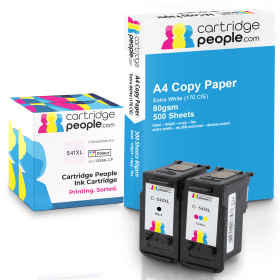
Black
Number in Pack: 1
Volume of Ink: 22ml each
MPN: 5222B005AA
Colour
Number in Pack: 1
Volume of Ink: 18ml each
MPN: 5226B005AA, 5226B001
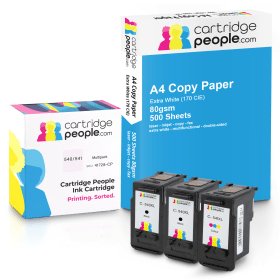
Black
Number in Pack: 2
Volume of Ink: 22ml each
MPN: 5222B005AA
Colour
Number in Pack: 1
Volume of Ink: 18ml each
MPN: 5226B005AA, 5226B001
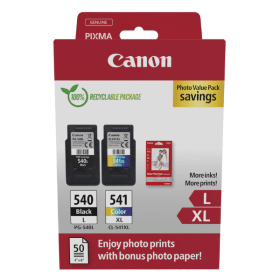
Black
Number in Pack: 1
Volume of Ink: 11ml each
MPN: 5224B010, 5224B001
Colour
Number in Pack: 1
Volume of Ink: 15ml each
MPN: 5226B005AA, 5226B001

Black
Number in Pack: 1
Volume of Ink: 8ml each
MPN: 5225B001
Colour
Number in Pack: 1
Volume of Ink: 8ml each
MPN: 5227B005AA, 5227B001

Black
Number in Pack: 2
Volume of Ink: 11ml each
MPN: 5224B010, 5224B001
Colour
Number in Pack: 1
Volume of Ink: 15ml each
MPN: 5226B005AA, 5226B001

Black
Number in Pack: 2
Volume of Ink: 11ml each
MPN: 5224B010, 5224B001
Colour
Number in Pack: 1
Volume of Ink: 15ml each
MPN: 5226B005AA, 5226B001

Black
Number in Pack: 1
Volume of Ink: 8ml each
MPN: 5225B001
Colour
Number in Pack: 1
Volume of Ink: 8ml each
MPN: 5227B005AA, 5227B001

Black
Number in Pack: 1
Volume of Ink: 22ml each, 100% extra ink vs the OEM option
MPN: 5222B005AA
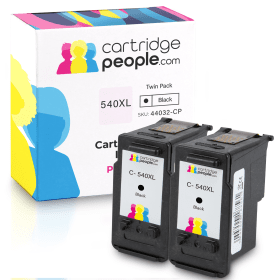
Black
Number in Pack: 2
Volume of Ink: 22ml each, 100% extra ink vs the OEM option
MPN: 5222B005AA
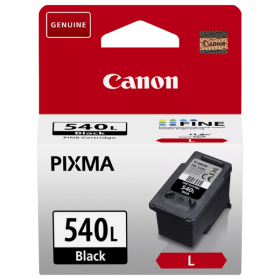
Black
Number in Pack: 1
Volume of Ink: 11ml each
MPN: 5224B010, 5224B001
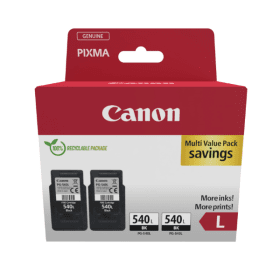
Black
Number in Pack: 2
Volume of Ink: 11ml each
MPN: 5224B010, 5224B001

Black
Number in Pack: 1
Volume of Ink: 8ml each
MPN: 5225B001
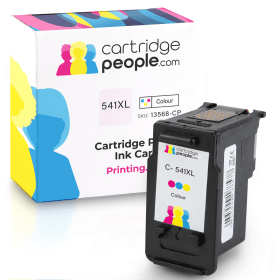
Colour
Number in Pack: 1
Volume of Ink: 18ml each, 20% extra ink vs the OEM option
MPN: 5226B005AA, 5226B001
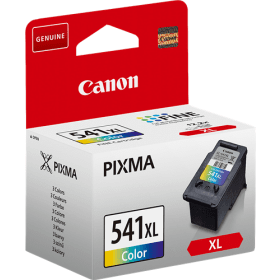
Colour
Number in Pack: 1
Volume of Ink: 15ml each
MPN: 5226B005AA, 5226B001
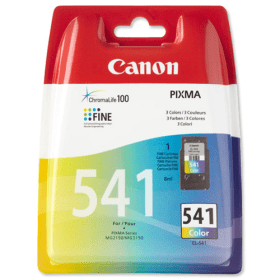
Colour
Number in Pack: 1
Volume of Ink: 8ml each
MPN: 5227B005AA, 5227B001
Backed by what Canon calls a “FastFront design”, the Canon Pixma MG4150 is a printer with a small footprint so it can be easily accommodated in the home.
For families who may want to print, copy or scan from various rooms in the home, this machine has built-in Wi-Fi connectivity. There are also features aimed at helping users get the most from their photo prints. Online albums can be browsed and printed from using PIXMA Cloud Link so you can access your favourite photographs.
Creative Park Premium is an online service from Canon that allows you to download images and illustrations from internationally recognised photographers and artists. You can also print high quality images from movies using Canon’s Full HD Movie Print feature.
Managing your paper costs can be important when it comes to home printing. For that reason, the auto duplexing (double-sided) functionality with this printer can help halve your printing costs by simply allowing you to automatically print on both sides.
In terms of ink cartridge use, the Canon Pixma MG4150 is able to accept XL cartridges that can offer a 50 per cent cost per page saving for customers. Photo prints should last a lifetime through the use of genuine Canon inks combined with the appropriate photo paper and all of which are available from Cartridge People.
The Canon Pixma MG4150 All-in-One Colour Printer gives users the ability to print, copy and scan documents and photos to a variety of different devices, including wireless tablets and smartphones.
As an all-in-one printer, the MG4150 is designed to be the only machine in the office or home. As such, it has been designed to provide high quality prints at resolutions up to 4800dpi. It is rated for speeds of up to 9.9 pages per minute in monochrome and 5.7 pages per minute in full colour. The printer can print a 10 by 15cm photo in less than 45 seconds.
The Wi-Fi allows users to do more than just print from tablets, smartphones and wireless PCs. It also includes Canon’s Cloud Link, which lets users print photos directly from the Canon Image Gateway and Picasa. Users can also access a variety of different stationery, templates and calendars or print documents stored in Google’s Cloud.
The Creative Park Premium software that comes with the device can be used to scan, print, organise, share and edit photos. Users can also print images directly from videos using the HD movie print feature.
Pros
Cons
Star Rating: 3


 FREE Delivery over £35
 Unbeatable Prices



