With the type of capability that will allow printing, scanning and copying from anywhere in the home, the Canon Pixma MG3550 is an ideal purchase for those looking for a stylish all-in-one.
High quality printing, copying and scanning can be expected from a machine that is able to support Google Cloud Print and Apple AirPrint. For the ink cartridges to achieve such a high standard of results, look no further than the range of consumables available from Cartridge People for this device.


Black
Number in Pack: 1
Volume of Ink: 22ml each, 100% extra ink vs the OEM option
MPN: 5222B005AA
Colour
Number in Pack: 1
Volume of Ink: 18ml each, 20% extra ink vs the OEM option
MPN: 5226B005AA, 5226B001

Black
Number in Pack: 2
Volume of Ink: 22ml each, 100% extra ink vs the OEM option
MPN: 5222B005AA
Colour
Number in Pack: 1
Volume of Ink: 18ml each, 20% extra ink vs the OEM option
MPN: 5226B005AA, 5226B001
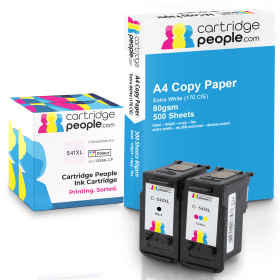
Black
Number in Pack: 1
Volume of Ink: 22ml each
MPN: 5222B005AA
Colour
Number in Pack: 1
Volume of Ink: 18ml each
MPN: 5226B005AA, 5226B001
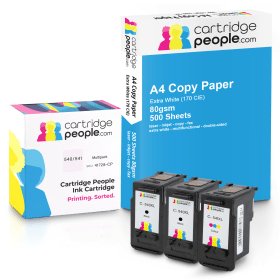
Black
Number in Pack: 2
Volume of Ink: 22ml each
MPN: 5222B005AA
Colour
Number in Pack: 1
Volume of Ink: 18ml each
MPN: 5226B005AA, 5226B001
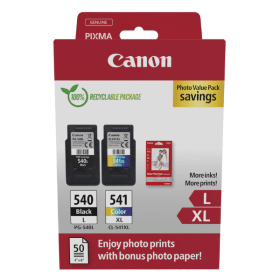
Black
Number in Pack: 1
Volume of Ink: 11ml each
MPN: 5224B010, 5224B001
Colour
Number in Pack: 1
Volume of Ink: 15ml each
MPN: 5226B005AA, 5226B001

Black
Number in Pack: 1
Volume of Ink: 8ml each
MPN: 5225B001
Colour
Number in Pack: 1
Volume of Ink: 8ml each
MPN: 5227B005AA, 5227B001

Black
Number in Pack: 2
Volume of Ink: 11ml each
MPN: 5224B010, 5224B001
Colour
Number in Pack: 1
Volume of Ink: 15ml each
MPN: 5226B005AA, 5226B001

Black
Number in Pack: 2
Volume of Ink: 11ml each
MPN: 5224B010, 5224B001
Colour
Number in Pack: 1
Volume of Ink: 15ml each
MPN: 5226B005AA, 5226B001

Black
Number in Pack: 1
Volume of Ink: 8ml each
MPN: 5225B001
Colour
Number in Pack: 1
Volume of Ink: 8ml each
MPN: 5227B005AA, 5227B001

Black
Number in Pack: 1
Volume of Ink: 22ml each, 100% extra ink vs the OEM option
MPN: 5222B005AA
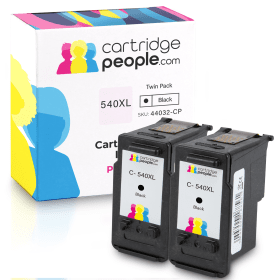
Black
Number in Pack: 2
Volume of Ink: 22ml each, 100% extra ink vs the OEM option
MPN: 5222B005AA
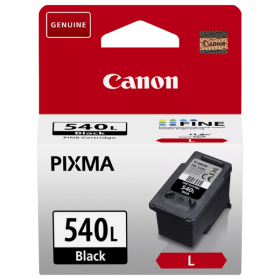
Black
Number in Pack: 1
Volume of Ink: 11ml each
MPN: 5224B010, 5224B001
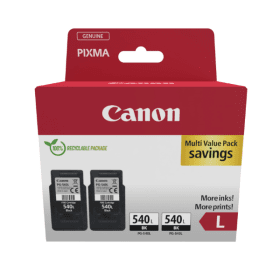
Black
Number in Pack: 2
Volume of Ink: 11ml each
MPN: 5224B010, 5224B001

Black
Number in Pack: 1
Volume of Ink: 8ml each
MPN: 5225B001
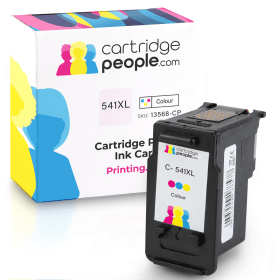
Colour
Number in Pack: 1
Volume of Ink: 18ml each, 20% extra ink vs the OEM option
MPN: 5226B005AA, 5226B001
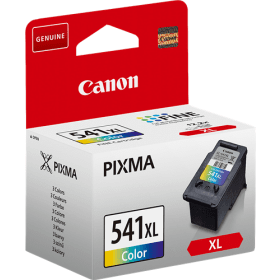
Colour
Number in Pack: 1
Volume of Ink: 15ml each
MPN: 5226B005AA, 5226B001
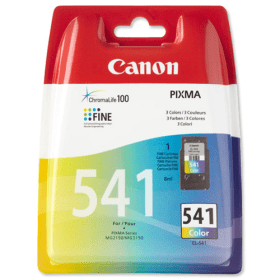
Colour
Number in Pack: 1
Volume of Ink: 8ml each
MPN: 5227B005AA, 5227B001
The Canon Pixma MG3550 is an all-in-one printer offering around the home printing via PCs or smartphones due to its Wi-Fi connectivity.
Printing from (or scanning to) smartphones or tablets is made possible thanks to Canon’s PIXMA Printing Solutions app. This feature can give users remote access to printer information including details on accessing the printer’s online manual as well as checking the current ink levels. For added support, Apple AirPrint is also provided.
The usefulness of printing from the internet can be helped with Google Cloud Print connecting the printer to the web so you can access and print emails, photographs, Google Docs, etc. Not being in the same room as the printer when you connect will not cause any security issues allowing you to print with confidence.
A print resolution of up to 4800dpi will help to deliver high quality printing and with print speeds of 9.9ipm for mono and 5.7ipm in colour, the MG3550 can offer fast printing. A borderless 10 x 15cm photograph will be printed in approximately 44 seconds.
For added cost savings for customers, there are XL ink cartridges available for this machine. This can make your printing go further and potentially save users up to 50 per cent per page. Paper costs can also be halved due the auto duplexing (double-sided printing) feature that’s included with the device.
Organising and printing your photographs has never been easier thanks to My Image Garden software from Canon. Photographs can even be scanned with this feature and face recognition allows users to search through the pictures on their PC to find the ones they would like to print.
The Canon Pixma MG3550 All-in-One Printer is a compact device that prints, scans and copies documents up to legal size.
In addition to a standard USB connection, the MG3550 also has wireless Wi-Fi support and can be connected to Apple devices via AirPrint. It also supports Google Cloud Print for direct printing from Google applications.
It can produce a 10 by 15cm borderless photo in under a minute, and it can print photos in resolutions up to 4800 by 1200dpi. The printer also comes with two-sided duplexing capability.
The scanner can scan documents up to A4 size and deliver them wirelessly to any attached device.
The printer allows users to scan and copy without using the computer via controls on the left side, although it does not feature an LCD display, so options are limited. The MG3550 uses two standard ink cartridges, one for black and one for tri-colour ink. Both are also available in high capacity versions for those who do a lot of printing.
Pros
Cons
Star Rating: 4


 FREE Delivery over £35
 Unbeatable Prices