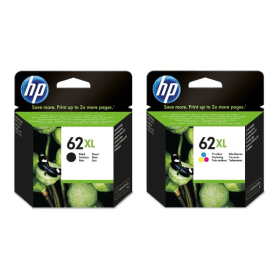
Black
Number in Pack: 1
Volume of Ink: 12ml each
MPN: C2P05AE
Colour
Number in Pack: 1
Volume of Ink: 11ml each
MPN: C2P07AE
Order now for dispatch Monday
Black
Number in Pack: 1
Volume of Ink: 4ml each
MPN: C2P04AE
Colour
Number in Pack: 1
Volume of Ink: 4.5ml each
MPN: C2P06AE
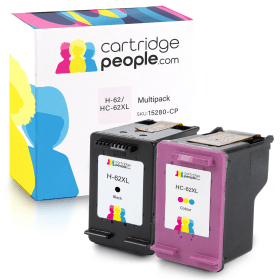
Order now for dispatch Monday
Black
Number in Pack: 1
Volume of Ink: 18ml each, 50% extra ink vs the OEM option
MPN: C2P05AE
Colour
Number in Pack: 1
Volume of Ink: 18ml each, 63% extra ink vs the OEM option
MPN: C2P07AE
Order now for dispatch Monday
Black
Number in Pack: 1
Volume of Ink: 12ml each
MPN: C2P05AE
Order now for dispatch Monday
Black
Number in Pack: 1
Volume of Ink: 4ml each
MPN: C2P04AE
Order now for dispatch Monday
Black
Number in Pack: 1
Volume of Ink: 18ml each, 50% extra ink vs the OEM option
MPN: C2P05AE
Order now for dispatch Monday
Colour
Number in Pack: 1
Volume of Ink: 11ml each
MPN: C2P07AE
Order now for dispatch Monday
Colour
Number in Pack: 1
Volume of Ink: 4.5ml each
MPN: C2P06AE
Order now for dispatch Monday
Colour
Number in Pack: 1
Volume of Ink: 18ml each, 63% extra ink vs the OEM option
MPN: C2P07AE
Order now for dispatch Monday
To ensure you receive an answer to your question as quickly as possible, we recommend contacting our customer service team directly using one of the following methods:
If you have a product-related question that may benefit other customers, please proceed. Your question and our response may be published on cartridgepeople.com following approval.
Asked by Terry Hague - regular customer - Published over 3 years ago
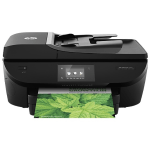
Printing, scanning and copying is all possible with the HP OfficeJet 5742 which can also offer fax capability and Wi-Fi printing.
Ideal for a home office or small office environment, this machine can produce the kind of laser-like text documents you’ll want to keep whilst photos will appear vibrant and vivid. There is also the functionality to keep up with the modern day office in the form of Apple AirPrint and HP ePrint support.
For those looking for a machine which can offer good photo printing functionality, there is the chance to print from an SD card.
In keeping with the office suitability of this device, an auto duplex feature is included that can help potentially halve print costs by allowing both sides of the page to be printed on. For added convenience, the 5742 also comes with a 25-page automatic document feeder that’ll help productivity.
This printer can operate at speeds of 12ppm for mono and 8ppm for colour.
The design of the HP OfficeJet 5742 is one that can probably be best described as “well-rounded” with curved corners removing the bulkiness you so often get with office machines.
Despite the home office billing and auto duplexing facility, it’s still a little disappointing that there is only a 75-sheet paper capacity. This may leave it a little short when compared to what is offered elsewhere in the home printer market but the automatic document feeder is a welcome inclusion.
The mobile printing options will satisfy the demands of a modern day office and for affordability there is the option of purchasing XL ink cartridges for this machine.
Print speeds could probably be best described as a little sluggish which is a shame for a printer that has so much to offer users.
Adequate for a home office whilst being average for a larger office environment is probably the best way to sum up the OfficeJet 5742.
Pros
Cons
Star Rating: 3.5