Trust Cartridge People to source only the most reliable HP OfficeJet Pro 9015 ink cartridges on the market and offer them at low prices to reduce the cost of your office printing.
Check out our list of deals below and choose from the single products and multipacks we currently have in stock. We've also included an expert review of the printer itself for your reference.

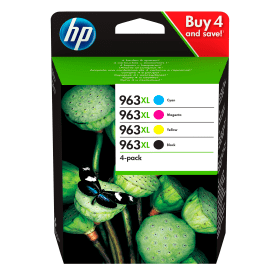

Black
Number in Pack: 1
Volume of Ink: 47.8ml each
MPN: 3JA30AE
Cyan
Number in Pack: 1
Volume of Ink: 22.7ml each
MPN: 3JA27AE
Magenta
Number in Pack: 1
Volume of Ink: 23.2ml each
MPN: 3JA28AE
Yellow
Number in Pack: 1
Volume of Ink: 23ml each
MPN: 3JA29AE

Black
Number in Pack: 1
Volume of Ink: 24ml each
MPN: 3JA26AE
Cyan
Number in Pack: 1
Volume of Ink: 10.7ml each
MPN: 3JA23AE
Magenta
Number in Pack: 1
Volume of Ink: 10.7ml each
MPN: 3JA24AE
Yellow
Number in Pack: 1
Volume of Ink: 10.7ml each
MPN: 3JA25AE
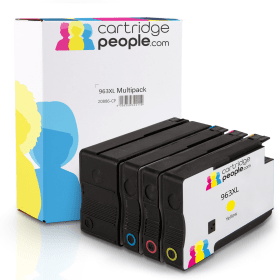
Black
Number in Pack: 1
Volume of Ink: 58ml each, 21% extra ink vs the OEM option
MPN: 3JA30AE
Cyan
Number in Pack: 1
Volume of Ink: 25.5ml each, 12% extra ink vs the OEM option
MPN: 3JA27AE
Magenta
Number in Pack: 1
Volume of Ink: 25.5ml each, 9% extra ink vs the OEM option
MPN: 3JA28AE
Yellow
Number in Pack: 1
Volume of Ink: 25.5ml each, 10% extra ink vs the OEM option
MPN: 3JA29AE

Black
Number in Pack: 1
Volume of Ink: 47.8ml each
MPN: 3JA30AE

Black
Number in Pack: 1
Volume of Ink: 24ml each
MPN: 3JA26AE

Black
Number in Pack: 1
Volume of Ink: 58ml each, 21% extra ink vs the OEM option
MPN: 3JA30AE

Cyan
Number in Pack: 1
Volume of Ink: 22.7ml each
MPN: 3JA27AE

Cyan
Number in Pack: 1
Volume of Ink: 10.7ml each
MPN: 3JA23AE
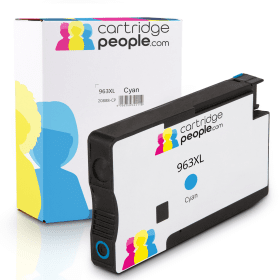
Cyan
Number in Pack: 1
Volume of Ink: 25.5ml each, 12% extra ink vs the OEM option
MPN: 3JA27AE

Magenta
Number in Pack: 1
Volume of Ink: 23.2ml each
MPN: 3JA28AE

Magenta
Number in Pack: 1
Volume of Ink: 10.7ml each
MPN: 3JA24AE
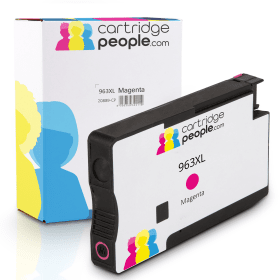
Magenta
Number in Pack: 1
Volume of Ink: 25.5ml each, 9% extra ink vs the OEM option
MPN: 3JA28AE

Yellow
Number in Pack: 1
Volume of Ink: 23ml each
MPN: 3JA29AE

Yellow
Number in Pack: 1
Volume of Ink: 10.7ml each
MPN: 3JA25AE
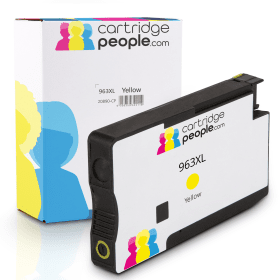
Yellow
Number in Pack: 1
Volume of Ink: 25.5ml each, 10% extra ink vs the OEM option
MPN: 3JA29AE
What the HP OfficeJet Pro 9015 can provide you with is an easy way to carry out a variety of admin tasks in a busy office. This is due to the fact it can print, scan and copy as well possessing fax functionality.
Use a Wi-Fi connection to access documents stored via Cloud-based solutions such as Dropbox and Google Drive. This means you can print, scan and copy with the help of your smartphone device and even receive notifications regarding the status of your jobs.
Helping you to organise documents is what HP calls Smart Tasks. This mobile print app will allow you to automate scanning tasks and you can even create editable and searchable documents from your phone or printer.
The HP OfficeJet Pro 9015 has auto duplexing capabilities and a 250-sheet paper capacity. You'll also be pleased to know the machine can produce pages quickly with speeds of up to 22ppm for mono and 18ppm for colour capable of being achieved.
Business documents will appear vivid and vibrant so they can be shared with colleagues and clients thanks to the 4800 x 1200dpi print resolution the HP OfficeJet Pro 9015 operates with.
When you buy HP OfficeJet Pro 9015 ink cartridges from Cartridge People before a certain time you can take advantage of our next day delivery service. For added peace of mind, a 100% Satisfaction Guarantee is included with every purchase so you can print with confidence.
The HP OfficeJet Pro 9015 accepts the following ink cartridges:


 FREE Delivery over £35
 Unbeatable Prices



