


Black
Number in Pack: 2
Volume of Ink: 23ml each
MPN: C9351A
Colour
Number in Pack: 1
Volume of Ink: 23ml each
MPN: C9352A
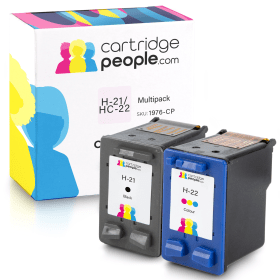
Black
Number in Pack: 1
Volume of Ink: 23ml each
MPN: C9351A
Colour
Number in Pack: 1
Volume of Ink: 23ml each
MPN: C9352A

Black
Number in Pack: 1
Volume of Ink: 23ml each
MPN: C9351A
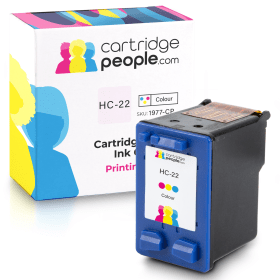
Colour
Number in Pack: 1
Volume of Ink: 23ml each
MPN: C9352A
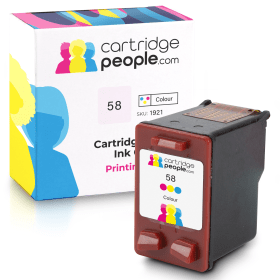
Photo Colour
Number in Pack: 1
Volume of Ink: 18ml each
MPN: C6658AE
The HP DeskJet F2280 is a machine capable of fulfilling the needs of a home user looking for a minimalistic machine that can deliver quality printing.
Boosted by the fact it can also scan and copy, users will appreciate this entry level printer’s ability to perform a variety of tasks effectively.
A paper capacity of 80 sheets is offered whilst there is also a duty cycle of 1,000 pages a month to enhance the reliability of a machine that could easily be an option for university students looking for a high quality printer at a low cost price.
Energy savings can also be made when using the F2280 as a result of its ENERGY STAR mode.
A simple and compact design complements the HP DeskJet F2280’s printing, scanning and copying ability.
Without a display screen, users will need to operate the control buttons available in order to access the machine’s functions. The small footprint should still see the machine easily accommodated on a desktop even if the design is not what you’d describe as ‘modern’.
Unfortunately, this printer doesn’t deliver print speeds that will suit a home user who needs documents and photographs in a hurry. Instead, it perhaps lends itself to those who print on a fairly infrequent basis.
There is also a distinct lack of functionality with this machine. No Wi-Fi is a big miss with so much emphasis in recent times having been placed on printing wirelessly. There isn’t even a memory card reader which will be another black mark against it from those who favour photo printing.
Print quality may be of a high standard but the F2280 just doesn’t have enough features to qualify as an appropriate device for those who like to print regularly.
Pros
Cons
Star Rating: 2.5


 FREE Delivery over £35
 Unbeatable Prices



