


Black
Number in Pack: 1
Volume of Ink: 40ml each, 17% extra ink vs the OEM option
MPN: C13T27914010, T2791
Cyan
Number in Pack: 1
Volume of Ink: 11ml each, 5% extra ink vs the OEM option
MPN: C13T27124010, T2712
Magenta
Number in Pack: 1
Volume of Ink: 11ml each, 5% extra ink vs the OEM option
MPN: C13T27134010, T2713
Yellow
Number in Pack: 1
Volume of Ink: 11ml each, 5% extra ink vs the OEM option
MPN: C13T27144010, T2714

Black
Number in Pack: 1
Volume of Ink: 20ml each, 12% extra ink vs the OEM option
MPN: C13T27114010, T2711
Cyan
Number in Pack: 1
Volume of Ink: 11ml each, 5% extra ink vs the OEM option
MPN: C13T27124010, T2712
Magenta
Number in Pack: 1
Volume of Ink: 11ml each, 5% extra ink vs the OEM option
MPN: C13T27134010, T2713
Yellow
Number in Pack: 1
Volume of Ink: 11ml each, 5% extra ink vs the OEM option
MPN: C13T27144010, T2714

Cyan
Number in Pack: 1
Volume of Ink: 11ml each, 5% extra ink vs the OEM option
MPN: C13T27124010, T2712
Magenta
Number in Pack: 1
Volume of Ink: 11ml each, 5% extra ink vs the OEM option
MPN: C13T27134010, T2713
Yellow
Number in Pack: 1
Volume of Ink: 11ml each, 5% extra ink vs the OEM option
MPN: C13T27144010, T2714

Black
Number in Pack: 1
Volume of Ink: 34.1ml each
MPN: C13T27914010, T2791
Cyan
Number in Pack: 1
Volume of Ink: 10.4ml each
MPN: C13T27124010, T2712
Magenta
Number in Pack: 1
Volume of Ink: 10.4ml each
MPN: C13T27134010, T2713
Yellow
Number in Pack: 1
Volume of Ink: 10.4ml each
MPN: C13T27144010, T2714
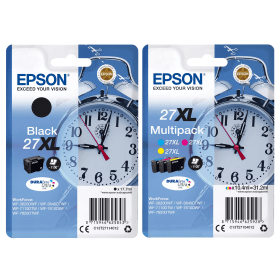
Black
Number in Pack: 1
Volume of Ink: 17.7ml each
MPN: C13T27114010, T2711
Cyan
Number in Pack: 1
Volume of Ink: 10.4ml each
MPN: C13T27124010, T2712
Magenta
Number in Pack: 1
Volume of Ink: 10.4ml each
MPN: C13T27134010, T2713
Yellow
Number in Pack: 1
Volume of Ink: 10.4ml each
MPN: C13T27144010, T2714

Cyan
Number in Pack: 1
Volume of Ink: 10.4ml each
MPN: C13T27124010, T2712
Magenta
Number in Pack: 1
Volume of Ink: 10.4ml each
MPN: C13T27134010, T2713
Yellow
Number in Pack: 1
Volume of Ink: 10.4ml each
MPN: C13T27144010, T2714

Black
Number in Pack: 1
Volume of Ink: 6.2ml each
MPN: C13T27014010, T2701
Cyan
Number in Pack: 1
Volume of Ink: 3.6ml each
MPN: C13T27024010, T2702
Magenta
Number in Pack: 1
Volume of Ink: 3.6ml each
MPN: C13T27034010, T2703
Yellow
Number in Pack: 1
Volume of Ink: 3.6ml each
MPN: C13T27044010, T2704
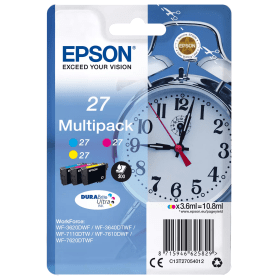
Cyan
Number in Pack: 1
Volume of Ink: 3.6ml each
MPN: C13T27024010, T2702
Magenta
Number in Pack: 1
Volume of Ink: 3.6ml each
MPN: C13T27034010, T2703
Yellow
Number in Pack: 1
Volume of Ink: 3.6ml each
MPN: C13T27044010, T2704
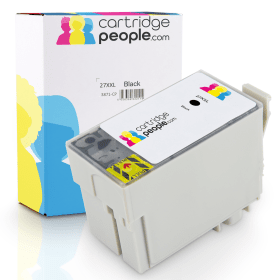
Black
Number in Pack: 1
Volume of Ink: 40ml each, 17% extra ink vs the OEM option
MPN: C13T27914010, T2791

Black
Number in Pack: 1
Volume of Ink: 20ml each, 12% extra ink vs the OEM option
MPN: C13T27114010, T2711

Black
Number in Pack: 1
Volume of Ink: 34.1ml each
MPN: C13T27914010, T2791

Black
Number in Pack: 1
Volume of Ink: 17.7ml each
MPN: C13T27114010, T2711

Black
Number in Pack: 1
Volume of Ink: 6.2ml each
MPN: C13T27014010, T2701

Cyan
Number in Pack: 1
Volume of Ink: 11ml each, 5% extra ink vs the OEM option
MPN: C13T27124010, T2712

Cyan
Number in Pack: 1
Volume of Ink: 10.4ml each
MPN: C13T27124010, T2712

Cyan
Number in Pack: 1
Volume of Ink: 3.6ml each
MPN: C13T27024010, T2702

Magenta
Number in Pack: 1
Volume of Ink: 11ml each, 5% extra ink vs the OEM option
MPN: C13T27134010, T2713

Magenta
Number in Pack: 1
Volume of Ink: 10.4ml each
MPN: C13T27134010, T2713

Magenta
Number in Pack: 1
Volume of Ink: 3.6ml each
MPN: C13T27034010, T2703

Yellow
Number in Pack: 1
Volume of Ink: 11ml each, 5% extra ink vs the OEM option
MPN: C13T27144010, T2714

Yellow
Number in Pack: 1
Volume of Ink: 10.4ml each
MPN: C13T27144010, T2714

Yellow
Number in Pack: 1
Volume of Ink: 3.6ml each
MPN: C13T27044010, T2704
Introduced to improve productivity in your office, the Epson WorkForce WF-3620DWF can print double-sided and is Wi-Fi enabled to allow for mobile printing.
Giving your documents a professional-look, this all-in-one benefits from printhead technology contributing to a 600dpi print resolution that’ll help you make a positive impression with clients. There are ISO print speeds of 19ppm when printing single-sided and 9.2ppm when printing on both sides of the page.
The bonus for users with auto duplexing is that paper consumption can be greatly reduced and for added convenience there is a 35-page automatic document feeder.
When using Epson’s DURABrite Ultra Ink, documents will be laser-like in appearance whilst the ink has water, smudge and highlighter resistant qualities that can provide a professional finish to both sides of the page. Additionally, there are XL ink cartridges available for this machine which can further contribute to an office’s productivity.
As well as a front-loading paper tray, the WF-3620DWF possesses a rear speciality path that can see users print using a range of paper types to suit the needs of your home or business.
Offering the type of connectivity needed for the modern day workplace, multiple users can print, scan and fax with the help of Wi-Fi, an Ethernet connection or over an office network. For printing from wireless devices without the need to connect to a wireless router, there’s Wi-Fi Direct.
As a 4-in-1 machine, the Epson WorkForce WF-3620DWF can provide home offices with all the functions they need to keep productivity high whilst maintaining quality printing.
When it comes to build quality, this model is more about substance than style with a button-heavy interface that can at times hamper usability.
Whether you print text documents or colour images, you’ll be impressed with the high level of results the WF-3620DWF is capable of. For a home office user, it’s difficult to find the difference between the results of this device and comparable laser printers when it comes to text printing.
A 250-sheet paper capacity is certain to win over those who favour to carry out their printing on a frequent basis. Add to that the automatic document feeder and auto duplexing facility and this becomes a worthwhile addition to your home workspace.
It’s in the home office market where this machine is probably best suited.
If you have a tendency to print more photographs than documents you may feel the quality is a little lacking and the speed at which photo printing is done could be quicker.
Pros
Cons
Star Rating: 4.5


 FREE Delivery over £35
 Unbeatable Prices



