

Black
Number in Pack: 1
Volume of Ink: 5ml each
MPN: C13T16214012, T1621
Cyan
Number in Pack: 1
Volume of Ink: 3ml each
MPN: C13T16224012, T1622
Magenta
Number in Pack: 1
Volume of Ink: 3ml each
MPN: C13T16234012, T1623
Yellow
Number in Pack: 1
Volume of Ink: 3ml each
MPN: C13T16244012, T1624

Black
Number in Pack: 1
Volume of Ink: 17ml each, 31% extra ink vs the OEM option
MPN: C13T16314012, T1631
Cyan
Number in Pack: 1
Volume of Ink: 11.6ml each, 78% extra ink vs the OEM option
MPN: C13T16324012, T1632
Magenta
Number in Pack: 1
Volume of Ink: 11.6ml each, 78% extra ink vs the OEM option
MPN: C13T16334012, T1633
Yellow
Number in Pack: 1
Volume of Ink: 11.6ml each, 78% extra ink vs the OEM option
MPN: C13T16344012, T1634

Black
Number in Pack: 1
Volume of Ink: 12.9ml each
MPN: C13T16314012, T1631
Cyan
Number in Pack: 1
Volume of Ink: 6.5ml each
MPN: C13T16324012, T1632
Magenta
Number in Pack: 1
Volume of Ink: 6.5ml each
MPN: C13T16334012, T1633
Yellow
Number in Pack: 1
Volume of Ink: 6.5ml each
MPN: C13T16344012, T1634

Black
Number in Pack: 1
Volume of Ink: 17ml each, 31% extra ink vs the OEM option
MPN: C13T16314012, T1631

Black
Number in Pack: 1
Volume of Ink: 12.9ml each
MPN: C13T16314012, T1631

Black
Number in Pack: 1
Volume of Ink: 5ml each
MPN: C13T16214012, T1621

Cyan
Number in Pack: 1
Volume of Ink: 6.5ml each
MPN: C13T16324012, T1632

Cyan
Number in Pack: 1
Volume of Ink: 3ml each
MPN: C13T16224012, T1622

Cyan
Number in Pack: 1
Volume of Ink: 11.6ml each, 78% extra ink vs the OEM option
MPN: C13T16324012, T1632

Magenta
Number in Pack: 1
Volume of Ink: 3ml each
MPN: C13T16234012, T1623

Magenta
Number in Pack: 1
Volume of Ink: 11.6ml each, 78% extra ink vs the OEM option
MPN: C13T16334012, T1633

Magenta
Number in Pack: 1
Volume of Ink: 6.5ml each
MPN: C13T16334012, T1633

Yellow
Number in Pack: 1
Volume of Ink: 6.5ml each
MPN: C13T16344012, T1634

Yellow
Number in Pack: 1
Volume of Ink: 3ml each
MPN: C13T16244012, T1624

Yellow
Number in Pack: 1
Volume of Ink: 11.6ml each, 78% extra ink vs the OEM option
MPN: C13T16344012, T1634
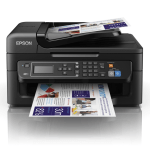
This Epson WorkForce WF-2630 is an affordable way to experience the benefits of inkjets for bigger businesses.
A compact 4-in-1 with Wi-Fi connectivity, home office users will appreciate the WF-2360's automatic set up and Wi-Fi Direct function allowing for wireless printing without the need for a network. This flexible connectivity is a plus point for home users.
For ultimate convenience, a 30-page document feeder will provide multi-page 1200dpi scanning, copying and faxing.
Available in a choice of standard or XL cartridge sizes, Epson's 16 series inks are used in this printer with the cartridge size options allowing users to select a consumable that best suits their printing needs. Through using an XL ink cartridge, you will reduce your printing costs whilst the use of individual cartridges means that you will only need to replace the colour used.
The compatibility of the WF-2630 extends to Epson Connect offering features such as scan-to-cloud, email print and the Epson iPrint app. Apple AirPrint and Google Cloud print are also compatible with this machine helping you to print seamlessly from smartphones and tablets.
Navigation is also made simple through using the 5.6cm back-lit mono LCD screen included with the WF-2630.
Released in January 2015, the Epson WorkForce WF-2630 looks to give small businesses the sort of consistency you’d expect from a laser printer when printing documents.
When it comes to quality and consistency, this machine does deliver the kind of results that you’ll be happy to share with customers or clients as part of your external correspondence and marketing. Of course, there is an automatic document feeder which can help productivity.
It’s perhaps disappointing then that there is no auto duplexing option available. So often the case, that businesses would want to keep an eye on their paper wastage, not being able to print on both sides of the page could see some people look elsewhere.
Despite this, print speeds are of a good standard that should see productivity levels maintained. There is also the automatic Wi-Fi set up that is a bonus for those looking to get themselves printing wirelessly in a hurry.
All in all, for such a low cost price, the WF-2630 is a good small office printer that will produce good text and graphic prints.
Pros
Cons
Star Rating: 4


 FREE Delivery over £35
 Unbeatable Prices



