Providing users with PC-free printing as well as scanning and copying functionality is the Epson Stylus SX445W.
Benefitting from smart-navigation touch panel technology, this printer offers an effective solution to your home printing needs. When used in combination with the ink cartridges available through Cartridge People, you will find that there is an added cost saving to be had thanks to the price of Cartridge People’s products.


Black
Number in Pack: 1
Volume of Ink: 12ml each, 7% extra ink vs the OEM option
MPN: C13T12914012
Cyan
Number in Pack: 1
Volume of Ink: 13ml each, 85% extra ink vs the OEM option
MPN: C13T12924012
Magenta
Number in Pack: 1
Volume of Ink: 13ml each, 85% extra ink vs the OEM option
MPN: C13T12934012
Yellow
Number in Pack: 1
Volume of Ink: 13ml each, 85% extra ink vs the OEM option
MPN: C13T12944012

Black
Number in Pack: 1
Volume of Ink: 7ml each, 18% extra ink vs the OEM option
MPN: C13T12814010
Cyan
Number in Pack: 1
Volume of Ink: 7ml each, 100% extra ink vs the OEM option
MPN: C13T12824010
Magenta
Number in Pack: 1
Volume of Ink: 7ml each, 100% extra ink vs the OEM option
MPN: C13T12834010
Yellow
Number in Pack: 1
Volume of Ink: 7ml each, 100% extra ink vs the OEM option
MPN: C13T12844010

Black
Number in Pack: 1
Volume of Ink: 11.2ml each
MPN: C13T12914012
Cyan
Number in Pack: 1
Volume of Ink: 7ml each
MPN: C13T12924012
Magenta
Number in Pack: 1
Volume of Ink: 7ml each
MPN: C13T12934012
Yellow
Number in Pack: 1
Volume of Ink: 7ml each
MPN: C13T12944012
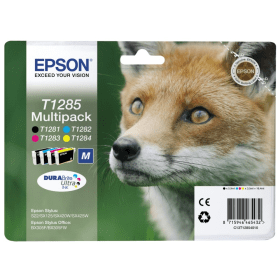
Black
Number in Pack: 1
Volume of Ink: 5.9ml each
MPN: C13T12814010
Cyan
Number in Pack: 1
Volume of Ink: 3.5ml each
MPN: C13T12824010
Magenta
Number in Pack: 1
Volume of Ink: 3.5ml each
MPN: C13T12834010
Yellow
Number in Pack: 1
Volume of Ink: 3.5ml each
MPN: C13T12844010
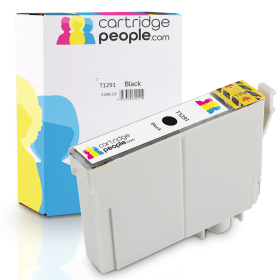
Black
Number in Pack: 1
Volume of Ink: 12ml each, 7% extra ink vs the OEM option
MPN: C13T12914012

Black
Number in Pack: 1
Volume of Ink: 7ml each, 18% extra ink vs the OEM option
MPN: C13T12814010

Black
Number in Pack: 1
Volume of Ink: 11.2ml each
MPN: C13T12914012

Black
Number in Pack: 1
Volume of Ink: 5.9ml each
MPN: C13T12814010

Cyan
Number in Pack: 1
Volume of Ink: 13ml each, 85% extra ink vs the OEM option
MPN: C13T12924012

Cyan
Number in Pack: 1
Volume of Ink: 7ml each, 100% extra ink vs the OEM option
MPN: C13T12824010

Cyan
Number in Pack: 1
Volume of Ink: 7ml each
MPN: C13T12924012

Cyan
Number in Pack: 1
Volume of Ink: 3.5ml each
MPN: C13T12824010

Magenta
Number in Pack: 1
Volume of Ink: 13ml each, 85% extra ink vs the OEM option
MPN: C13T12934012

Magenta
Number in Pack: 1
Volume of Ink: 7ml each, 100% extra ink vs the OEM option
MPN: C13T12834010

Magenta
Number in Pack: 1
Volume of Ink: 7ml each
MPN: C13T12934012

Magenta
Number in Pack: 1
Volume of Ink: 3.5ml each
MPN: C13T12834010
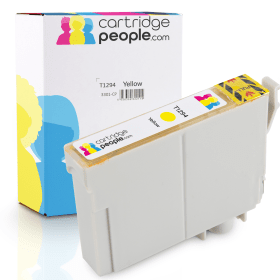
Yellow
Number in Pack: 1
Volume of Ink: 13ml each, 85% extra ink vs the OEM option
MPN: C13T12944012
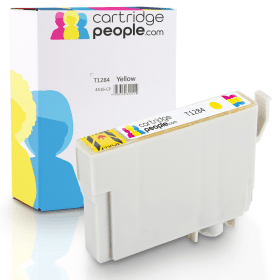
Yellow
Number in Pack: 1
Volume of Ink: 7ml each, 100% extra ink vs the OEM option
MPN: C13T12844010

Yellow
Number in Pack: 1
Volume of Ink: 7ml each
MPN: C13T12944012

Yellow
Number in Pack: 1
Volume of Ink: 3.5ml each
MPN: C13T12844010
If you’re looking for a machine that will save you space, money and time; the Epson Stylus SX445W is the ideal printer for you.
Space savings can be achieved as this device forms part of what Epson calls its “small-in-one” range that includes printers that are 39 per cent smaller than other previous models. With a small footprint, it’s easy to accommodate this machine on a desktop in the home environment. This printer also uses 25 per cent less packaging than other models and so offers an eco-benefit as a result.
Through an easy Wi-Fi set up, the Epson Stylus SX445W can automatically find the relevant connection settings needed in order to print wirelessly. This can then allow multiple users access to the machine to print, copy or scan from anywhere in the home.
When it comes to ease of use, this device has a 6.3cm LCD colour screen plus a memory card slot that can provide PC-free photo printing. Smartphone and tablet users can also print directly due to the printer’s Epson iPrint compatibility.
As the Epson Stylus SX445 only uses individual ink cartridges, you only need to replace the ink that has been used and this is a plus point for those looking to keep printing costs down.
In terms of speed, a 10 x 15cm photograph will be printed in 54 seconds whilst document print speeds are 33ppm for mono and 15ppm for colour.
The Epson Stylus SX445W All-in-One Printer is a small printer, scanner and copier with built-in wireless connectivity.
The printer uses four ink cartridges (black, cyan, yellow and magenta) to print images at a maximum of 5760 by 1440dpi. Additionally, the machine can print pages fairly quickly.
It can also carry out borderless printing and users can email photos and documents to the printer from anywhere in the world. Each print cartridge is rated for around 200 pages per cartridge (using normal ink usage). It features one input tray that can hold 100 pages at a time. The flatbed scanner has a maximum resolution of 1200 by 2400dpi.
A 6.3cm touch panel allows users to copy, print and scan without the use of a connected PC. Images can be printed from and scanned to wireless devices or to the cloud. Epson iPrint provides many different options for those who want to print from tablets and smartphones.
The printer has a built-in memory card reader for easy printing from digital cameras. Images can be edited before printing using the basic photo editor available on the touch panel.
Pros
Cons
Star Rating: 4


 FREE Delivery over £35
 Unbeatable Prices