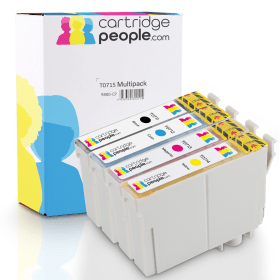

Black
Number in Pack: 1
Volume of Ink: 13ml each, 75% extra ink vs the OEM option
MPN: C13T07114012
Cyan
Number in Pack: 1
Volume of Ink: 7ml each, 27% extra ink vs the OEM option
MPN: C13T07124012
Magenta
Number in Pack: 1
Volume of Ink: 7ml each, 27% extra ink vs the OEM option
MPN: C13T07134012
Yellow
Number in Pack: 1
Volume of Ink: 7ml each, 27% extra ink vs the OEM option
MPN: C13T07144012

Black
Number in Pack: 1
Volume of Ink: 7.4ml each
MPN: C13T07114012
Cyan
Number in Pack: 1
Volume of Ink: 5.5ml each
MPN: C13T07124012
Magenta
Number in Pack: 1
Volume of Ink: 5.5ml each
MPN: C13T07134012
Yellow
Number in Pack: 1
Volume of Ink: 5.5ml each
MPN: C13T07144012
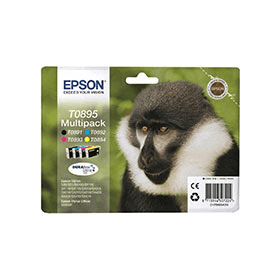
Black
Number in Pack: 1
Volume of Ink: 5.8ml each
MPN: C13T08914010
Cyan
Number in Pack: 1
Volume of Ink: 3.5ml each
MPN: C13T08924010
Magenta
Number in Pack: 1
Volume of Ink: 3.5ml each
MPN: C13T08934010
Yellow
Number in Pack: 1
Volume of Ink: 3.5ml each
MPN: C13T08944010
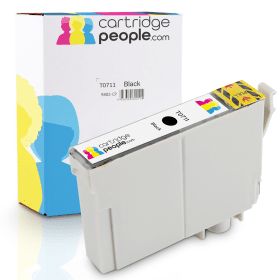
Black
Number in Pack: 1
Volume of Ink: 13ml each, 75% extra ink vs the OEM option
MPN: C13T07114012

Black
Number in Pack: 1
Volume of Ink: 7.4ml each
MPN: C13T07114012
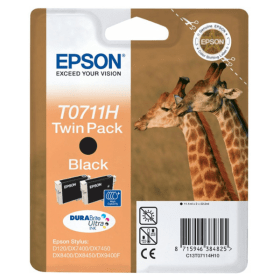
Black
Number in Pack: 2
Volume of Ink: 11.1ml each
MPN: C13T07114H10

Black
Number in Pack: 1
Volume of Ink: 5.8ml each
MPN: C13T08914010
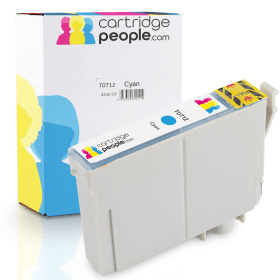
Cyan
Number in Pack: 1
Volume of Ink: 7ml each, 27% extra ink vs the OEM option
MPN: C13T07124012

Cyan
Number in Pack: 1
Volume of Ink: 5.5ml each
MPN: C13T07124012

Cyan
Number in Pack: 1
Volume of Ink: 3.5ml each
MPN: C13T08924010

Magenta
Number in Pack: 1
Volume of Ink: 7ml each, 27% extra ink vs the OEM option
MPN: C13T07134012

Magenta
Number in Pack: 1
Volume of Ink: 5.5ml each
MPN: C13T07134012

Magenta
Number in Pack: 1
Volume of Ink: 3.5ml each
MPN: C13T08934010
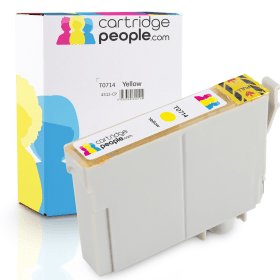
Yellow
Number in Pack: 1
Volume of Ink: 7ml each, 27% extra ink vs the OEM option
MPN: C13T07144012

Yellow
Number in Pack: 1
Volume of Ink: 5.5ml each
MPN: C13T07144012

Yellow
Number in Pack: 1
Volume of Ink: 3.5ml each
MPN: C13T08944010
High quality printing, scanning and copying can be expected when using the Epson Stylus SX400.
In terms of the model’s style, it’s sleek and compact so that it can be easily accommodated on a desktop whilst a 3cm LCD screen will help usability.
Using Epson’s DURABrite Ultra Ink will see documents produced to a laser-like standard whilst photos will possess colour vibrancy in addition to being smudge, water and highlighter resistant. There is also the added benefit of this machine using an individual ink cartridge system so you only need to replace the ink that’s been used.
The Stylus range is popular with home users who prefer their home printer to have a little more functionality and the Epson Stylus SX400 delivers that.
It has the kind of compact design that’s common amongst this range of machines and will see it suit both the home user and even those in university looking for a printer that can also scan and copy.
Both text and images are delivered with clarity and consistency although print speeds are not necessarily the fastest.
All in all, the SX400 is a decent device for those looking for an entry-level printer that has additional features that can be used by families or students.
Pros
Cons
Star Rating: 3


 FREE Delivery over £35
 Unbeatable Prices