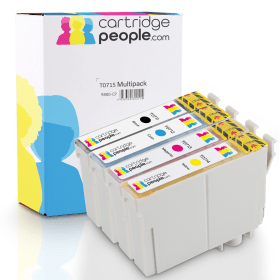

Black
Number in Pack: 1
Volume of Ink: 13ml each, 75% extra ink vs the OEM option
MPN: C13T07114012
Cyan
Number in Pack: 1
Volume of Ink: 7ml each, 27% extra ink vs the OEM option
MPN: C13T07124012
Magenta
Number in Pack: 1
Volume of Ink: 7ml each, 27% extra ink vs the OEM option
MPN: C13T07134012
Yellow
Number in Pack: 1
Volume of Ink: 7ml each, 27% extra ink vs the OEM option
MPN: C13T07144012

Black
Number in Pack: 1
Volume of Ink: 7.4ml each
MPN: C13T07114012
Cyan
Number in Pack: 1
Volume of Ink: 5.5ml each
MPN: C13T07124012
Magenta
Number in Pack: 1
Volume of Ink: 5.5ml each
MPN: C13T07134012
Yellow
Number in Pack: 1
Volume of Ink: 5.5ml each
MPN: C13T07144012
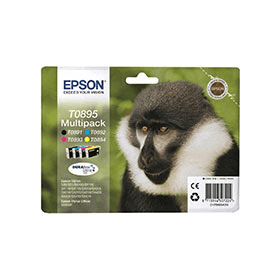
Black
Number in Pack: 1
Volume of Ink: 5.8ml each
MPN: C13T08914010
Cyan
Number in Pack: 1
Volume of Ink: 3.5ml each
MPN: C13T08924010
Magenta
Number in Pack: 1
Volume of Ink: 3.5ml each
MPN: C13T08934010
Yellow
Number in Pack: 1
Volume of Ink: 3.5ml each
MPN: C13T08944010
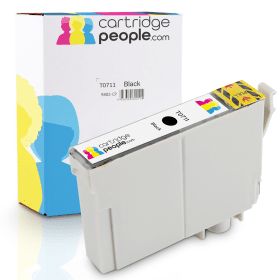
Black
Number in Pack: 1
Volume of Ink: 13ml each, 75% extra ink vs the OEM option
MPN: C13T07114012

Black
Number in Pack: 1
Volume of Ink: 7.4ml each
MPN: C13T07114012

Black
Number in Pack: 1
Volume of Ink: 5.8ml each
MPN: C13T08914010
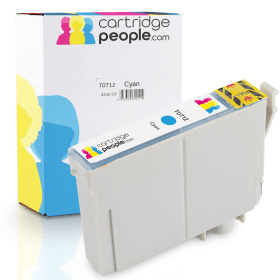
Cyan
Number in Pack: 1
Volume of Ink: 7ml each, 27% extra ink vs the OEM option
MPN: C13T07124012

Cyan
Number in Pack: 1
Volume of Ink: 5.5ml each
MPN: C13T07124012

Cyan
Number in Pack: 1
Volume of Ink: 3.5ml each
MPN: C13T08924010

Magenta
Number in Pack: 1
Volume of Ink: 7ml each, 27% extra ink vs the OEM option
MPN: C13T07134012

Magenta
Number in Pack: 1
Volume of Ink: 5.5ml each
MPN: C13T07134012

Magenta
Number in Pack: 1
Volume of Ink: 3.5ml each
MPN: C13T08934010
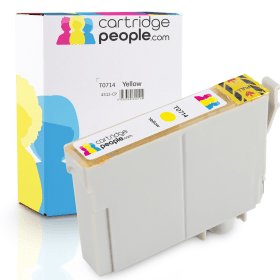
Yellow
Number in Pack: 1
Volume of Ink: 7ml each, 27% extra ink vs the OEM option
MPN: C13T07144012

Yellow
Number in Pack: 1
Volume of Ink: 5.5ml each
MPN: C13T07144012

Yellow
Number in Pack: 1
Volume of Ink: 3.5ml each
MPN: C13T08944010
Memory card slots and an LCD screen contribute to the user-friendly Epson Stylus SX218 that can help you pre-select photos prior to printing.
Using Epson’s Easy Photo Fix function, photos can be printed without the appearance of red eye whilst colour can also be restored. This can enable A4 borderless photos to be produced.
By printing with Epson’s DURABrite Ultra Ink, prints will be fast-drying and will resist smudging and fading. Affordability is helped by the four-ink system used in the SX218 that will see users only need to replace the ink that’s been used.
The ABBYY FineReader OCR software enables the easy scanning of documents into text for editing.
As a result of the machine’s ENERGY STAR accreditation, there is also an energy saving benefit to be enjoyed with the SX218.
Capable of printing and scanning, the range of options available for home users can be overlooked when looking at the Epson Stylus SX218.
This is due to the emphasis Epson places on the photo printing element possessed by this model. Although there are a number of features that lend themselves to the photo enthusiast, the scanning capability of the SX218 is excellent.
The 1200dpi scanner means your photos and documents will appear crisp and sharp.
An LCD screen is good for usability although there is no automatic document feeder or double-sided printing option available.
A decent all-rounder for the home, the SX218 will be able to meet the demands of the home user but is perhaps not the best option as a home office machine.
Pros
Cons
Star Rating: 3


 FREE Delivery over £35
 Unbeatable Prices