
Black
Number in Pack: 1
Volume of Ink: 13ml each, 75% extra ink vs the OEM option
MPN: C13T07114012
Cyan
Number in Pack: 1
Volume of Ink: 7ml each, 27% extra ink vs the OEM option
MPN: C13T07124012
Magenta
Number in Pack: 1
Volume of Ink: 7ml each, 27% extra ink vs the OEM option
MPN: C13T07134012
Yellow
Number in Pack: 1
Volume of Ink: 7ml each, 27% extra ink vs the OEM option
MPN: C13T07144012

Black
Number in Pack: 1
Volume of Ink: 7.4ml each
MPN: C13T07114012
Cyan
Number in Pack: 1
Volume of Ink: 5.5ml each
MPN: C13T07124012
Magenta
Number in Pack: 1
Volume of Ink: 5.5ml each
MPN: C13T07134012
Yellow
Number in Pack: 1
Volume of Ink: 5.5ml each
MPN: C13T07144012
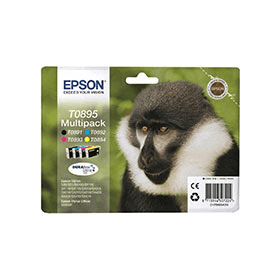
Black
Number in Pack: 1
Volume of Ink: 5.8ml each
MPN: C13T08914010
Cyan
Number in Pack: 1
Volume of Ink: 3.5ml each
MPN: C13T08924010
Magenta
Number in Pack: 1
Volume of Ink: 3.5ml each
MPN: C13T08934010
Yellow
Number in Pack: 1
Volume of Ink: 3.5ml each
MPN: C13T08944010
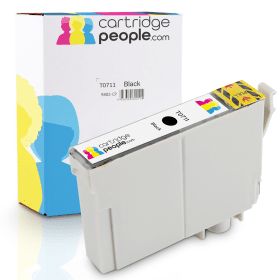
Black
Number in Pack: 1
Volume of Ink: 13ml each, 75% extra ink vs the OEM option
MPN: C13T07114012

Black
Number in Pack: 1
Volume of Ink: 7.4ml each
MPN: C13T07114012

Black
Number in Pack: 1
Volume of Ink: 5.8ml each
MPN: C13T08914010
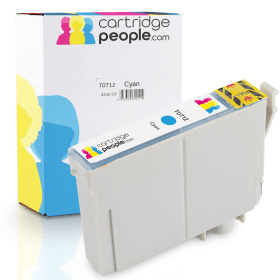
Cyan
Number in Pack: 1
Volume of Ink: 7ml each, 27% extra ink vs the OEM option
MPN: C13T07124012

Cyan
Number in Pack: 1
Volume of Ink: 5.5ml each
MPN: C13T07124012

Cyan
Number in Pack: 1
Volume of Ink: 3.5ml each
MPN: C13T08924010

Magenta
Number in Pack: 1
Volume of Ink: 7ml each, 27% extra ink vs the OEM option
MPN: C13T07134012

Magenta
Number in Pack: 1
Volume of Ink: 5.5ml each
MPN: C13T07134012

Magenta
Number in Pack: 1
Volume of Ink: 3.5ml each
MPN: C13T08934010
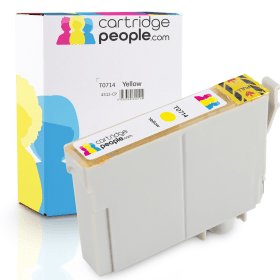
Yellow
Number in Pack: 1
Volume of Ink: 7ml each, 27% extra ink vs the OEM option
MPN: C13T07144012

Yellow
Number in Pack: 1
Volume of Ink: 5.5ml each
MPN: C13T07144012

Yellow
Number in Pack: 1
Volume of Ink: 3.5ml each
MPN: C13T08944010
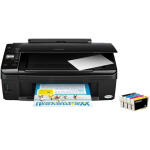
The Epson Stylus SX215 has the affordability and style to go with an ability to print without the need for a PC.
Affordability can be found in the way that the SX215 uses individual ink cartridges meaning that users can save money by only replacing the ink that’s been used.
Printing documents or photos can be achieved without a PC as a result of the printer’s 3.8cm LCD viewer and memory card slots that can provide access to your documents and images.
In the case of photo printing, this printer possesses the Epson Easy Photo Print feature that can see images enhanced and remove the appearance of red eye. Meanwhile, Epson Easy Photo Fix can restore colour in scans of old photographs.
Prints will be able to boast a resolution of 5760 x 1440dpi whilst scans can be produced with a 1200 x 2400dpi resolution.
Home users will certainly appreciate the compact design of the Epson Stylus SX215 with its LCD display providing both an ease of use and style.
In what could easily be considered the budget printer category, the SX215 has the functionality to provide adequate support for those looking for a printer to carry out tasks to a reasonable standard.
Slow print speeds will probably count against this machine for those who look to print in relatively high volumes although the quality of printing is of good quality.
Though this machine is likely to never be a standout performer in a home office environment, it could easily be a printer that will suit a university student who requires printing, scanning and copying as part of their studies.
Another factor which could lend itself to the student printer user is the affordability of a machine which uses individual ink cartridges.
Pros
Cons
Star Rating: 3


 FREE Delivery over £35
 Unbeatable Prices