The Epson Stylus SX200 is an all-in-one printer than can offer printing, copying and scanning functionality.
Able to be used with or without a PC, users will appreciate the machine’s fast print speeds alongside quality prints. Contributing to those high quality results are the ink cartridges available at low cost prices from Cartridge People.

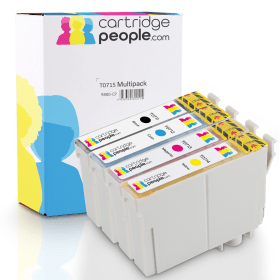

Black
Number in Pack: 1
Volume of Ink: 13ml each, 75% extra ink vs the OEM option
MPN: C13T07114012
Cyan
Number in Pack: 1
Volume of Ink: 7ml each, 27% extra ink vs the OEM option
MPN: C13T07124012
Magenta
Number in Pack: 1
Volume of Ink: 7ml each, 27% extra ink vs the OEM option
MPN: C13T07134012
Yellow
Number in Pack: 1
Volume of Ink: 7ml each, 27% extra ink vs the OEM option
MPN: C13T07144012

Black
Number in Pack: 1
Volume of Ink: 7.4ml each
MPN: C13T07114012
Cyan
Number in Pack: 1
Volume of Ink: 5.5ml each
MPN: C13T07124012
Magenta
Number in Pack: 1
Volume of Ink: 5.5ml each
MPN: C13T07134012
Yellow
Number in Pack: 1
Volume of Ink: 5.5ml each
MPN: C13T07144012
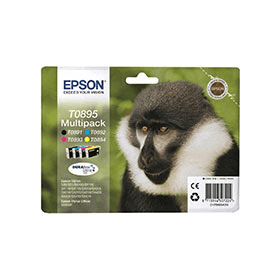
Black
Number in Pack: 1
Volume of Ink: 5.8ml each
MPN: C13T08914010
Cyan
Number in Pack: 1
Volume of Ink: 3.5ml each
MPN: C13T08924010
Magenta
Number in Pack: 1
Volume of Ink: 3.5ml each
MPN: C13T08934010
Yellow
Number in Pack: 1
Volume of Ink: 3.5ml each
MPN: C13T08944010
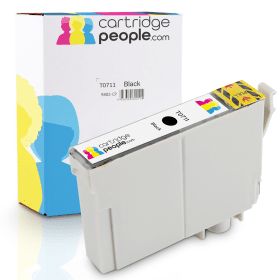
Black
Number in Pack: 1
Volume of Ink: 13ml each, 75% extra ink vs the OEM option
MPN: C13T07114012

Black
Number in Pack: 1
Volume of Ink: 7.4ml each
MPN: C13T07114012
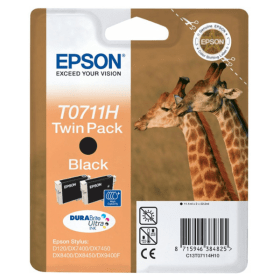
Black
Number in Pack: 2
Volume of Ink: 11.1ml each
MPN: C13T07114H10

Black
Number in Pack: 1
Volume of Ink: 5.8ml each
MPN: C13T08914010
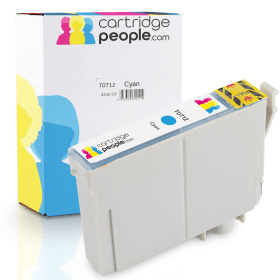
Cyan
Number in Pack: 1
Volume of Ink: 7ml each, 27% extra ink vs the OEM option
MPN: C13T07124012

Cyan
Number in Pack: 1
Volume of Ink: 5.5ml each
MPN: C13T07124012

Cyan
Number in Pack: 1
Volume of Ink: 3.5ml each
MPN: C13T08924010

Magenta
Number in Pack: 1
Volume of Ink: 7ml each, 27% extra ink vs the OEM option
MPN: C13T07134012

Magenta
Number in Pack: 1
Volume of Ink: 5.5ml each
MPN: C13T07134012

Magenta
Number in Pack: 1
Volume of Ink: 3.5ml each
MPN: C13T08934010
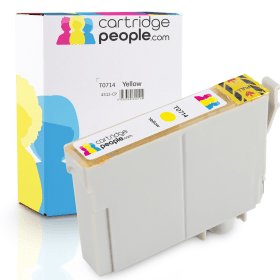
Yellow
Number in Pack: 1
Volume of Ink: 7ml each, 27% extra ink vs the OEM option
MPN: C13T07144012

Yellow
Number in Pack: 1
Volume of Ink: 5.5ml each
MPN: C13T07144012

Yellow
Number in Pack: 1
Volume of Ink: 3.5ml each
MPN: C13T08944010
For versatile all-in-one functionality from an affordable printer, look no further than the Epson Stylus SX200.
Users looking for a machine to print photos to a high standard will enjoy this machine’s ability to deliver water, smudge and fade resistant photo prints. This high quality can be achieved through the use of Epson’s DURABrite Ultra Ink.
Because the SX200 uses individual ink cartridges, users can expect to make cost savings as they will only need to replace the ink that’s been used.
A feature aimed at bringing your photos to life is Epson PhotoEnhance which can adjust colour and contrast in order to improve your photo prints. Additionally, Epson Easy Photo Print can remove the appearance of red eye from your pictures.
As well as benefitting from a machine that can perform a variety of functions, there is the added bonus of the printer offering print speeds of up to 34ppm.
The Epson Stylus SX200 Colour All-in-One Printer is a stylish printer, copier and scanner that uses a DURABrite Ultra ink system to print high quality images.
It uses four different ink cartridges and can print documents with speeds of up to 34 pages per minute. The versatile printer also makes fast copies and can scan images at high resolution. The DURABrite inks are resistant to smudging, fading, water and highlighters; making them ideal for printing all types of documents and photos.
The printer can be used without a connected PC via the small control panel on the left side. Users can print directly from memory cards or from a connected digital camera via the PictBridge system. The Epson PhotoEnhance software allows the printer to automatically adjust the colour and the contrast of each image to print better quality photos.
It can be used along with Epson Easy Print to remove things like red eye or to adjust the brightness level of a photo. This can also be used when scanning photos to make them look better before sharing them with others.
Pros
Cons
Star Rating: 3


 FREE Delivery over £35
 Unbeatable Prices