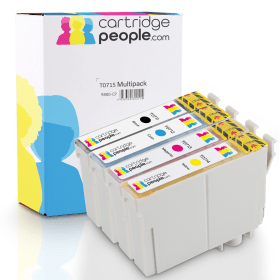

Black
Number in Pack: 1
Volume of Ink: 13ml each, 75% extra ink vs the OEM option
MPN: C13T07114012
Cyan
Number in Pack: 1
Volume of Ink: 7ml each, 27% extra ink vs the OEM option
MPN: C13T07124012
Magenta
Number in Pack: 1
Volume of Ink: 7ml each, 27% extra ink vs the OEM option
MPN: C13T07134012
Yellow
Number in Pack: 1
Volume of Ink: 7ml each, 27% extra ink vs the OEM option
MPN: C13T07144012

Black
Number in Pack: 1
Volume of Ink: 7.4ml each
MPN: C13T07114012
Cyan
Number in Pack: 1
Volume of Ink: 5.5ml each
MPN: C13T07124012
Magenta
Number in Pack: 1
Volume of Ink: 5.5ml each
MPN: C13T07134012
Yellow
Number in Pack: 1
Volume of Ink: 5.5ml each
MPN: C13T07144012
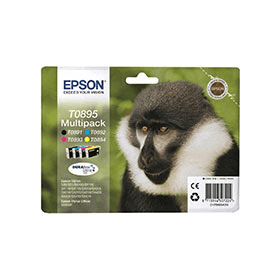
Black
Number in Pack: 1
Volume of Ink: 5.8ml each
MPN: C13T08914010
Cyan
Number in Pack: 1
Volume of Ink: 3.5ml each
MPN: C13T08924010
Magenta
Number in Pack: 1
Volume of Ink: 3.5ml each
MPN: C13T08934010
Yellow
Number in Pack: 1
Volume of Ink: 3.5ml each
MPN: C13T08944010
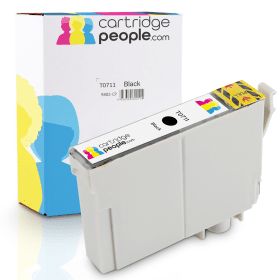
Black
Number in Pack: 1
Volume of Ink: 13ml each, 75% extra ink vs the OEM option
MPN: C13T07114012

Black
Number in Pack: 1
Volume of Ink: 7.4ml each
MPN: C13T07114012

Black
Number in Pack: 1
Volume of Ink: 5.8ml each
MPN: C13T08914010
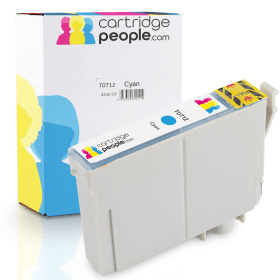
Cyan
Number in Pack: 1
Volume of Ink: 7ml each, 27% extra ink vs the OEM option
MPN: C13T07124012

Cyan
Number in Pack: 1
Volume of Ink: 5.5ml each
MPN: C13T07124012

Cyan
Number in Pack: 1
Volume of Ink: 3.5ml each
MPN: C13T08924010

Magenta
Number in Pack: 1
Volume of Ink: 7ml each, 27% extra ink vs the OEM option
MPN: C13T07134012

Magenta
Number in Pack: 1
Volume of Ink: 5.5ml each
MPN: C13T07134012

Magenta
Number in Pack: 1
Volume of Ink: 3.5ml each
MPN: C13T08934010
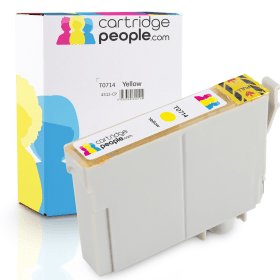
Yellow
Number in Pack: 1
Volume of Ink: 7ml each, 27% extra ink vs the OEM option
MPN: C13T07144012

Yellow
Number in Pack: 1
Volume of Ink: 5.5ml each
MPN: C13T07144012

Yellow
Number in Pack: 1
Volume of Ink: 3.5ml each
MPN: C13T08944010
High quality photo and document printing can be enjoyed when using the Epson Stylus SX115.
An affordable machine, it’s capable of printing, scanning and copying to a consistently high standard whilst benefitting from Epson DURABrite Ultra Ink. Ink cartridges for the SX115 can be replaced individually meaning you can save money by only replacing the ink that’s been used.
There is software included with this device which will help bring out the best in your home printing.
This software can help with the removal of red-eye and see images enhanced through Epson Easy Photo Print. Old photographs can be brought back to life as a result of Epson Easy Photo Fix.
Two of the types of printing that can be carried out by the SX115 are letters and borderless photographs. Results will be water, fade and highlighter pen resistant adding to the durability of the prints.
The budget printer is one of the largest sectors in the industry and the Epson Stylus SX115 is another machine which sits in that bracket.
In terms of its design, it’s both compact and lightweight which is good news if you’re looking for something that’s not going to occupy too much desk space. That may certainly be the case for university students who would certainly benefit from this device for their studies.
Print quality for both text documents and photos is more than adequate for home use although a small office would perhaps look for higher quality text printing and certainly speeds that are a lot more conducive to a busy work environment.
Styling for this machine is pretty basic but as is the case with the functions it lacks, it’s worth noting that this is a budget printer afterall with an emphasis on substance over style.
Pros
Cons
Star Rating: 4


 FREE Delivery over £35
 Unbeatable Prices