Easy mobile/cloud printing and high quality prints are just a couple of reasons so many customers have made the Canon Pixma MG5550 their printer of choice for the home.
It is also no surprise that so many MG5550 users have chosen Cartridge People as their number one ink cartridge retailer for replenishing the ink levels in their Canon machine. The type of high quality, cost saving products offered by Cartridge People means that you can print to the standard you would expect from a Canon machine without having to pay a high price for your printer products.


Black
Number in Pack: 1
Volume of Ink: 25ml each, 13% extra ink vs the OEM option
MPN: 6431B001
Black
Number in Pack: 1
Volume of Ink: 12ml each, 9% extra ink vs the OEM option
MPN: 6443B001
Cyan
Number in Pack: 1
Volume of Ink: 12ml each, 9% extra ink vs the OEM option
MPN: 6444B001
Magenta
Number in Pack: 1
Volume of Ink: 12ml each, 9% extra ink vs the OEM option
MPN: 6445B001
Yellow
Number in Pack: 1
Volume of Ink: 12ml each, 9% extra ink vs the OEM option
MPN: 6446B001

Black
Number in Pack: 1
Volume of Ink: 12ml each, 9% extra ink vs the OEM option
MPN: 6443B001
Cyan
Number in Pack: 1
Volume of Ink: 12ml each, 9% extra ink vs the OEM option
MPN: 6444B001
Magenta
Number in Pack: 1
Volume of Ink: 12ml each, 9% extra ink vs the OEM option
MPN: 6445B001
Yellow
Number in Pack: 1
Volume of Ink: 12ml each, 9% extra ink vs the OEM option
MPN: 6446B001
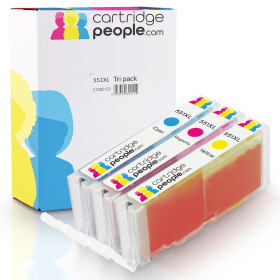
Cyan
Number in Pack: 1
Volume of Ink: 12ml each, 9% extra ink vs the OEM option
MPN: 6444B001
Magenta
Number in Pack: 1
Volume of Ink: 12ml each, 9% extra ink vs the OEM option
MPN: 6445B001
Yellow
Number in Pack: 1
Volume of Ink: 12ml each, 9% extra ink vs the OEM option
MPN: 6446B001

Black
Number in Pack: 1
Volume of Ink: 22ml each
MPN: 6431B001
Black
Number in Pack: 1
Volume of Ink: 11ml each
MPN: 6443B001
Cyan
Number in Pack: 1
Volume of Ink: 11ml each
MPN: 6444B001
Magenta
Number in Pack: 1
Volume of Ink: 11ml each
MPN: 6445B001
Yellow
Number in Pack: 1
Volume of Ink: 11ml each
MPN: 6446B001

Black
Number in Pack: 1
Volume of Ink: 11ml each
MPN: 6443B001
Cyan
Number in Pack: 1
Volume of Ink: 11ml each
MPN: 6444B001
Magenta
Number in Pack: 1
Volume of Ink: 11ml each
MPN: 6445B001
Yellow
Number in Pack: 1
Volume of Ink: 11ml each
MPN: 6446B001
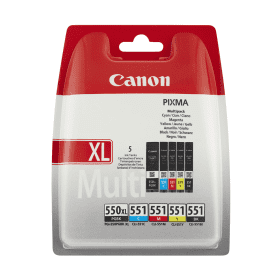
Black
Number in Pack: 1
Volume of Ink: 22ml each
MPN: 6431B001
Black
Number in Pack: 1
Volume of Ink: 7ml each
MPN: 6508B001
Cyan
Number in Pack: 1
Volume of Ink: 7ml each
MPN: 6509B001
Magenta
Number in Pack: 1
Volume of Ink: 7ml each
MPN: 6510B001
Yellow
Number in Pack: 1
Volume of Ink: 7ml each
MPN: 6511B001

Black
Number in Pack: 1
Volume of Ink: 11ml each
MPN: 6443B001
Cyan
Number in Pack: 1
Volume of Ink: 11ml each
MPN: 6444B001
Magenta
Number in Pack: 1
Volume of Ink: 11ml each
MPN: 6445B001
Yellow
Number in Pack: 1
Volume of Ink: 11ml each
MPN: 6446B001
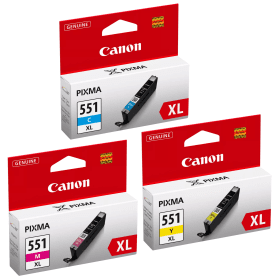
Cyan
Number in Pack: 1
Volume of Ink: 11ml each
MPN: 6444B001
Magenta
Number in Pack: 1
Volume of Ink: 11ml each
MPN: 6445B001
Yellow
Number in Pack: 1
Volume of Ink: 11ml each
MPN: 6446B001

Pigment Black
Number in Pack: 1
Volume of Ink: 15ml each
MPN: 6496B001
Black
Number in Pack: 1
Volume of Ink: 7ml each
MPN: 6508B001
Cyan
Number in Pack: 1
Volume of Ink: 7ml each
MPN: 6509B001
Magenta
Number in Pack: 1
Volume of Ink: 7ml each
MPN: 6510B001
Yellow
Number in Pack: 1
Volume of Ink: 7ml each
MPN: 6511B001
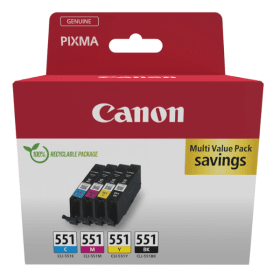
Black
Number in Pack: 1
Volume of Ink: 7ml each
MPN: 6508B001
Cyan
Number in Pack: 1
Volume of Ink: 7ml each
MPN: 6509B001
Magenta
Number in Pack: 1
Volume of Ink: 7ml each
MPN: 6510B001
Yellow
Number in Pack: 1
Volume of Ink: 7ml each
MPN: 6511B001
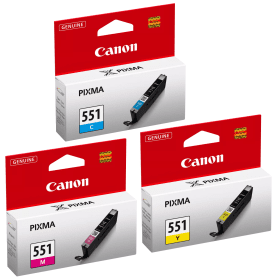
Cyan
Number in Pack: 1
Volume of Ink: 7ml each
MPN: 6509B001
Magenta
Number in Pack: 1
Volume of Ink: 7ml each
MPN: 6510B001
Yellow
Number in Pack: 1
Volume of Ink: 7ml each
MPN: 6511B001
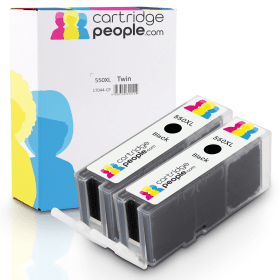
Black
Number in Pack: 2
Volume of Ink: 25ml each, 13% extra ink vs the OEM option
MPN: 6431B001

Black
Number in Pack: 1
Volume of Ink: 25ml each, 13% extra ink vs the OEM option
MPN: 6431B001
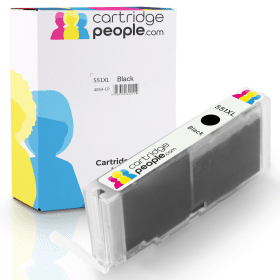
Black
Number in Pack: 1
Volume of Ink: 12ml each, 9% extra ink vs the OEM option
MPN: 6443B001

Black
Number in Pack: 2
Volume of Ink: 22ml each
MPN: 6431B001

Black
Number in Pack: 1
Volume of Ink: 22ml each
MPN: 6431B001

Black
Number in Pack: 1
Volume of Ink: 11ml each
MPN: 6443B001

Pigment Black
Number in Pack: 1
Volume of Ink: 15ml each
MPN: 6496B001

Black
Number in Pack: 1
Volume of Ink: 7ml each
MPN: 6508B001
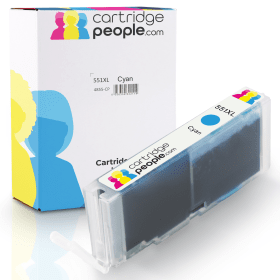
Cyan
Number in Pack: 1
Volume of Ink: 12ml each, 9% extra ink vs the OEM option
MPN: 6444B001

Cyan
Number in Pack: 1
Volume of Ink: 11ml each
MPN: 6444B001

Cyan
Number in Pack: 1
Volume of Ink: 7ml each
MPN: 6509B001
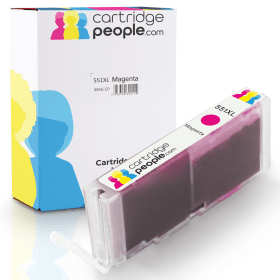
Magenta
Number in Pack: 1
Volume of Ink: 12ml each, 9% extra ink vs the OEM option
MPN: 6445B001

Magenta
Number in Pack: 1
Volume of Ink: 11ml each
MPN: 6445B001

Magenta
Number in Pack: 1
Volume of Ink: 7ml each
MPN: 6510B001
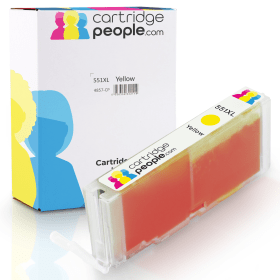
Yellow
Number in Pack: 1
Volume of Ink: 12ml each, 9% extra ink vs the OEM option
MPN: 6446B001

Yellow
Number in Pack: 1
Volume of Ink: 11ml each
MPN: 6446B001

Yellow
Number in Pack: 1
Volume of Ink: 7ml each
MPN: 6511B001
The Canon Pixma MG5550 is an all-in-one aimed at the home user and can print, copy and scan with added connectivity for smartphone and direct cloud printing.
That connectivity extends to being able to print and scan effortlessly from smart devices whilst cloud printing direct from your printer screen will see you print from online albums, social networks and cloud storage services. By downloading Canon’s Pixma Printing Solutions app, you can print from and scan to your smart device. The app is also capable of checking the status of your printer, checking the user manual or even checking your ink levels.
An economical machine, the Canon Pixma MG5550 uses five single inks meaning that you only need to change the colour that runs out and therefore will improve efficiency. Delivering a print resolution of up to 4800dpi, these inks will to produce sharp text and images in great detail.
That high efficiency is reflected in the machine’s print speeds with the MG5550 having a rapid ISO ESAT A4 document print speed of 12.2ipm mono and 8.7ipm colour. There is also the option for double-sided (duplex) printing which will help cut down on your paper costs and add to the professionalism of your work documents by having them printed on both sides.
With a clear 6.2cm display, this Canon device is easy-to-use and selecting the functions for your printing needs is a simple process. Additionally, there is an Auto Power On feature that will automatically switch the printer on whenever you start to print from a PC or smartphone device on the printer’s network.
With printing, copying and scanning functions, the Canon Pixma MG5550 is described by Canon as a “high-quality All-In-One” printer for the home.
With advanced connectivity and Wi-Fi capabilities allowing you to print from a smartphone device, this printer offers good quality photo printing with the option of printing from online albums or social networks.
The device also includes duplex (double-sided printing) and the “fast printing” description Canon offers is backed up with print speeds of 12.2ipm mono/8.7ipm colour. Despite not benefitting from a touchscreen display, the MG5550 is still a relatively modern machine and retains the same design traits which have made the Pixma range so popular with consumers.
It is perhaps in its connectivity where the device excels. “Print photos in seconds from Facebook, Twitter and online albums like CANON iMAGE GATEWAY and Picasa or print documents from cloud services like Evernote and Dropbox directly from the printer screen,” says Canon. By downloading Canon’s Pixma Printing Solutions app, you can print from your smart device as well as access cloud services. With the app you can even check printer status, user manual or ink levels. Apple AirPrint and Google Cloud Print support is also provided.
The MG5550 isn’t aimed at businesses and is instead for use specifically in the home. With photo printing becoming an increasing use for home inkjet printers, this Canon device offers good quality photo printing and helps to maintain Canon’s reputation for excellent colour printing.
An excellent value for money printer, the MG5550 is ideal for home users looking for sharp colour prints from a versatile device.
Pros
Cons
Star Rating: 4


 FREE Delivery over £35
 Unbeatable Prices