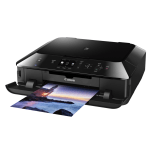
For mobile and internet printing, the Canon Pixma MG5450 is a high performance machine that incorporates five individual inks.
Providing users with quality printing at impressive speeds, this is an easy-to-use printer that is ideally suited to the home environment. In order to get the most from this all-in-one device, we’d recommend using Cartridge People as your retailer of choice when it comes to purchasing ink cartridges for this machine.


Black
Number in Pack: 1
Volume of Ink: 25ml each, 13% extra ink vs the OEM option
MPN: 6431B001
Black
Number in Pack: 1
Volume of Ink: 12ml each, 9% extra ink vs the OEM option
MPN: 6443B001
Cyan
Number in Pack: 1
Volume of Ink: 12ml each, 9% extra ink vs the OEM option
MPN: 6444B001
Magenta
Number in Pack: 1
Volume of Ink: 12ml each, 9% extra ink vs the OEM option
MPN: 6445B001
Yellow
Number in Pack: 1
Volume of Ink: 12ml each, 9% extra ink vs the OEM option
MPN: 6446B001

Black
Number in Pack: 1
Volume of Ink: 12ml each, 9% extra ink vs the OEM option
MPN: 6443B001
Cyan
Number in Pack: 1
Volume of Ink: 12ml each, 9% extra ink vs the OEM option
MPN: 6444B001
Magenta
Number in Pack: 1
Volume of Ink: 12ml each, 9% extra ink vs the OEM option
MPN: 6445B001
Yellow
Number in Pack: 1
Volume of Ink: 12ml each, 9% extra ink vs the OEM option
MPN: 6446B001
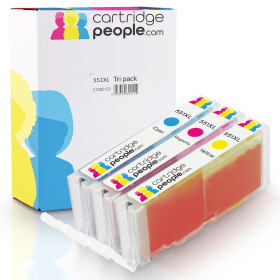
Cyan
Number in Pack: 1
Volume of Ink: 12ml each, 9% extra ink vs the OEM option
MPN: 6444B001
Magenta
Number in Pack: 1
Volume of Ink: 12ml each, 9% extra ink vs the OEM option
MPN: 6445B001
Yellow
Number in Pack: 1
Volume of Ink: 12ml each, 9% extra ink vs the OEM option
MPN: 6446B001

Black
Number in Pack: 1
Volume of Ink: 22ml each
MPN: 6431B001
Black
Number in Pack: 1
Volume of Ink: 11ml each
MPN: 6443B001
Cyan
Number in Pack: 1
Volume of Ink: 11ml each
MPN: 6444B001
Magenta
Number in Pack: 1
Volume of Ink: 11ml each
MPN: 6445B001
Yellow
Number in Pack: 1
Volume of Ink: 11ml each
MPN: 6446B001

Black
Number in Pack: 1
Volume of Ink: 11ml each
MPN: 6443B001
Cyan
Number in Pack: 1
Volume of Ink: 11ml each
MPN: 6444B001
Magenta
Number in Pack: 1
Volume of Ink: 11ml each
MPN: 6445B001
Yellow
Number in Pack: 1
Volume of Ink: 11ml each
MPN: 6446B001
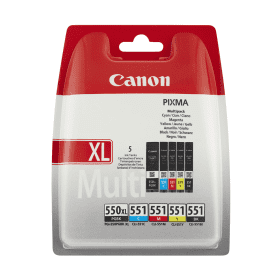
Black
Number in Pack: 1
Volume of Ink: 22ml each
MPN: 6431B001
Black
Number in Pack: 1
Volume of Ink: 7ml each
MPN: 6508B001
Cyan
Number in Pack: 1
Volume of Ink: 7ml each
MPN: 6509B001
Magenta
Number in Pack: 1
Volume of Ink: 7ml each
MPN: 6510B001
Yellow
Number in Pack: 1
Volume of Ink: 7ml each
MPN: 6511B001

Black
Number in Pack: 1
Volume of Ink: 11ml each
MPN: 6443B001
Cyan
Number in Pack: 1
Volume of Ink: 11ml each
MPN: 6444B001
Magenta
Number in Pack: 1
Volume of Ink: 11ml each
MPN: 6445B001
Yellow
Number in Pack: 1
Volume of Ink: 11ml each
MPN: 6446B001
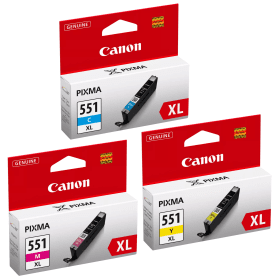
Cyan
Number in Pack: 1
Volume of Ink: 11ml each
MPN: 6444B001
Magenta
Number in Pack: 1
Volume of Ink: 11ml each
MPN: 6445B001
Yellow
Number in Pack: 1
Volume of Ink: 11ml each
MPN: 6446B001

Pigment Black
Number in Pack: 1
Volume of Ink: 15ml each
MPN: 6496B001
Black
Number in Pack: 1
Volume of Ink: 7ml each
MPN: 6508B001
Cyan
Number in Pack: 1
Volume of Ink: 7ml each
MPN: 6509B001
Magenta
Number in Pack: 1
Volume of Ink: 7ml each
MPN: 6510B001
Yellow
Number in Pack: 1
Volume of Ink: 7ml each
MPN: 6511B001
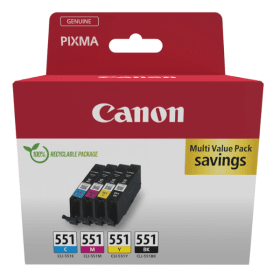
Black
Number in Pack: 1
Volume of Ink: 7ml each
MPN: 6508B001
Cyan
Number in Pack: 1
Volume of Ink: 7ml each
MPN: 6509B001
Magenta
Number in Pack: 1
Volume of Ink: 7ml each
MPN: 6510B001
Yellow
Number in Pack: 1
Volume of Ink: 7ml each
MPN: 6511B001
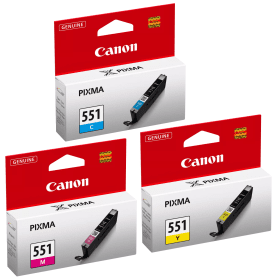
Cyan
Number in Pack: 1
Volume of Ink: 7ml each
MPN: 6509B001
Magenta
Number in Pack: 1
Volume of Ink: 7ml each
MPN: 6510B001
Yellow
Number in Pack: 1
Volume of Ink: 7ml each
MPN: 6511B001
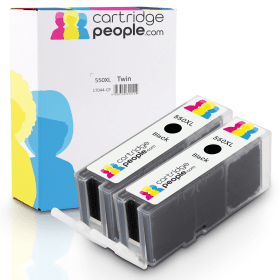
Black
Number in Pack: 2
Volume of Ink: 25ml each, 13% extra ink vs the OEM option
MPN: 6431B001

Black
Number in Pack: 1
Volume of Ink: 25ml each, 13% extra ink vs the OEM option
MPN: 6431B001
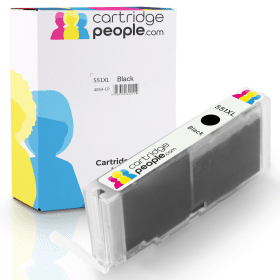
Black
Number in Pack: 1
Volume of Ink: 12ml each, 9% extra ink vs the OEM option
MPN: 6443B001

Black
Number in Pack: 2
Volume of Ink: 22ml each
MPN: 6431B001

Black
Number in Pack: 1
Volume of Ink: 22ml each
MPN: 6431B001

Black
Number in Pack: 1
Volume of Ink: 11ml each
MPN: 6443B001

Pigment Black
Number in Pack: 1
Volume of Ink: 15ml each
MPN: 6496B001

Black
Number in Pack: 1
Volume of Ink: 7ml each
MPN: 6508B001
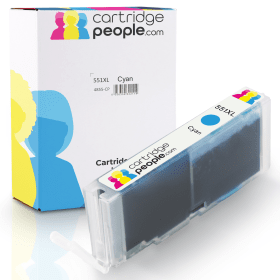
Cyan
Number in Pack: 1
Volume of Ink: 12ml each, 9% extra ink vs the OEM option
MPN: 6444B001

Cyan
Number in Pack: 1
Volume of Ink: 11ml each
MPN: 6444B001

Cyan
Number in Pack: 1
Volume of Ink: 7ml each
MPN: 6509B001
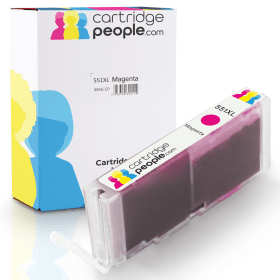
Magenta
Number in Pack: 1
Volume of Ink: 12ml each, 9% extra ink vs the OEM option
MPN: 6445B001

Magenta
Number in Pack: 1
Volume of Ink: 11ml each
MPN: 6445B001

Magenta
Number in Pack: 1
Volume of Ink: 7ml each
MPN: 6510B001
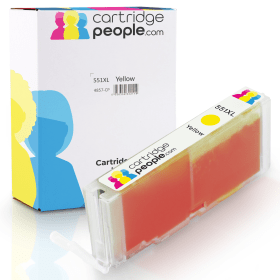
Yellow
Number in Pack: 1
Volume of Ink: 12ml each, 9% extra ink vs the OEM option
MPN: 6446B001

Yellow
Number in Pack: 1
Volume of Ink: 11ml each
MPN: 6446B001

Yellow
Number in Pack: 1
Volume of Ink: 7ml each
MPN: 6511B001
The modern home printer provides users with mobile and wireless connectivity for printing anywhere in the home and the Canon Pixma MG5450 is a printer that offers that functionality.
Using a five-ink system, this machine produces quality documents and photos that users will want to keep. This ink system also helps the MG5450 scan and copy to an exceptionally high standard whilst print speeds of 15ipm for mono and 10ipm for colour are also offered.
Printing from the internet is made possible due to the Pixma Cloud Link feature and you can even use the printer screen to select and print images from online albums via the Canon iMage Gateway. For smartphone and tablet users, Canon’s Easy-PhotoPrint app lets you wirelessly print from or scan to your tablet or smartphone. If you’re looking to print emails, photos, web pages or documents from your iPhone, iPad or iPod touch then there is support for Apple AirPrint.
When it comes to maximising the potential of your photographs, Canon’s My Image Garden software enables users to easily manage their photo printing, scanning and online services access. Thanks to face recognition and the photo organising capabilities of this software, you can search all the photos stored on your PC and look to create various combinations of images. Facebook photo printing can be carried out thanks to the Print Your Days app.
In terms of looks, the Canon Pixma MG5450 is a compact machine aimed to take up a minimal amount of space. The design makes replacing used ink cartridges a relatively simple process whilst there are two paper cassettes that can hold both plain and photo paper at the same time.
Cost savings can be made through the XL cartridges that are offered for this machine. There is also an Auto Power On/Off feature designed to cut down on the amount of energy you use. The machine will automatically turn itself off when you haven’t printed for some time and then turn itself on once you resume printing.
The Canon Pixma MG5450 All-in-One Colour Printer is a high performance photo printer, copier and scanner. It has a low profile and a small footprint, so it does not take up a lot of space.
The printer features a sleek design with angular sides, giving it a more unique appearance than traditional boxy printers. The large 7.5cm display can easily be read and can be used to scan, copy and even print from memory cards without being connected to a computer.
The printer prints up to 15 pages per minute in black or 10 pages per minute in full colour. It can produce a 10 by 15cm borderless colour photo in about 20 seconds. It also makes use of five different ink cartridges to help save on money, and XL versions of each cartridge are available.
The MG5450 is a wireless printer that can be accessed from tablets, smartphones and computers, while it is also compatible with Apple AirPrint, allowing for wireless printing from iPhones and iPads. Google Cloud Print allows users to print from Google Docs and Gmail accounts. The printer also offers direct disc printing and auto duplexing. The My Image Garden software gives users a number of advanced printing and scanning options.
Pros
Cons
Star Rating: 4


 FREE Delivery over £35
 Unbeatable Prices