The Canon Pixma MG5250 is an all-in-one home printer packed full of features to provide users with flexible printing options.
For photo lab quality colour photos alongside clear text documents, this machine delivers quick and consistent results with a range of connectivity options for printing from anywhere in the home. For consistently high quality when it comes to your ink cartridges, we would recommend taking advantage of the range of products available from Cartridge People.


Black
Number in Pack: 1
Volume of Ink: 23ml each, 21% extra ink vs the OEM option
MPN: 4529B001AA
Black
Number in Pack: 1
Volume of Ink: 13ml each, 44% extra ink vs the OEM option
MPN: 4540B001
Cyan
Number in Pack: 1
Volume of Ink: 13ml each, 44% extra ink vs the OEM option
MPN: 4541B001
Magenta
Number in Pack: 1
Volume of Ink: 13ml each, 44% extra ink vs the OEM option
MPN: 4542B001
Yellow
Number in Pack: 1
Volume of Ink: 13ml each, 44% extra ink vs the OEM option
MPN: 4543B001
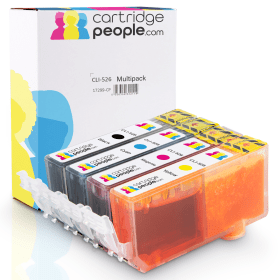
Black
Number in Pack: 1
Volume of Ink: 13ml each, 44% extra ink vs the OEM option
MPN: 4540B001
Cyan
Number in Pack: 1
Volume of Ink: 13ml each, 44% extra ink vs the OEM option
MPN: 4541B001
Magenta
Number in Pack: 1
Volume of Ink: 13ml each, 44% extra ink vs the OEM option
MPN: 4542B001
Yellow
Number in Pack: 1
Volume of Ink: 13ml each, 44% extra ink vs the OEM option
MPN: 4543B001
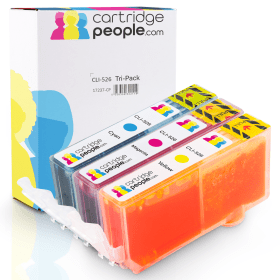
Cyan
Number in Pack: 1
Volume of Ink: 13ml each, 44% extra ink vs the OEM option
MPN: 4541B001
Magenta
Number in Pack: 1
Volume of Ink: 13ml each, 44% extra ink vs the OEM option
MPN: 4542B001
Yellow
Number in Pack: 1
Volume of Ink: 13ml each, 44% extra ink vs the OEM option
MPN: 4543B001

Black
Number in Pack: 1
Volume of Ink: 19ml each
MPN: 4529B001AA
Black
Number in Pack: 1
Volume of Ink: 9ml each
MPN: 4540B001
Cyan
Number in Pack: 1
Volume of Ink: 9ml each
MPN: 4541B001
Magenta
Number in Pack: 1
Volume of Ink: 9ml each
MPN: 4542B001
Yellow
Number in Pack: 1
Volume of Ink: 9ml each
MPN: 4543B001
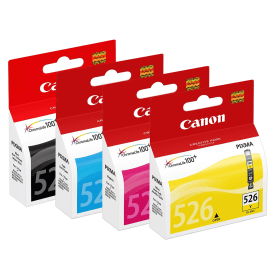
Black
Number in Pack: 1
Volume of Ink: 9ml each
MPN: 4540B001
Cyan
Number in Pack: 1
Volume of Ink: 9ml each
MPN: 4541B001
Magenta
Number in Pack: 1
Volume of Ink: 9ml each
MPN: 4542B001
Yellow
Number in Pack: 1
Volume of Ink: 9ml each
MPN: 4543B001

Cyan
Number in Pack: 1
Volume of Ink: 9ml each
MPN: 4541B001
Magenta
Number in Pack: 1
Volume of Ink: 9ml each
MPN: 4542B001
Yellow
Number in Pack: 1
Volume of Ink: 9ml each
MPN: 4543B001
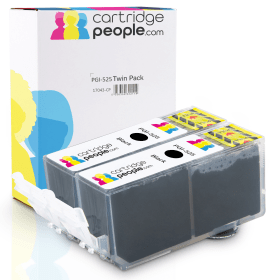
Black
Number in Pack: 2
Volume of Ink: 23ml each, 21% extra ink vs the OEM option
MPN: 4529B001AA
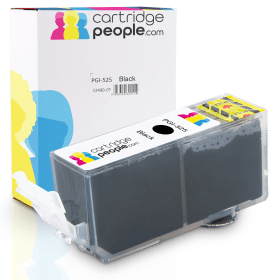
Black
Number in Pack: 1
Volume of Ink: 23ml each, 21% extra ink vs the OEM option
MPN: 4529B001AA
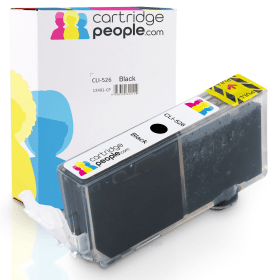
Black
Number in Pack: 1
Volume of Ink: 13ml each, 44% extra ink vs the OEM option
MPN: 4540B001

Black
Number in Pack: 2
Volume of Ink: 19ml each
MPN: 4529B001AA

Black
Number in Pack: 1
Volume of Ink: 19ml each
MPN: 4529B001AA

Black
Number in Pack: 1
Volume of Ink: 9ml each
MPN: 4540B001
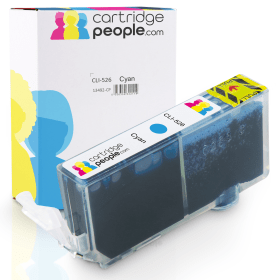
Cyan
Number in Pack: 1
Volume of Ink: 13ml each, 44% extra ink vs the OEM option
MPN: 4541B001

Cyan
Number in Pack: 1
Volume of Ink: 9ml each
MPN: 4541B001
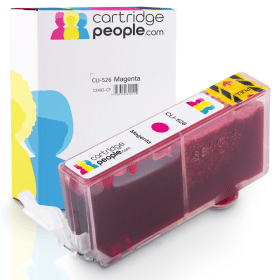
Magenta
Number in Pack: 1
Volume of Ink: 13ml each, 44% extra ink vs the OEM option
MPN: 4542B001

Magenta
Number in Pack: 1
Volume of Ink: 9ml each
MPN: 4542B001
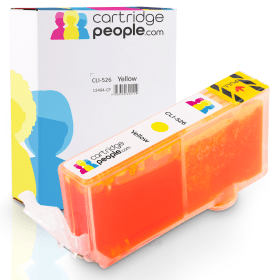
Yellow
Number in Pack: 1
Volume of Ink: 13ml each, 44% extra ink vs the OEM option
MPN: 4543B001

Yellow
Number in Pack: 1
Volume of Ink: 9ml each
MPN: 4543B001
Ideal as a printer that the whole family can share, the Canon Pixma MG5250 has built-in Wi-Fi capabilities and can print, scan or use a memory card wirelessly.
This machine can deliver colour photo prints that are vivid as well as text documents that are business-like in their appearance. In the case of print speeds, mono documents can be produced in 11.0ipm with colour documents taking 9.3ipm. It will take the MG5250 just 20 seconds to print a 10 x 15cm borderless photo.
For families looking for prints from their home movies, Canon’s Full HD Movie Print software will let them capture an individual frame to print. The technology will then enhance the image so the quality of print is outstanding.
Benefitting from two paper trays that can accommodate different paper sizes, users will also be able to print directly onto compatible CDs and DVDs. Paper costs can also be halved by using the printer’s auto-duplexing (double-sided printing) feature.
When it comes to helping your printing go further and optimising your ink use, the MG5250 adopts a five single ink tank system meaning that you will only ever have to replace the ink that has ran out. By using Canon’s ChromaLife100 ink system you should see your photo prints preserved for a lifetime.
It can be commonplace in many homes today to print various webpages. To cut down on paper wastage, there is an Easy-WebPrint EX feature that allows you to clip and combine information from different pages.
Printer users with a creative side will appreciate Creative Park Premium, an online service where you can download photographs or illustrations from internationally renowned photographers and artists, though it is worth noting that this feature is only available if you use Canon genuine inks.
Designed for use as a home photo printer, the Canon Pixma MG5250 All-in-One Wi-Fi Colour Photo Printer can print a photo in 20 seconds.
This printer can print images up to 9600 by 2400dpi, making it ideal for photographers and graphic designers. Automatic duplexing comes standard on this model, which helps users save on paper.
The standard input tray holds 300 sheets of paper, but an additional input tray can be added for extra convenience. The adjustable tray arm allows the printer to use a variety of different paper sizes and envelopes. It uses five different cartridges: yellow, magenta, cyan, standard black (for text) and photo black.
The MG5250 scans at 2400dpi whilst the LCD display screen makes it easy for users to scan or copy without using the computer. It allows for some basic manipulation of images, including reducing and enlarging. Canon image editing software comes as standard with the MG5250 and allows users to manipulate photos in a variety of ways.
Pros
Cons
Star Rating: 5


 FREE Delivery over £35
 Unbeatable Prices