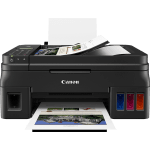
With print, copy, scan and fax functionality, the Canon Pixma G4511 can act as a versatile machine for a busy home or office environment.
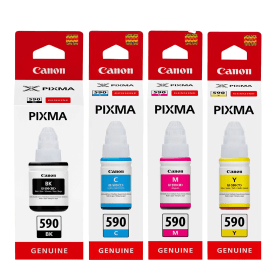
Helping to keep the cost of your mono and colour printing down are the replacement Canon ink bottles available below from Cartridge People.


Black
Number in Pack: 1
Volume of Ink: 140ml each, 3% extra ink vs the OEM option
MPN: 1603C001
Cyan
Number in Pack: 1
Volume of Ink: 70ml each
MPN: 1604C001
Magenta
Number in Pack: 1
Volume of Ink: 70ml each
MPN: 1605C001
Yellow
Number in Pack: 1
Volume of Ink: 70ml each
MPN: 1606C001
Black
Number in Pack: 1
Volume of Ink: 135ml each
MPN: 1603C001
Cyan
Number in Pack: 1
Volume of Ink: 70ml each
MPN: 1604C001
Magenta
Number in Pack: 1
Volume of Ink: 70ml each
MPN: 1605C001
Yellow
Number in Pack: 1
Volume of Ink: 70ml each
MPN: 1606C001

Black
Number in Pack: 1
Volume of Ink: 140ml each, 3% extra ink vs the OEM option
MPN: 1603C001

Black
Number in Pack: 1
Volume of Ink: 135ml each
MPN: 1603C001

Cyan
Number in Pack: 1
Volume of Ink: 70ml each
MPN: 1604C001

Cyan
Number in Pack: 1
Volume of Ink: 70ml each
MPN: 1604C001

Magenta
Number in Pack: 1
Volume of Ink: 70ml each
MPN: 1605C001

Magenta
Number in Pack: 1
Volume of Ink: 70ml each
MPN: 1605C001

Yellow
Number in Pack: 1
Volume of Ink: 70ml each
MPN: 1606C001

Yellow
Number in Pack: 1
Volume of Ink: 70ml each
MPN: 1606C001
Using the Canon Pixma G4511, you can expect to enjoy mono and colour printing to a consistently high standard in addition to being able to scan, copy and fax. Through the Canon PRINT app, it's even possible to print from or scan to a smartphone device.
Helping the speed at which you can print and copy is a 20-sheet ADF and you can save energy when using the Canon Pixma G4511 as a result of its Auto Power Off function that'll automatically switch the machine off when not in use.
As a compact four-in-one device, the Canon Pixma G4511 can be easily kept on a desktop. Despite the small footprint of this model, you can still carry out relatively high volume printing which is ideal for a busy home office or if you have children who regularly print schoolwork.
Cut down on the cost of your home printing when you buy replacement ink bottles for the Canon Pixma G4511 from Cartridge People today.


 FREE Delivery over £35
 Unbeatable Prices



