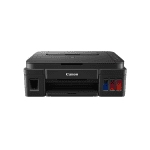
See your photos and documents produced to a high standard and save money when you buy Canon Pixma G2501 ink bottles from Cartridge People below.
With next day delivery available when you buy before a certain time, we're the ideal choice for homes and businesses looking to bring out the best in their printer whilst keeping productivity high.


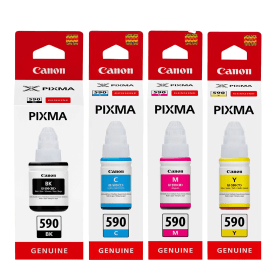
Black
Number in Pack: 1
Volume of Ink: 140ml each, 3% extra ink vs the OEM option
MPN: 1603C001
Cyan
Number in Pack: 1
Volume of Ink: 70ml each
MPN: 1604C001
Magenta
Number in Pack: 1
Volume of Ink: 70ml each
MPN: 1605C001
Yellow
Number in Pack: 1
Volume of Ink: 70ml each
MPN: 1606C001
Black
Number in Pack: 1
Volume of Ink: 135ml each
MPN: 1603C001
Cyan
Number in Pack: 1
Volume of Ink: 70ml each
MPN: 1604C001
Magenta
Number in Pack: 1
Volume of Ink: 70ml each
MPN: 1605C001
Yellow
Number in Pack: 1
Volume of Ink: 70ml each
MPN: 1606C001

Black
Number in Pack: 1
Volume of Ink: 140ml each, 3% extra ink vs the OEM option
MPN: 1603C001

Black
Number in Pack: 1
Volume of Ink: 135ml each
MPN: 1603C001

Cyan
Number in Pack: 1
Volume of Ink: 70ml each
MPN: 1604C001

Cyan
Number in Pack: 1
Volume of Ink: 70ml each
MPN: 1604C001

Magenta
Number in Pack: 1
Volume of Ink: 70ml each
MPN: 1605C001

Magenta
Number in Pack: 1
Volume of Ink: 70ml each
MPN: 1605C001

Yellow
Number in Pack: 1
Volume of Ink: 70ml each
MPN: 1606C001

Yellow
Number in Pack: 1
Volume of Ink: 70ml each
MPN: 1606C001
Sharp text documents can be regularly produced by the Canon Pixma G2501 as well as vivid photo prints. Borderless photo printing can be carried out with ease and a 4 x 6" colour photograph can be produced in one minute.
Thanks to the front-facing ink tanks which have been incorporated into the design of this compact model, you can easily keep track of the amount of ink you've used. The Canon Pixma G2501 can be kept on a desktop in a home or small office and benefits from a 100-sheet paper capacity.
It's possible to sort and edit photographs using Canon's My Image Garden software so you can enjoy highly detailed photo prints time and time again. The quality of performance is helped by the G2501's FINE print head.
Print speeds of 8.8ipm for mono and 5.0ipm for colour should satisfy moderate printer users and next day delivery (when bought before a certain time) on Canon Pixma G2501 ink bottles means you never have to wait too long to resume printing.


 FREE Delivery over £35
 Unbeatable Prices



