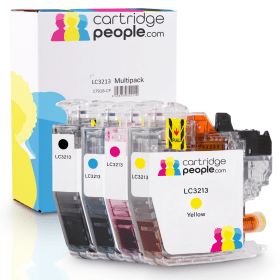

Black
Number in Pack: 1
Volume of Ink: 12.9ml each, 41% extra ink vs the OEM option
MPN: LC3213BK
Cyan
Number in Pack: 1
Volume of Ink: 7.2ml each, 53% extra ink vs the OEM option
MPN: LC3213C
Magenta
Number in Pack: 1
Volume of Ink: 7.2ml each, 53% extra ink vs the OEM option
MPN: LC3213M
Yellow
Number in Pack: 1
Volume of Ink: 7.2ml each, 53% extra ink vs the OEM option
MPN: LC3213Y
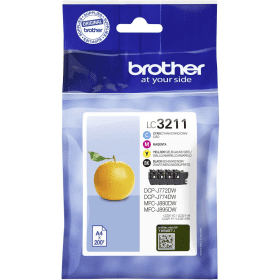
Black
Number in Pack: 1
Volume of Ink: 5.2ml each
MPN: LC3211BK
Cyan
Number in Pack: 1
Volume of Ink: 3ml each
MPN: LC3211C
Magenta
Number in Pack: 1
Volume of Ink: 3ml each
MPN: LC3211M
Yellow
Number in Pack: 1
Volume of Ink: 3ml each
MPN: LC3211Y
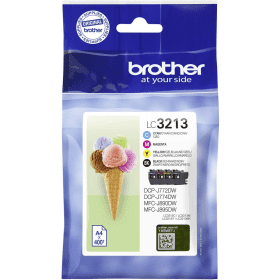
Black
Number in Pack: 1
Volume of Ink: 9.1ml each
MPN: LC3213BK
Cyan
Number in Pack: 1
Volume of Ink: 4.7ml each
MPN: LC3213C
Magenta
Number in Pack: 1
Volume of Ink: 4.7ml each
MPN: LC3213M
Yellow
Number in Pack: 1
Volume of Ink: 4.7ml each
MPN: LC3213Y
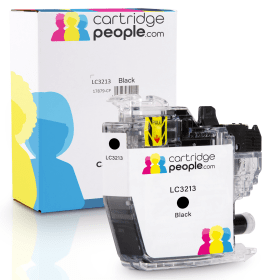
Black
Number in Pack: 1
Volume of Ink: 12.9ml each, 41% extra ink vs the OEM option
MPN: LC3213BK

Black
Number in Pack: 1
Volume of Ink: 5.2ml each
MPN: LC3211BK

Black
Number in Pack: 1
Volume of Ink: 9.1ml each
MPN: LC3213BK
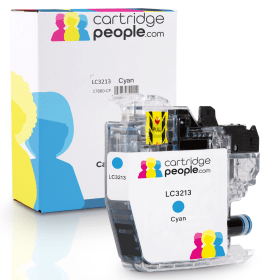
Cyan
Number in Pack: 1
Volume of Ink: 7.2ml each, 53% extra ink vs the OEM option
MPN: LC3213C

Cyan
Number in Pack: 1
Volume of Ink: 3ml each
MPN: LC3211C

Cyan
Number in Pack: 1
Volume of Ink: 4.7ml each
MPN: LC3213C
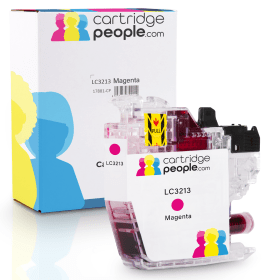
Magenta
Number in Pack: 1
Volume of Ink: 7.2ml each, 53% extra ink vs the OEM option
MPN: LC3213M

Magenta
Number in Pack: 1
Volume of Ink: 3ml each
MPN: LC3211M

Magenta
Number in Pack: 1
Volume of Ink: 4.7ml each
MPN: LC3213M
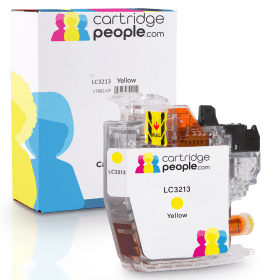
Yellow
Number in Pack: 1
Volume of Ink: 7.2ml each, 53% extra ink vs the OEM option
MPN: LC3213Y

Yellow
Number in Pack: 1
Volume of Ink: 3ml each
MPN: LC3211Y

Yellow
Number in Pack: 1
Volume of Ink: 4.7ml each
MPN: LC3213Y
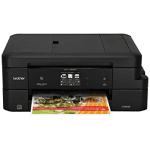
Thanks to the inclusion of a generous 150-sheet paper capacity, the Brother MFC-J895DW can keep up with the demands of a home office to deliver mono and colour pages for business reports.
When used with the ink cartridges available on this page from Cartridge People, the Brother MFC-J895DW will bring you professional prints time and time again. As a compact device that can print, copy, scan and fax, this machine is perfect for a home office.
As well as having a paper tray to tackle high volume printing, there is an auto duplexing function included so you can print on both sides of the page automatically. This can save you both time and paper.
PC-free printing is available through the mobile printing options that'll see you print from and scan to smartphone and tablet devices with ease. Usability is helped by an LCD colour touchscreen and an Automatic Document Feeder is incorporated into the Brother MFC-J895DW's design.


 FREE Delivery over £35
 Unbeatable Prices