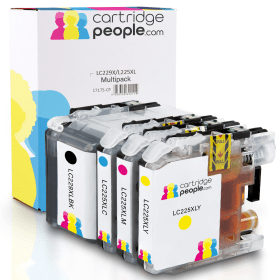

Black
Number in Pack: 1
Volume of Ink: 57.6ml each, 19% extra ink vs the OEM option
MPN: LC229XLBK, LC-229XLBK
Cyan
Number in Pack: 1
Volume of Ink: 15ml each, 27% extra ink vs the OEM option
MPN: LC225XLC, LC-225XLC
Magenta
Number in Pack: 1
Volume of Ink: 15ml each, 27% extra ink vs the OEM option
MPN: LC225XLM, LC-225XLM
Yellow
Number in Pack: 1
Volume of Ink: 15ml each, 27% extra ink vs the OEM option
MPN: LC225XLY, LC-225XLY
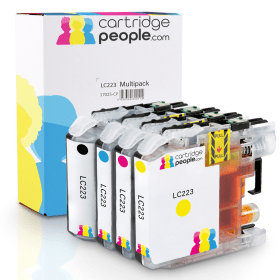
Black
Number in Pack: 1
Volume of Ink: 16.6ml each, 40% extra ink vs the OEM option
MPN: LC223BK, LC-223BK
Cyan
Number in Pack: 1
Volume of Ink: 9ml each, 52% extra ink vs the OEM option
MPN: LC223C, LC-223C
Magenta
Number in Pack: 1
Volume of Ink: 9ml each, 52% extra ink vs the OEM option
MPN: LC223M, LC-223M
Yellow
Number in Pack: 1
Volume of Ink: 9ml each, 52% extra ink vs the OEM option
MPN: LC223Y, LC-223Y
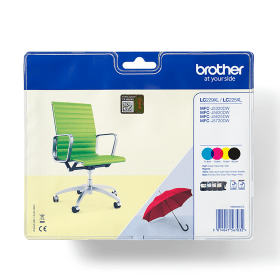
Black
Number in Pack: 1
Volume of Ink: 48.2ml each
MPN: LC229XLBK
Cyan
Number in Pack: 1
Volume of Ink: 11.8ml each
MPN: LC225XLC
Magenta
Number in Pack: 1
Volume of Ink: 11.8ml each
MPN: LC225XLM
Yellow
Number in Pack: 1
Volume of Ink: 11.8ml each
MPN: LC225XLY
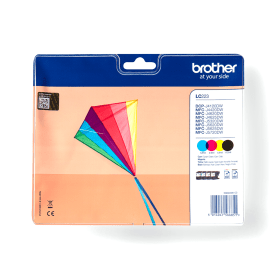
Black
Number in Pack: 1
Volume of Ink: 11.8ml each
MPN: LC223BK
Cyan
Number in Pack: 1
Volume of Ink: 5.9ml each
MPN: LC223C
Magenta
Number in Pack: 1
Volume of Ink: 5.9ml each
MPN: LC223M
Yellow
Number in Pack: 1
Volume of Ink: 5.9ml each
MPN: LC223Y
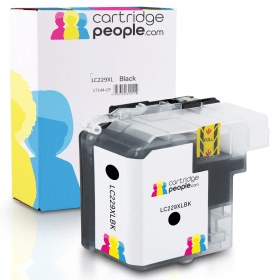
Black
Number in Pack: 1
Volume of Ink: 57.6ml each, 19% extra ink vs the OEM option
MPN: LC229XLBK, LC-229XLBK
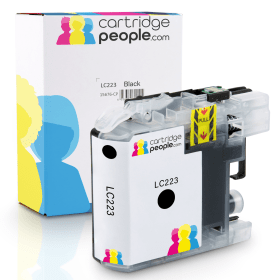
Black
Number in Pack: 1
Volume of Ink: 16.6ml each, 40% extra ink vs the OEM option
MPN: LC223BK, LC-223BK

Black
Number in Pack: 1
Volume of Ink: 48.2ml each
MPN: LC229XLBK

Black
Number in Pack: 1
Volume of Ink: 11.8ml each
MPN: LC223BK
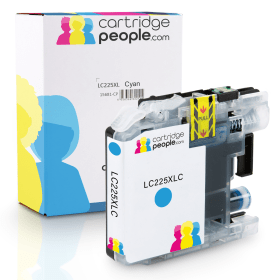
Cyan
Number in Pack: 1
Volume of Ink: 15ml each, 27% extra ink vs the OEM option
MPN: LC225XLC, LC-225XLC
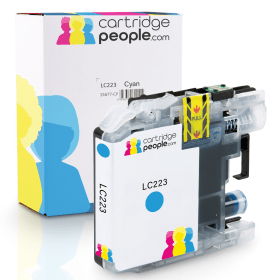
Cyan
Number in Pack: 1
Volume of Ink: 9ml each, 52% extra ink vs the OEM option
MPN: LC223C, LC-223C

Cyan
Number in Pack: 1
Volume of Ink: 11.8ml each
MPN: LC225XLC

Cyan
Number in Pack: 1
Volume of Ink: 5.9ml each
MPN: LC223C
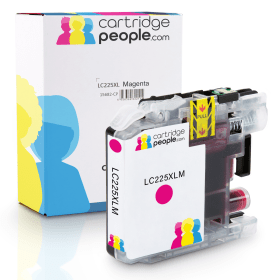
Magenta
Number in Pack: 1
Volume of Ink: 15ml each, 27% extra ink vs the OEM option
MPN: LC225XLM, LC-225XLM
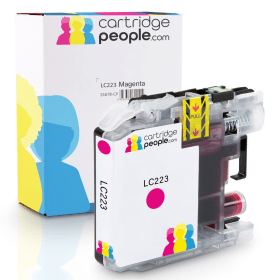
Magenta
Number in Pack: 1
Volume of Ink: 9ml each, 52% extra ink vs the OEM option
MPN: LC223M, LC-223M

Magenta
Number in Pack: 1
Volume of Ink: 11.8ml each
MPN: LC225XLM

Magenta
Number in Pack: 1
Volume of Ink: 5.9ml each
MPN: LC223M

Yellow
Number in Pack: 1
Volume of Ink: 15ml each, 27% extra ink vs the OEM option
MPN: LC225XLY, LC-225XLY
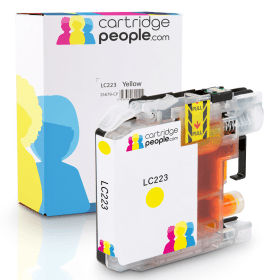
Yellow
Number in Pack: 1
Volume of Ink: 9ml each, 52% extra ink vs the OEM option
MPN: LC223Y, LC-223Y

Yellow
Number in Pack: 1
Volume of Ink: 11.8ml each
MPN: LC225XLY

Yellow
Number in Pack: 1
Volume of Ink: 5.9ml each
MPN: LC223Y
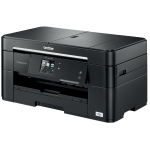
Print without the need for a PC by accessing cloud services such as AirPrint and Google Cloud Print with the Brother MFC-J5320DW.
Complete with a 6.8cm LCD screen, this all-in-one machine can share and store documents with ease. The connectivity options available mean you can print and scan directly to the device using One Drive, Dropbox and Evernote.
Print speeds of 22ipm for mono and 20ipm for colour are offered by a machine that can easily fit on a desktop and comes complete with a 250-sheet paper capacity. For added convenience the Brother MFC-J5320DW also has a 35-page Automatic Document Feeder to help productivity in your small office or home office.
Adding to the office suitability of this inkjet printer is the auto duplexing feature that’ll allow you to print on both sides of the page automatically.
Thanks to a 6000 x 1200dpi print resolution you can expect your colour documents and marketing materials to show professionalism and be of a standard you’ll be happy to share and keep.
Though perhaps not the most stylish office inkjet you’ll ever see, the Brother MFC-J5320DW is able to produce consistent results for a variety of office tasks such as printing, scanning and copying.
Text documents will display clear blacks and contrasts whilst colour graphics will be vivid and vibrant when using the Brother machine. The ability to print in size A3 is a huge advantage when you compare this model to other inkjet printers attempting to move into the office market.
Where this machine also differs from laser devices is in its consumables as the MFC-J5320DW can accept individual ink cartridges meaning you’ll save on the cost of printing. Individual inks also mean you only have to replace the colour that’s been used.
Office users will be impressed with the fax functionality of a machine that’s performs consistently well whether you’re printing documents or photos.
A low price for the machine coupled with low running costs make this is an excellent machine for home office users.
Pros
Cons
Star Rating: 4.5


 FREE Delivery over £35
 Unbeatable Prices