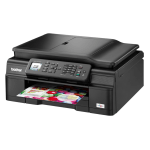
The Brother MFC-J470DW All-in-One Inkjet Printer is a high performance machine aimed at home office users looking for a device that can print, scan, copy and fax.
Offering a combination of speed and wireless connectivity, this printer is capable of handling the demands of home offices that need to print documents and images to a very high standard. When used with ink cartridges purchased from Cartridge People, users will also enjoy a cost saving to go with consistently high quality prints.
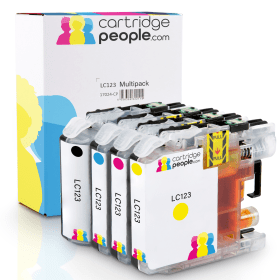

Black
Number in Pack: 1
Volume of Ink: 19ml each, 57% extra ink vs the OEM option
MPN: LC123BK, LC-123BK
Cyan
Number in Pack: 1
Volume of Ink: 8.1ml each, 42% extra ink vs the OEM option
MPN: LC123C, LC-123C
Magenta
Number in Pack: 1
Volume of Ink: 8.1ml each, 42% extra ink vs the OEM option
MPN: LC123M, LC-123M
Yellow
Number in Pack: 1
Volume of Ink: 8.1ml each, 42% extra ink vs the OEM option
MPN: LC123Y, LC-123Y
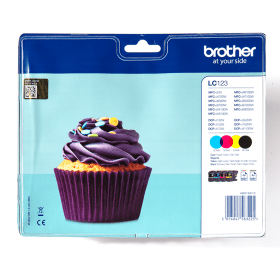
Black
Number in Pack: 1
Volume of Ink: 12.1ml each
MPN: LC123BK
Cyan
Number in Pack: 1
Volume of Ink: 5.7ml each
MPN: LC123C
Magenta
Number in Pack: 1
Volume of Ink: 5.7ml each
MPN: LC123M
Yellow
Number in Pack: 1
Volume of Ink: 5.7ml each
MPN: LC123Y

Cyan
Number in Pack: 1
Volume of Ink: 8.1ml each, 42% extra ink vs the OEM option
MPN: LC123C, LC-123C
Magenta
Number in Pack: 1
Volume of Ink: 8.1ml each, 42% extra ink vs the OEM option
MPN: LC123M, LC-123M
Yellow
Number in Pack: 1
Volume of Ink: 8.1ml each, 42% extra ink vs the OEM option
MPN: LC123Y, LC-123Y
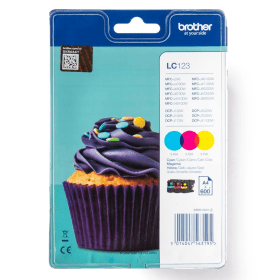
Cyan
Number in Pack: 1
Volume of Ink: 5.7ml each
MPN: LC123C
Magenta
Number in Pack: 1
Volume of Ink: 5.7ml each
MPN: LC123M
Yellow
Number in Pack: 1
Volume of Ink: 5.7ml each
MPN: LC123Y

Black
Number in Pack: 1
Volume of Ink: 7ml each
MPN: LC121BK
Cyan
Number in Pack: 1
Volume of Ink: 4ml each
MPN: LC121C
Magenta
Number in Pack: 1
Volume of Ink: 4ml each
MPN: LC121M
Yellow
Number in Pack: 1
Volume of Ink: 4ml each
MPN: LC121Y

Black
Number in Pack: 2
Volume of Ink: 19ml each, 57% extra ink vs the OEM option
MPN: LC123BK, LC-123BK

Black
Number in Pack: 2
Volume of Ink: 12.1ml each
MPN: LC123BK
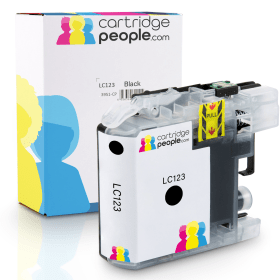
Black
Number in Pack: 1
Volume of Ink: 19ml each, 57% extra ink vs the OEM option
MPN: LC123BK, LC-123BK

Black
Number in Pack: 1
Volume of Ink: 12.1ml each
MPN: LC123BK

Black
Number in Pack: 1
Volume of Ink: 7ml each
MPN: LC121BK
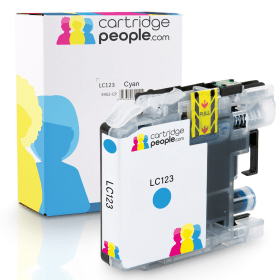
Cyan
Number in Pack: 1
Volume of Ink: 8.1ml each, 42% extra ink vs the OEM option
MPN: LC123C, LC-123C

Cyan
Number in Pack: 1
Volume of Ink: 5.7ml each
MPN: LC123C

Cyan
Number in Pack: 1
Volume of Ink: 4ml each
MPN: LC121C
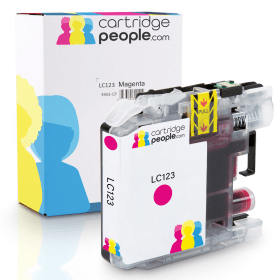
Magenta
Number in Pack: 1
Volume of Ink: 8.1ml each, 42% extra ink vs the OEM option
MPN: LC123M, LC-123M

Magenta
Number in Pack: 1
Volume of Ink: 5.7ml each
MPN: LC123M

Magenta
Number in Pack: 1
Volume of Ink: 4ml each
MPN: LC121M

Yellow
Number in Pack: 1
Volume of Ink: 8.1ml each, 42% extra ink vs the OEM option
MPN: LC123Y, LC-123Y

Yellow
Number in Pack: 1
Volume of Ink: 5.7ml each
MPN: LC123Y

Yellow
Number in Pack: 1
Volume of Ink: 4ml each
MPN: LC121Y
What the Brother MFC-J470DW All-in-One Inkjet Printer is able to offer is all the functionality you’d expect from a home office machine but in a compact model with a small footprint.
This stylish machine is able to print, copy, scan and fax at up to 12ipm mono and 10ipm colour with a print resolution of up to 6000 x 1200dpi. Office Document Creator can help users scan and edit hard copies of your documents in Microsoft Office. There is also the added benefit of being able to essentially halve your paper costs with the inclusion of auto duplexing (double-sided printing) as standard.
The Brother MFC-J470DW has a paper capacity of 100 sheets with a 20-sheet Automatic Document Feeder included. Usability is also aided by a 4.5cm LCD screen.
Printing from anywhere using your smartphone or tablet is made easy thanks to this machine supporting AirPrint, Google Cloud Print and iPrint&Scan.
For an added cost-saving, high yield cartridges are available for this printer allowing your printing to go even further.
This high performance inkjet printer is capable of printing, copying, scanning and faxing.
The MFC-J470DW benefits from wireless connectivity with users able to print from the cloud using a mobile device. Double sided printing can complement Cartridge People’s cartridges for this model in helping to save on running costs once you’ve purchased the printer.
Benefitting from a 64MB memory and capable of printing at a resolution of up to 1200dpi (colour and mono) the text and graphic quality is at a level which would satisfy home users and that satisfaction can even be extended to office users.
Also included is a 20-sheet automatic document feeder which will contribute to keeping your print jobs running quickly and smoothly.
Although the printer may be seen as an excellent device when up and running in the home or office, getting to that stage could prove frustrating with setting the printer up and connecting to the internet without a USB capable presenting potential problems.
Pros
Cons
Star Rating: 4


 FREE Delivery over £35
 Unbeatable Prices



