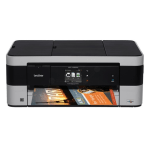
Business users will benefit from the Brother MFC-J4420DW’s ability to print up to A3 as well as scan, copy and fax up to A4. With a host of connectivity options, this machine has all the features required to fit in within a busy office environment.
Small office and home office users will also appreciate the cost savings offered when buying their replacement ink cartridges from Cartridge People with a range of products aimed at giving excellent results at exceptional value.
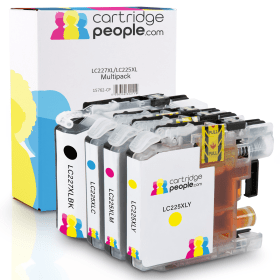

Black
Number in Pack: 1
Volume of Ink: 28ml each, 12% extra ink vs the OEM option
MPN: LC227XLBK, LC-227XLBK
Cyan
Number in Pack: 1
Volume of Ink: 15ml each, 27% extra ink vs the OEM option
MPN: LC225XLC, LC-225XLC
Magenta
Number in Pack: 1
Volume of Ink: 15ml each, 27% extra ink vs the OEM option
MPN: LC225XLM, LC-225XLM
Yellow
Number in Pack: 1
Volume of Ink: 15ml each, 27% extra ink vs the OEM option
MPN: LC225XLY, LC-225XLY
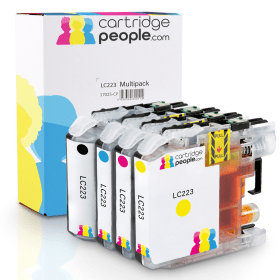
Black
Number in Pack: 1
Volume of Ink: 16.6ml each, 40% extra ink vs the OEM option
MPN: LC223BK, LC-223BK
Cyan
Number in Pack: 1
Volume of Ink: 9ml each, 52% extra ink vs the OEM option
MPN: LC223C, LC-223C
Magenta
Number in Pack: 1
Volume of Ink: 9ml each, 52% extra ink vs the OEM option
MPN: LC223M, LC-223M
Yellow
Number in Pack: 1
Volume of Ink: 9ml each, 52% extra ink vs the OEM option
MPN: LC223Y, LC-223Y

Black
Number in Pack: 1
Volume of Ink: 25ml each
MPN: LC227XLBK
Cyan
Number in Pack: 1
Volume of Ink: 11.8ml each
MPN: LC225XLC
Magenta
Number in Pack: 1
Volume of Ink: 11.8ml each
MPN: LC225XLM
Yellow
Number in Pack: 1
Volume of Ink: 11.8ml each
MPN: LC225XLY
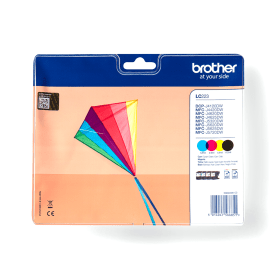
Black
Number in Pack: 1
Volume of Ink: 11.8ml each
MPN: LC223BK
Cyan
Number in Pack: 1
Volume of Ink: 5.9ml each
MPN: LC223C
Magenta
Number in Pack: 1
Volume of Ink: 5.9ml each
MPN: LC223M
Yellow
Number in Pack: 1
Volume of Ink: 5.9ml each
MPN: LC223Y
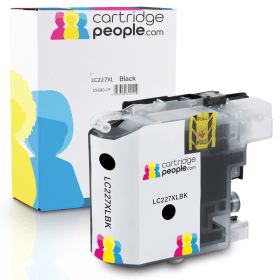
Black
Number in Pack: 1
Volume of Ink: 28ml each, 12% extra ink vs the OEM option
MPN: LC227XLBK, LC-227XLBK
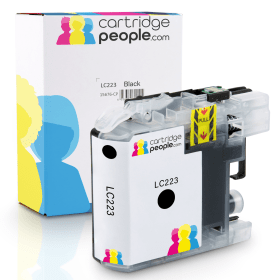
Black
Number in Pack: 1
Volume of Ink: 16.6ml each, 40% extra ink vs the OEM option
MPN: LC223BK, LC-223BK

Black
Number in Pack: 1
Volume of Ink: 25ml each
MPN: LC227XLBK

Black
Number in Pack: 1
Volume of Ink: 11.8ml each
MPN: LC223BK
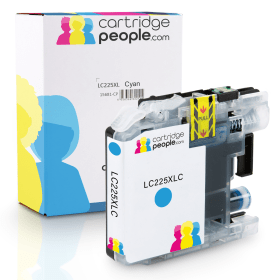
Cyan
Number in Pack: 1
Volume of Ink: 15ml each, 27% extra ink vs the OEM option
MPN: LC225XLC, LC-225XLC
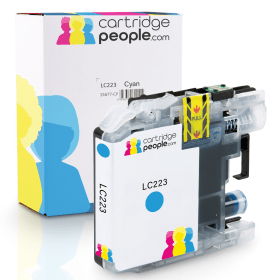
Cyan
Number in Pack: 1
Volume of Ink: 9ml each, 52% extra ink vs the OEM option
MPN: LC223C, LC-223C

Cyan
Number in Pack: 1
Volume of Ink: 11.8ml each
MPN: LC225XLC

Cyan
Number in Pack: 1
Volume of Ink: 5.9ml each
MPN: LC223C
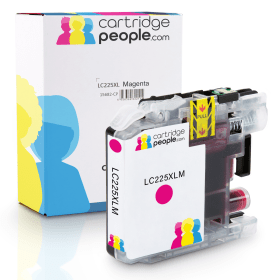
Magenta
Number in Pack: 1
Volume of Ink: 15ml each, 27% extra ink vs the OEM option
MPN: LC225XLM, LC-225XLM
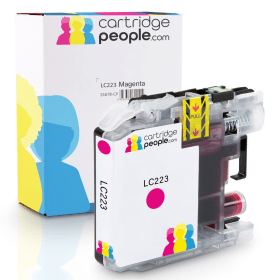
Magenta
Number in Pack: 1
Volume of Ink: 9ml each, 52% extra ink vs the OEM option
MPN: LC223M, LC-223M

Magenta
Number in Pack: 1
Volume of Ink: 11.8ml each
MPN: LC225XLM

Magenta
Number in Pack: 1
Volume of Ink: 5.9ml each
MPN: LC223M

Yellow
Number in Pack: 1
Volume of Ink: 15ml each, 27% extra ink vs the OEM option
MPN: LC225XLY, LC-225XLY
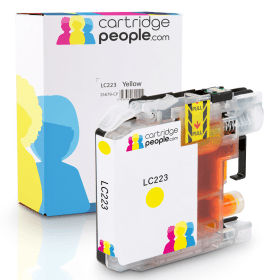
Yellow
Number in Pack: 1
Volume of Ink: 9ml each, 52% extra ink vs the OEM option
MPN: LC223Y, LC-223Y

Yellow
Number in Pack: 1
Volume of Ink: 11.8ml each
MPN: LC225XLY

Yellow
Number in Pack: 1
Volume of Ink: 5.9ml each
MPN: LC223Y
When it comes to connectivity, the integrated wireless networking involved with the Brother MFC-J4420DW means you can print, copy, scan and fax easily.
Connecting to popular cloud platforms such as Facebook, Google Drive and Dropbox is made possible thanks to a 6.8cm colour touchscreen. Automatic double-sided printing is a feature that is ideal for small office home office (SOHO) users looking to keep their paper expenditure down. An integrated 20-sheet Automatic Document Feeder and A3 printing is also included as standard.
With a range of consumables that include high-yield ink cartridges that could make your printing go further, there is also the environmental benefit of this machine complying with the strict ENERGY STAR, German Blue Angel and Nordic Swan environmental standards.
Print speeds are what you would expect from a device that’s aimed at the SOHO user with up to 20ipm offered in mono and 18ipm for colour printing. Quality is also assured with a 1200 x 2400dpi (from flatbed) resolution.
With a reputation for supplying businesses with the ideal machine for their printing needs, this A3 device from Brother looks to be more than your average business inkjet.
Small office and home office users can often have to rely on their printer to produce consistently high quality results and the MFC-J4420DW is able to achieve that with the help of a print resolution of 1200 x 600dpi. There is also a 2400 x 1200dpi scanner and copier, and like many Brother printers, a fax machine is also included.
Many home users are looking to switch to an A3 printer to cope with the demands of their son or daughter’s school or university work and the high yield ink cartridges that are available will be a plus point for those looking to keep either their home or business printing costs down. The compact design also means that it doesn’t take up too much space and can easily be accommodated on a desktop.
Perhaps where the MFC-J4420DW really excels is in its connectivity. Whether you are a small office with employees all needing access to a printer or have children doing school work in other areas of the house and looking to print, this Brother inkjet makes the process easy. With Wi-Fi network connectivity, Apple’s AirPrint function for printing from iOS devices is also available. You can also benefit from printing from Google Cloud Print. Scanning documents onto your smartphone can be done through Brother’s Print&Scan app.
Print speeds are relatively good at up to 20 mono / 18 colour ipm although it’s worth noting that the print speed for photographs will be slower.
On the whole, this Brother device lets both home and office users print with confidence and it would be an excellent addition to the home or workplace. Additionally, this is available at an outstanding price from Cartridge People.
Pros
Cons
Star Rating: 4.5


 FREE Delivery over £35
 Unbeatable Prices