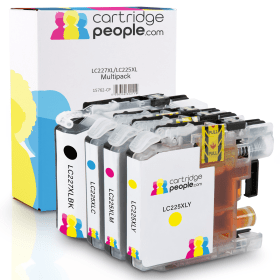

Black
Number in Pack: 1
Volume of Ink: 28ml each, 12% extra ink vs the OEM option
MPN: LC227XLBK, LC-227XLBK
Cyan
Number in Pack: 1
Volume of Ink: 15ml each, 27% extra ink vs the OEM option
MPN: LC225XLC, LC-225XLC
Magenta
Number in Pack: 1
Volume of Ink: 15ml each, 27% extra ink vs the OEM option
MPN: LC225XLM, LC-225XLM
Yellow
Number in Pack: 1
Volume of Ink: 15ml each, 27% extra ink vs the OEM option
MPN: LC225XLY, LC-225XLY
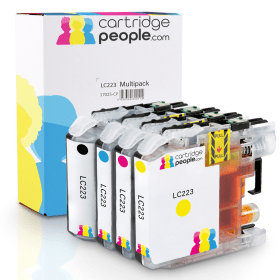
Black
Number in Pack: 1
Volume of Ink: 16.6ml each, 40% extra ink vs the OEM option
MPN: LC223BK, LC-223BK
Cyan
Number in Pack: 1
Volume of Ink: 9ml each, 52% extra ink vs the OEM option
MPN: LC223C, LC-223C
Magenta
Number in Pack: 1
Volume of Ink: 9ml each, 52% extra ink vs the OEM option
MPN: LC223M, LC-223M
Yellow
Number in Pack: 1
Volume of Ink: 9ml each, 52% extra ink vs the OEM option
MPN: LC223Y, LC-223Y

Black
Number in Pack: 1
Volume of Ink: 25ml each
MPN: LC227XLBK
Cyan
Number in Pack: 1
Volume of Ink: 11.8ml each
MPN: LC225XLC
Magenta
Number in Pack: 1
Volume of Ink: 11.8ml each
MPN: LC225XLM
Yellow
Number in Pack: 1
Volume of Ink: 11.8ml each
MPN: LC225XLY
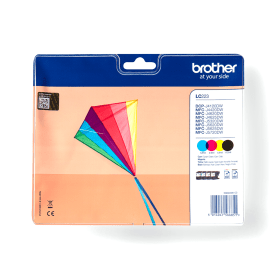
Black
Number in Pack: 1
Volume of Ink: 11.8ml each
MPN: LC223BK
Cyan
Number in Pack: 1
Volume of Ink: 5.9ml each
MPN: LC223C
Magenta
Number in Pack: 1
Volume of Ink: 5.9ml each
MPN: LC223M
Yellow
Number in Pack: 1
Volume of Ink: 5.9ml each
MPN: LC223Y
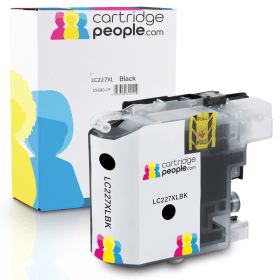
Black
Number in Pack: 1
Volume of Ink: 28ml each, 12% extra ink vs the OEM option
MPN: LC227XLBK, LC-227XLBK
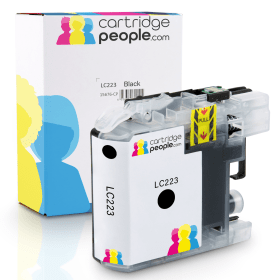
Black
Number in Pack: 1
Volume of Ink: 16.6ml each, 40% extra ink vs the OEM option
MPN: LC223BK, LC-223BK

Black
Number in Pack: 1
Volume of Ink: 25ml each
MPN: LC227XLBK

Black
Number in Pack: 1
Volume of Ink: 11.8ml each
MPN: LC223BK
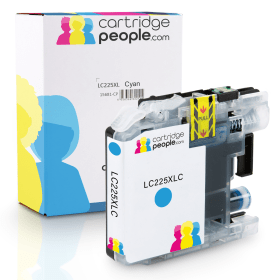
Cyan
Number in Pack: 1
Volume of Ink: 15ml each, 27% extra ink vs the OEM option
MPN: LC225XLC, LC-225XLC
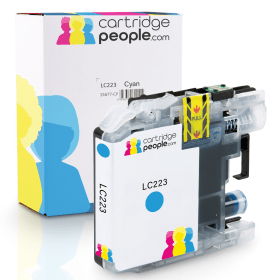
Cyan
Number in Pack: 1
Volume of Ink: 9ml each, 52% extra ink vs the OEM option
MPN: LC223C, LC-223C

Cyan
Number in Pack: 1
Volume of Ink: 11.8ml each
MPN: LC225XLC

Cyan
Number in Pack: 1
Volume of Ink: 5.9ml each
MPN: LC223C
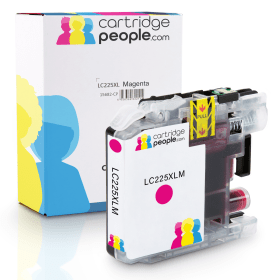
Magenta
Number in Pack: 1
Volume of Ink: 15ml each, 27% extra ink vs the OEM option
MPN: LC225XLM, LC-225XLM
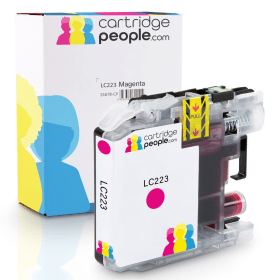
Magenta
Number in Pack: 1
Volume of Ink: 9ml each, 52% extra ink vs the OEM option
MPN: LC223M, LC-223M

Magenta
Number in Pack: 1
Volume of Ink: 11.8ml each
MPN: LC225XLM

Magenta
Number in Pack: 1
Volume of Ink: 5.9ml each
MPN: LC223M

Yellow
Number in Pack: 1
Volume of Ink: 15ml each, 27% extra ink vs the OEM option
MPN: LC225XLY, LC-225XLY
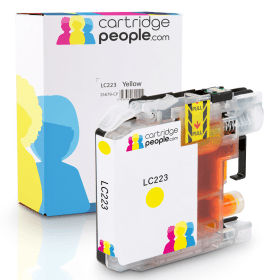
Yellow
Number in Pack: 1
Volume of Ink: 9ml each, 52% extra ink vs the OEM option
MPN: LC223Y, LC-223Y

Yellow
Number in Pack: 1
Volume of Ink: 11.8ml each
MPN: LC225XLY

Yellow
Number in Pack: 1
Volume of Ink: 5.9ml each
MPN: LC223Y
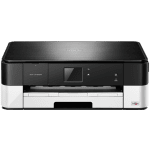
With A3 print capabilities and a compact, stylish design, the Brother DCP-J4120DW offers a wireless inkjet that can benefit the small office environment.
Connecting the printer to a PC, laptop or mobile device can be done with ease as a result of integrated wireless networking that can connect home and office users with the device.
Accessing popular cloud platforms such as Facebook, Google Drive and Dropbox can be achieved through utilising the 6.8cm colour touchscreen available. Additionally, there is the functionality to manage your documents in the form of auto duplexing, A3 printing, scanning and copying.
Helping office users keep their printing costs to a minimum, XL ink cartridges can be accepted by this machine in order to help you print for longer and increase productivity.
Productivity can also be helped by print speeds of up to 20ipm for mono and 18ipm for colour.
As well as the cost saving benefits to be found when using XL cartridges, there is also an environmentally friendly element to the DCP-J4120W in that it is an ENERGY STAR qualified product.
There’s no doubt that small office users will be impressed with the A3 printing capability that the Brother DCP-J4120DW possesses.
Add to that the ability to print on both sides of the page and this machine appeals to those looking to maintain high productivity levels in their workplace.
Even though this printer is geared towards the business user, that doesn’t mean it is a bulky model that will require a lot of room in an office. The compact design means it can easily be accommodated on a desktop.
The DCP-J4120DW is a reasonably priced printer with the added benefit of being able to save on ink through the use of high capacity cartridges.
Letting the printer down slightly is the lack of an automatic document feeder or fax facility.
This Brother device is still a good value for money purchase for those looking for a printer that can save money and maintain productivity.
Pros
Cons
Star Rating: 4


 FREE Delivery over £35
 Unbeatable Prices