


Black
Number in Pack: 1
Volume of Ink: 8ml each
MPN: CH563EE
Colour
Number in Pack: 1
Volume of Ink: 6ml each
MPN: CH564EE
Order now for dispatch Monday
Order now for dispatch Monday

Black
Number in Pack: 1
Volume of Ink: 3ml each
MPN: CH561EE
Colour
Number in Pack: 1
Volume of Ink: 3ml each
MPN: CH562EE
Order now for dispatch Monday
Order now for dispatch Monday
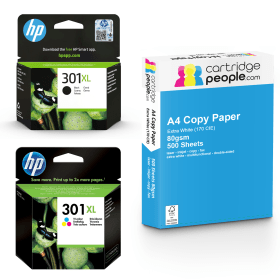
Black
Number in Pack: 1
Volume of Ink: 8ml each
MPN: CH563EE
Colour
Number in Pack: 1
Volume of Ink: 6ml each
MPN: CH564EE
Order now for dispatch Monday
Order now for dispatch Monday
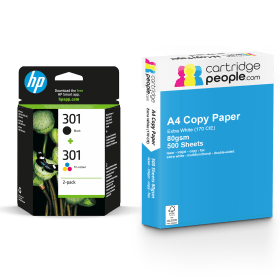
Black
Number in Pack: 1
Volume of Ink: 3ml each
MPN: CH561EE
Colour
Number in Pack: 1
Volume of Ink: 3ml each
MPN: CH562EE
Order now for dispatch Monday
Order now for dispatch Monday

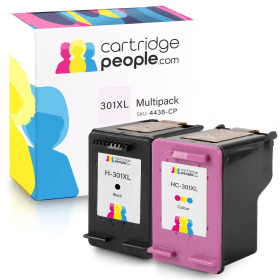
Compatible Own Brand
Black
Number in Pack: 1
Volume of Ink: 20ml each, 150% extra ink vs the OEM option
MPN: CH563EE
Colour
Number in Pack: 1
Volume of Ink: 18ml each, 200% extra ink vs the OEM option
MPN: CH564EE
Order now for dispatch Monday
Order now for dispatch Monday
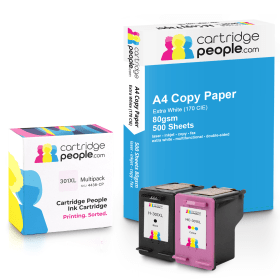
Compatible Own Brand
Black
Number in Pack: 1
Volume of Ink: 20ml each, 150% extra ink vs the OEM option
MPN: CH563EE
Colour
Number in Pack: 1
Volume of Ink: 18ml each, 200% extra ink vs the OEM option
MPN: CH564EE
Order now for dispatch Monday
Order now for dispatch Monday

Black
Number in Pack: 1
Volume of Ink: 8ml each
MPN: CH563EE
Order now for dispatch Monday
Order now for dispatch Monday
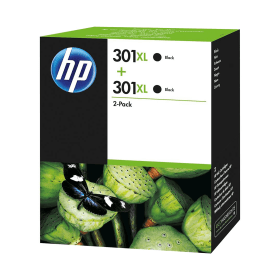
Black
Number in Pack: 2
Volume of Ink: 8ml each
MPN: CH563EE
Order now for dispatch Monday
Order now for dispatch Monday

Black
Number in Pack: 1
Volume of Ink: 3ml each
MPN: CH561EE
Order now for dispatch Monday
Order now for dispatch Monday
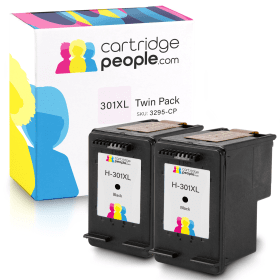
Compatible Own Brand
Black
Number in Pack: 2
Volume of Ink: 20ml each, 150% extra ink vs the OEM option
MPN: CH563EE
Order now for dispatch Monday
Order now for dispatch Monday

Compatible Own Brand
Black
Number in Pack: 1
Volume of Ink: 20ml each, 150% extra ink vs the OEM option
MPN: CH563EE
Order now for dispatch Monday
Order now for dispatch Monday

Colour
Number in Pack: 1
Volume of Ink: 6ml each
MPN: CH564EE
Order now for dispatch Monday
Order now for dispatch Monday

Colour
Number in Pack: 2
Volume of Ink: 6ml each
MPN: CH564EE
Order now for dispatch Monday
Order now for dispatch Monday

Colour
Number in Pack: 1
Volume of Ink: 3ml each
MPN: CH562EE
Order now for dispatch Monday
Order now for dispatch Monday

Compatible Own Brand
Colour
Number in Pack: 2
Volume of Ink: 18ml each, 200% extra ink vs the OEM option
MPN: CH564EE
Order now for dispatch Monday
Order now for dispatch Monday

Compatible Own Brand
Colour
Number in Pack: 1
Volume of Ink: 18ml each, 200% extra ink vs the OEM option
MPN: CH564EE
Order now for dispatch Monday
Order now for dispatch Monday
Order now for dispatch Monday
Order now for dispatch Monday
Order now for dispatch Monday
Order now for dispatch Monday
Order now for dispatch Monday
To ensure you receive an answer to your question in the quickest time possible, we recommend you contact our customer service team directly using one of the following methods:
If you have a product-related question benefiting all customers, please proceed. Your question and our response may be published on cartridgepeople.com after approval.
Asked by philip - Published over 2 years ago
Capable of quick and easy printing, scanning and copying, the HP DeskJet 1050 aims to provide home users with an affordable and compact solution for their printing needs.
An all-in-one machine, it benefits from intuitive controls making the printer easy to set up so you can quickly enjoy the versatile options that are offered by this HP device. The one-touch tools available will work together with the machine’s cost saving features to give versatility and reliability for your home printing.
Borderless photo printing is possible when using the 1050 whilst there are print speeds of 16ppm mono and 12ppm colour.
For added convenience, users will receive a warning when they need to replace consumables via the low ink indicator light. Setting up the printer can also be carried out without the need for a PC.
HP Photo Creations will help you make beautiful images you’ll want to keep with additional options including 1,800 high quality artwork designs as well as placeable graphics, placeable text boxes and various other features to customise your keepsakes.
Families will appreciate the versatile printing, scanning and copying functionality of the HP DeskJet 1050.
The customisation features that come with this machine will be welcomed by those who enjoy photo printing. This flexibility in the tasks it can carry out means it can be considered a value for money device for the home.
A basic design means that this isn’t the most stylish all-in-one you’ll ever see but the one-touch controls do make it easy to use and this is another plus for those looking to grant the whole family access to the 1050.
Text document printing is carried out to a reasonably high standard but if you’re wishing to carry out a high volume of printing, the 60-sheet paper capacity may feel a little limited. It’s for that reason that this machine perhaps lends itself to the ‘little and often’ printer user looking for a machine that can print, scan and copy as well as produce photo prints.
There are savings to be made on your printing expenditure once you’ve bought the 1050. High capacity cartridges are able to be accepted and can help you get more pages for your pounds.
Pros
Cons
Star Rating: 3


 FREE Delivery over £35
 Unbeatable Prices