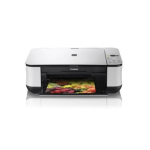
The Canon Pixma MP250 is a home printer capable printing, scanning and copying.
Suitable for families and students, this machine can produce exceptional photo prints and clear documents ensuring that your own university work or your child’s school work are printed to a high standard. When you consider the money that can be saved on the printer consumables for this printer through buying from Cartridge People, your household can keep your printing costs down thanks to an affordable machine and a reliable ink cartridge retailer.


Compatible Own Brand
Black
Number in Pack: 1
Volume of Ink: 16.5ml each, 10% extra ink vs the OEM option
MPN: 2969B001AA
Colour
Number in Pack: 1
Volume of Ink: 15ml each, 15% extra ink vs the OEM option
MPN: 2971B001AA
We advise you to choose this multipack over the Canon branded multipack for the best value.
Available for Next Day Delivery
Available for Next Day Delivery
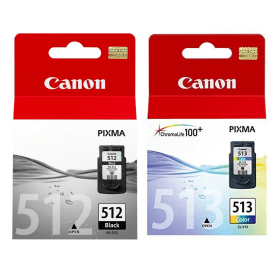
Black
Number in Pack: 1
Volume of Ink: 15ml each
MPN: 2969B001AA
Colour
Number in Pack: 1
Volume of Ink: 13ml each
MPN: 2971B001AA
We advise you to choose the Cartridge People branded multipack over this multipack!
View Recommended ProductAvailable for Next Day Delivery
Available for Next Day Delivery

Black
Number in Pack: 1
Volume of Ink: 9ml each
MPN: 2970B001AA
Colour
Number in Pack: 1
Volume of Ink: 9ml each
MPN: 2972B001AA
We advise you to choose the Cartridge People branded multipack over this multipack!
View Recommended ProductAvailable for Next Day Delivery
Available for Next Day Delivery

Compatible Own Brand
Black
Number in Pack: 1
Volume of Ink: 16.5ml each, 10% extra ink vs the OEM option
MPN: 2969B001AA
We advise you to choose this product over the Canon branded product for the best value.
Available for Next Day Delivery
Available for Next Day Delivery

Black
Number in Pack: 1
Volume of Ink: 15ml each
MPN: 2969B001AA
We advise you to choose the Cartridge People branded product over this product!
View Recommended ProductAvailable for Next Day Delivery
Available for Next Day Delivery

Black
Number in Pack: 1
Volume of Ink: 9ml each
MPN: 2970B001AA
We advise you to choose the Cartridge People branded product over this product!
View Recommended ProductAvailable for Next Day Delivery
Available for Next Day Delivery

Compatible Own Brand
Colour
Number in Pack: 1
Volume of Ink: 15ml each, 15% extra ink vs the OEM option
MPN: 2971B001AA
We advise you to choose this product over the Canon branded product for the best value.
Available for Next Day Delivery
Available for Next Day Delivery

Colour
Number in Pack: 1
Volume of Ink: 13ml each
MPN: 2971B001AA
We advise you to choose the Cartridge People branded product over this product!
View Recommended ProductAvailable for Next Day Delivery
Available for Next Day Delivery

Colour
Number in Pack: 1
Volume of Ink: 9ml each
MPN: 2972B001AA
We advise you to choose the Cartridge People branded product over this product!
View Recommended ProductAvailable for Next Day Delivery
Available for Next Day Delivery
Available for Next Day Delivery
Available for Next Day Delivery
Available for Next Day Delivery
Available for Next Day Delivery
Available for Next Day Delivery
To ensure you receive an answer to your question in the quickest time possible, we recommend you contact our customer service team directly using one of the following methods:
If you have a product-related question benefiting all customers, please proceed. Your question and our response may be published on cartridgepeople.com after approval.
Asked by Phil Littler - Published over 3 years ago
Whether you are a student looking to print documents or you are a home printer user looking to print photographs, the Canon Pixma MP250 can provide the ideal solution for your printing needs.
In terms of printing and scanning documents, this machine offers ISO ESAT speeds of 7.0ipm for mono documents and 4.8ipm for colour. Combining speed with quality, there is a 600dpi resolution scanner that has an Auto Scan Mode capable of identifying whether you’re looking to scan a document or photograph. From there, it will choose the appropriate settings.
Another feature which will aide speed of use is Quick Start that will have this machine up and running within seconds of the printer being switched on, allowing you to print, copy or scan at your own convenience.
For high quality photo printing, there is a print resolution of 4800 x 1200dpi that will see your pictures produced free of grain and with vivid colours. These colours will benefit from the use of Canon’s FINE ink cartridges, dye-based consumables which are ideal for printing photographs. With the ChromaLife100+ system, you will also see prints last for a lifetime when using appropriate photo paper.
There is also the intuitive Easy-WebPrint EX software that helps to make editing and printing information from the internet a simple process. This software can organise clippings on a single page and therefore minimise your paper costs.
In order to make the most of your prints when it comes to images, there is the Auto Photo Fix II function that can correct various faults such as underexposure. Through the use of Scene Analysis and Face Detection Technology, issues such as the appearance of red eye can be quickly removed.
The Canon Pixma MP250 Inkjet Photo All-in-One Printer is designed for the home office or for a single-person business printer.
This small all-in-one is capable of printing, scanning and copying at a fairly fast rate. It is also capable of printing a 10 by 15cm borderless photo in about 20 seconds. The printer uses one black ink cartridge and one tri-colour ink cartridge to go with an impressive print resolution of 4800 by 1200 dpi.
This printer has a rear paper tray that holds a maximum of 100 sheets. It can also print on legal sized paper, envelopes and a number of other paper sizes. It can make up to 20 copies at a time, and it has fit-to-page copy that can create borderless copies; users can also enlarge or reduce images.
The flatbed scanner can scan up to 4800 by 9600dpi. The software included with the MP250 includes the Canon MP Navigator EX and Easy-PhotoPrint EX. These let users quickly and easily organise, print and share their photos through online image sites like Picasa.
Pros
Cons
Star Rating: 3


 FREE Delivery over £35
 Unbeatable Prices