

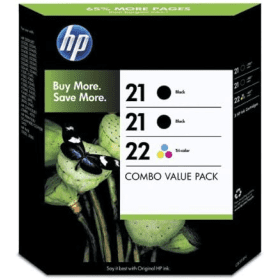

Black
Number in Pack: 2
Volume of Ink: 5ml each
MPN: C9351A
Colour
Number in Pack: 1
Volume of Ink: 5ml each
MPN: C9352A
Available for Next Day Delivery
Available for Next Day Delivery
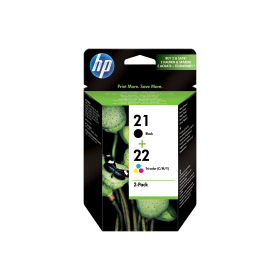
Black
Number in Pack: 1
Volume of Ink: 5ml each
MPN: C9351A
Colour
Number in Pack: 1
Volume of Ink: 5ml each
MPN: C9352A
Available for Next Day Delivery
Available for Next Day Delivery


Compatible Own Brand
Black
Number in Pack: 2
Volume of Ink: 23ml each, 360% extra ink vs the OEM option
MPN: C9351A
Colour
Number in Pack: 1
Volume of Ink: 23ml each, 360% extra ink vs the OEM option
MPN: C9352A
Available for Next Day Delivery
Available for Next Day Delivery
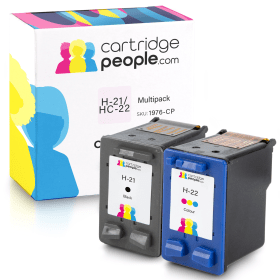
Compatible Own Brand
Black
Number in Pack: 1
Volume of Ink: 23ml each, 360% extra ink vs the OEM option
MPN: C9351A
Colour
Number in Pack: 1
Volume of Ink: 23ml each, 360% extra ink vs the OEM option
MPN: C9352A
Available for Next Day Delivery
Available for Next Day Delivery

Black
Number in Pack: 1
Volume of Ink: 5ml each
MPN: C9351A
Available for Next Day Delivery
Available for Next Day Delivery

Compatible Own Brand
Black
Number in Pack: 1
Volume of Ink: 23ml each, 360% extra ink vs the OEM option
MPN: C9351A
Available for Next Day Delivery
Available for Next Day Delivery

Colour
Number in Pack: 1
Volume of Ink: 5ml each
MPN: C9352A
Available for Next Day Delivery
Available for Next Day Delivery
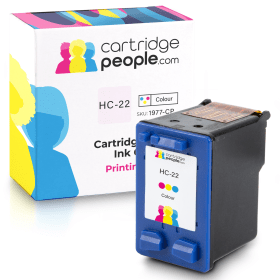
Compatible Own Brand
Colour
Number in Pack: 1
Volume of Ink: 23ml each, 360% extra ink vs the OEM option
MPN: C9352A
Available for Next Day Delivery
Available for Next Day Delivery
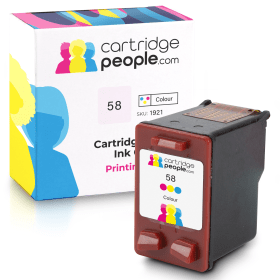
Compatible Own Brand
Photo
Number in Pack: 1
Volume of Ink: 18ml each
MPN: C6658AE
Available for Next Day Delivery
Available for Next Day Delivery
Available for Next Day Delivery
Available for Next Day Delivery
Available for Next Day Delivery
Available for Next Day Delivery
Available for Next Day Delivery
To ensure you receive an answer to your question in the quickest time possible, we recommend you contact our customer service team directly using one of the following methods:
If you have a product-related question benefiting all customers, please proceed. Your question and our response may be published on cartridgepeople.com after approval.
Asked by Anonymous - Published over 2 years ago
The HP DeskJet F2280 is a machine capable of fulfilling the needs of a home user looking for a minimalistic machine that can deliver quality printing.
Boosted by the fact it can also scan and copy, users will appreciate this entry level printer’s ability to perform a variety of tasks effectively.
A paper capacity of 80 sheets is offered whilst there is also a duty cycle of 1,000 pages a month to enhance the reliability of a machine that could easily be an option for university students looking for a high quality printer at a low cost price.
Energy savings can also be made when using the F2280 as a result of its ENERGY STAR mode.
A simple and compact design complements the HP DeskJet F2280’s printing, scanning and copying ability.
Without a display screen, users will need to operate the control buttons available in order to access the machine’s functions. The small footprint should still see the machine easily accommodated on a desktop even if the design is not what you’d describe as ‘modern’.
Unfortunately, this printer doesn’t deliver print speeds that will suit a home user who needs documents and photographs in a hurry. Instead, it perhaps lends itself to those who print on a fairly infrequent basis.
There is also a distinct lack of functionality with this machine. No Wi-Fi is a big miss with so much emphasis in recent times having been placed on printing wirelessly. There isn’t even a memory card reader which will be another black mark against it from those who favour photo printing.
Print quality may be of a high standard but the F2280 just doesn’t have enough features to qualify as an appropriate device for those who like to print regularly.
Pros
Cons
Star Rating: 2.5


 FREE Delivery over £35
 Unbeatable Prices