
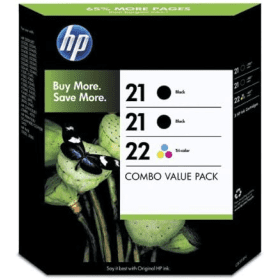

Black
Number in Pack: 2
Volume of Ink: 5ml each
MPN: C9351A
Colour
Number in Pack: 1
Volume of Ink: 5ml each
MPN: C9352A
Available for Next Day Delivery
Available for Next Day Delivery
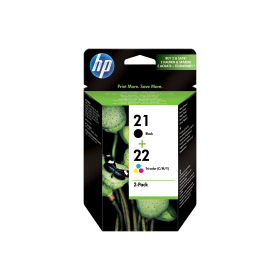
Black
Number in Pack: 1
Volume of Ink: 5ml each
MPN: C9351A
Colour
Number in Pack: 1
Volume of Ink: 5ml each
MPN: C9352A
Available for Next Day Delivery
Available for Next Day Delivery


Compatible Own Brand
Black
Number in Pack: 2
Volume of Ink: 23ml each, 360% extra ink vs the OEM option
MPN: C9351A
Colour
Number in Pack: 1
Volume of Ink: 23ml each, 360% extra ink vs the OEM option
MPN: C9352A
Available for Next Day Delivery
Available for Next Day Delivery
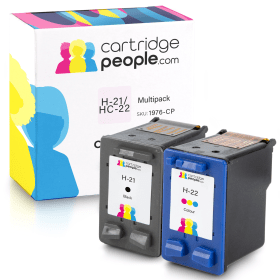
Compatible Own Brand
Black
Number in Pack: 1
Volume of Ink: 23ml each, 360% extra ink vs the OEM option
MPN: C9351A
Colour
Number in Pack: 1
Volume of Ink: 23ml each, 360% extra ink vs the OEM option
MPN: C9352A
Available for Next Day Delivery
Available for Next Day Delivery

Black
Number in Pack: 1
Volume of Ink: 5ml each
MPN: C9351A
Available for Next Day Delivery
Available for Next Day Delivery

Compatible Own Brand
Black
Number in Pack: 1
Volume of Ink: 23ml each, 360% extra ink vs the OEM option
MPN: C9351A
Available for Next Day Delivery
Available for Next Day Delivery

Colour
Number in Pack: 1
Volume of Ink: 5ml each
MPN: C9352A
Available for Next Day Delivery
Available for Next Day Delivery
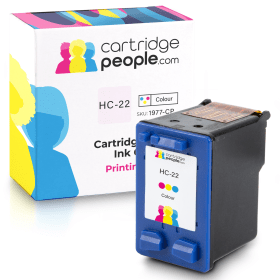
Compatible Own Brand
Colour
Number in Pack: 1
Volume of Ink: 23ml each, 360% extra ink vs the OEM option
MPN: C9352A
Available for Next Day Delivery
Available for Next Day Delivery
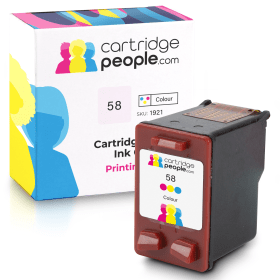
Compatible Own Brand
Photo
Number in Pack: 1
Volume of Ink: 18ml each
MPN: C6658AE
Available for Next Day Delivery
Available for Next Day Delivery
Available for Next Day Delivery
Available for Next Day Delivery
Available for Next Day Delivery
Available for Next Day Delivery
Available for Next Day Delivery
To ensure you receive an answer to your question in the quickest time possible, we recommend you contact our customer service team directly using one of the following methods:
If you have a product-related question benefiting all customers, please proceed. Your question and our response may be published on cartridgepeople.com after approval.
Asked by Jennifer Taylor - Published over 3 years ago
Asked by Ian maclean - Published over 3 years ago
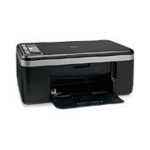
Printing, scanning and copying is all possible when using the HP DeskJet F2180.
Whether you need graphics or text, this machine can deliver results quickly and consistently. Print speeds of 17ppm for mono and 11ppm for colour in draft mode are offered. A photograph can be produced in as little as 50 seconds.
A 100-sheet paper tray is included to ensure that users can print in relatively high volumes whilst this machine also accepts XL ink cartridges in order to maximise the amount of printing you get from your consumables.
Users won’t have to forfeit a lot of desk space as a result of the printer’s compact design and small footprint.
Aimed at the small business and home office market, the HP DeskJet F2180 provides printing, scanning and copying to a reasonable standard.
Even though you may feel this machine has been built purely for document printing, the quality of photo prints is still high and results can be produced in relatively quick times.
Without being network-ready, it’s difficult to see how this machine could suit a small office environment, particularly with what could be viewed as a limited paper tray.
It is a stylish printer though and can carry out a range of tasks effectively. Perhaps this could be best viewed as a home office printer more than one that could be used in a larger office workplace where several members of staff need to access.
Pros
Cons
Star Rating: 3.5


 FREE Delivery over £35
 Unbeatable Prices