

Black
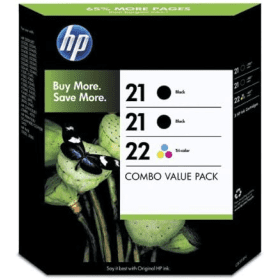
Number in Pack: 2
Volume of Ink: 5ml each
MPN: C9351A
Colour
Number in Pack: 1
Volume of Ink: 5ml each
MPN: C9352A
Available for Next Day Delivery
Available for Next Day Delivery
Black
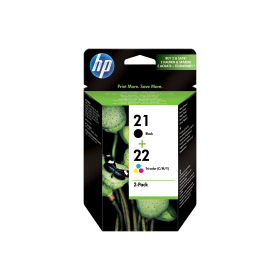
Number in Pack: 1
Volume of Ink: 5ml each
MPN: C9351A
Colour
Number in Pack: 1
Volume of Ink: 5ml each
MPN: C9352A
Available for Next Day Delivery
Available for Next Day Delivery


Compatible Own Brand
Black
Number in Pack: 2
Volume of Ink: 23ml each, 360% extra ink vs the OEM option
MPN: C9351A
Colour
Number in Pack: 1
Volume of Ink: 23ml each, 360% extra ink vs the OEM option
MPN: C9352A
Available for Next Day Delivery
Available for Next Day Delivery
Compatible Own Brand
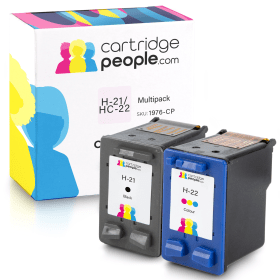
Black
Number in Pack: 1
Volume of Ink: 23ml each, 360% extra ink vs the OEM option
MPN: C9351A
Colour
Number in Pack: 1
Volume of Ink: 23ml each, 360% extra ink vs the OEM option
MPN: C9352A
Available for Next Day Delivery
Available for Next Day Delivery

Black
Number in Pack: 1
Volume of Ink: 5ml each
MPN: C9351A
Available for Next Day Delivery
Available for Next Day Delivery

Compatible Own Brand
Black
Number in Pack: 1
Volume of Ink: 23ml each, 360% extra ink vs the OEM option
MPN: C9351A
Available for Next Day Delivery
Available for Next Day Delivery

Colour
Number in Pack: 1
Volume of Ink: 5ml each
MPN: C9352A
Available for Next Day Delivery
Available for Next Day Delivery
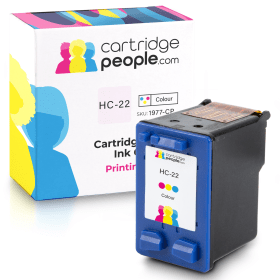
Compatible Own Brand
Colour
Number in Pack: 1
Volume of Ink: 23ml each, 360% extra ink vs the OEM option
MPN: C9352A
Available for Next Day Delivery
Available for Next Day Delivery
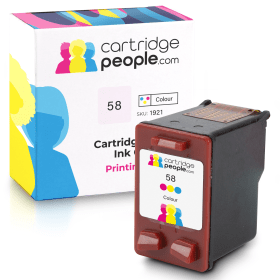
Compatible Own Brand
Photo
Number in Pack: 1
Volume of Ink: 18ml each
MPN: C6658AE
Available for Next Day Delivery
Available for Next Day Delivery
Available for Next Day Delivery
Available for Next Day Delivery
Available for Next Day Delivery
Available for Next Day Delivery
Available for Next Day Delivery
To ensure you receive an answer to your question in the quickest time possible, we recommend you contact our customer service team directly using one of the following methods:
If you have a product-related question benefiting all customers, please proceed. Your question and our response may be published on cartridgepeople.com after approval.
Asked by Mr J E A West - Published over 3 years ago
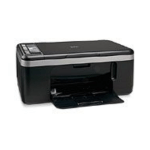
When it comes to fast and efficient printing, the HP DeskJet F4180 All-in-One is able to print at 20ppm for mono and up to 14ppm for colour.
By using HP Smart Web Printing, it’s possible to print web pages that are both usable and without cut-off edges. Meanwhile, HP Photosmart Essential allows users to share, save and print photos via a one-touch feature.
Cancelling print jobs is also a one-touch process that could save you time as well as paper and printer ink.
When it comes to saving money on printing costs, users can benefit from the use of XL cartridges that can offer savings for those looking to print frequently. These savings don’t mean you necessarily have to compromise on quality as the F4180 will still deliver black text similar to that of a laser printer whilst colour graphics will be vivid and vibrant.
Printing and copying photographs can also be carried out to a high standard with optional six colour ink cartridges aimed at optimising your photo prints.
Voted by PC Magazine as a Readers Choice 15 years in row, HP is well versed at producing printers that fulfil consumer expectations.
The DeskJet F4180 is a compact, robust multifunction machine that continues HP’s stellar reputation in the home printing market. From the outset users will be pleased with the simple control panel and one-touch buttons for printing in black or colour, copying and scanning.
The F4180 benefits from a lightning-fast start up time, which greatly improves the speed per minute of prints. HP claims max copying speeds of up to 20 pages per minute in mono and up to 14 pages per minute in colour, so you are not likely to find yourself hanging around for prints to complete. At 600 x 600dpi print resolution, the results of prints are solid, but are bettered by the excellent scanner.
While 1200 x 2400dpi is pretty much what you would expect from a printer in this price range. HP’s Photosmart Essential software enhances scans by 19200dpi for HD-quality results. Additionally, the scanner uses 48-bit colour to enhance shading and add vibrancy to colours. Not to be outdone, the copier also has a useful feature of its own: image scaling. This allows the user to easily shrink or enlarge documents from 25 per cent to 200 per cent. An integrated nine-page memory lets users copy multiple pages at any one time.
Along with the inclusion of Photosmart Essential, the F4180 also has a Smart Web Printing functionality that solves the problem of printing directly from the web by preventing cut-off edges.
Pros
Cons
Star Rating: 4


 FREE Delivery over £35
 Unbeatable Prices