


Black
Number in Pack: 1
Volume of Ink: 4.5ml each
MPN: CB335EE
Colour
Number in Pack: 1
Volume of Ink: 3.5ml each
MPN: CB337EE
Available for Next Day Delivery
Available for Next Day Delivery

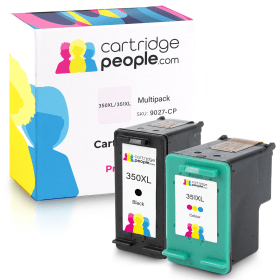
Compatible Own Brand
Black
Number in Pack: 1
Volume of Ink: 30ml each
MPN: CB336EE
Colour
Number in Pack: 1
Volume of Ink: 22ml each
MPN: CB338EE
Available for Next Day Delivery
Available for Next Day Delivery

Compatible Own Brand
Black
Number in Pack: 1
Volume of Ink: 20ml each, 344% extra ink vs the OEM option
MPN: CB335EE
Colour
Number in Pack: 1
Volume of Ink: 9ml each, 157% extra ink vs the OEM option
MPN: CB337EE
Available for Next Day Delivery
Available for Next Day Delivery

Black
Number in Pack: 1
Volume of Ink: 4.5ml each
MPN: CB335EE
Available for Next Day Delivery
Available for Next Day Delivery

Compatible Own Brand
Black
Number in Pack: 1
Volume of Ink: 30ml each
MPN: CB336EE
Available for Next Day Delivery
Available for Next Day Delivery
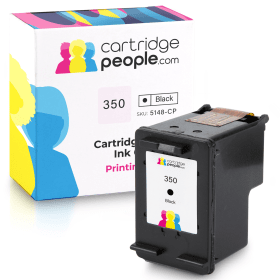
Compatible Own Brand
Black
Number in Pack: 1
Volume of Ink: 20ml each, 344% extra ink vs the OEM option
MPN: CB335EE
Available for Next Day Delivery
Available for Next Day Delivery

Colour
Number in Pack: 1
Volume of Ink: 3.5ml each
MPN: CB337EE
Available for Next Day Delivery
Available for Next Day Delivery

Compatible Own Brand
Colour
Number in Pack: 1
Volume of Ink: 22ml each, 528% extra ink vs the OEM option
MPN: CB338EE
Available for Next Day Delivery
Available for Next Day Delivery
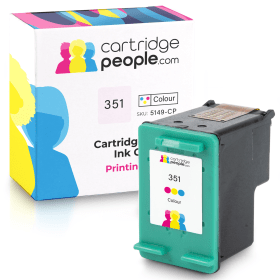
Compatible Own Brand
Colour
Number in Pack: 1
Volume of Ink: 9ml each, 157% extra ink vs the OEM option
MPN: CB337EE
Available for Next Day Delivery
Available for Next Day Delivery
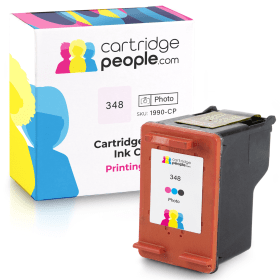
Compatible Own Brand
Photo
Number in Pack: 1
Volume of Ink: 20.9ml each
MPN: C9369EE
Available for Next Day Delivery
Available for Next Day Delivery
Available for Next Day Delivery
Available for Next Day Delivery
Available for Next Day Delivery
Available for Next Day Delivery
Available for Next Day Delivery
To ensure you receive an answer to your question in the quickest time possible, we recommend you contact our customer service team directly using one of the following methods:
If you have a product-related question benefiting all customers, please proceed. Your question and our response may be published on cartridgepeople.com after approval.
Asked by Tarsem Rehsi - Published over 3 years ago
Users will be able to easily navigate their way around the HP Photosmart C5280 thanks to its simple control panel.
Able to print, scan and copy, this machine can easily be accommodated in the home in order to carry out a range of home printing tasks. The display incorporated into the design of the C5280 means you can print without the need for a PC.
Utilising an 11-button control panel, users are also able to print directly from a memory card. Additionally, it’s possible to customise your favourite films and albums by printing straight onto DVDs and CDs.
In terms of print speed, the C5280 will perform at 32ppm for mono and 24ppm for colour in draft mode using a paper tray with a 125-sheet capacity.
The HP Photosmart C5280 is a multifunctional printer that is stylish looking and small enough to still be accommodated on a desktop in the home.
Despite promising print speeds, text documents don’t quite possess the kind of quality you would expect from a HP machine and photo prints are only marginally better.
The ability to print on CDs and DVDs is a bonus although there is little in the way of flexible printing options available. There’s no PictBridge support, for example.
As an entry-level machine, the C5280 is an able performer but those looking for a little more functionality will perhaps be best looking elsewhere. Whilst this HP model can print, scan and copy, it perhaps lacks the consistency and versatility that will see it used in a home office environment.
Pros
Cons
Star Rating: 3


 FREE Delivery over £35
 Unbeatable Prices