

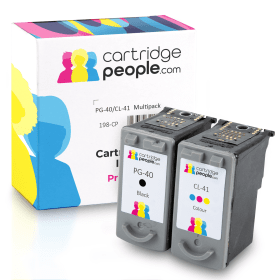

Compatible Own Brand
Black
Number in Pack: 1
Volume of Ink: 19ml each, 18% extra ink vs the OEM option
MPN: 0615B001
Colour
Number in Pack: 1
Volume of Ink: 18ml each, 50% extra ink vs the OEM option
MPN: 0617B001
We advise you to choose this multipack over the Canon branded multipack for the best value.
Available for Next Day Delivery
Available for Next Day Delivery
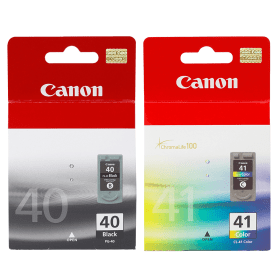
Black
Number in Pack: 1
Volume of Ink: 16ml each
MPN: 0615B001
Colour
Number in Pack: 1
Volume of Ink: 12ml each
MPN: 0617B001
We advise you to choose the Cartridge People branded multipack over this multipack!
View Recommended ProductAvailable for Next Day Delivery
Available for Next Day Delivery
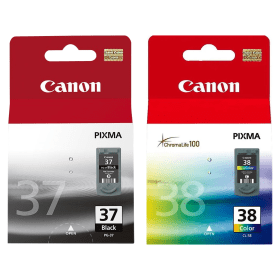
Black
Number in Pack: 1
Volume of Ink: 11ml each
MPN: 2145B001
Colour
Number in Pack: 1
Volume of Ink: 9ml each
MPN: 2146B001
We advise you to choose the Cartridge People branded multipack over this multipack!
View Recommended ProductAvailable for Next Day Delivery
Available for Next Day Delivery
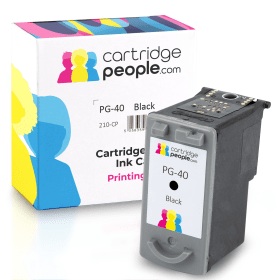
Compatible Own Brand
Black
Number in Pack: 1
Volume of Ink: 19ml each, 18% extra ink vs the OEM option
MPN: 0615B001
We advise you to choose this product over the Canon branded product for the best value.
Available for Next Day Delivery
Available for Next Day Delivery

Black
Number in Pack: 1
Volume of Ink: 16ml each
MPN: 0615B001
We advise you to choose the Cartridge People branded product over this product!
View Recommended ProductAvailable for Next Day Delivery
Available for Next Day Delivery

Black
Number in Pack: 1
Volume of Ink: 11ml each
MPN: 2145B001
We advise you to choose the Cartridge People branded product over this product!
View Recommended ProductAvailable for Next Day Delivery
Available for Next Day Delivery
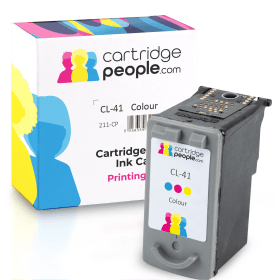
Compatible Own Brand
Colour
Number in Pack: 1
Volume of Ink: 18ml each, 50% extra ink vs the OEM option
MPN: 0617B001
We advise you to choose this product over the Canon branded product for the best value.
Available for Next Day Delivery
Available for Next Day Delivery

Colour
Number in Pack: 1
Volume of Ink: 12ml each
MPN: 0617B001
We advise you to choose the Cartridge People branded product over this product!
View Recommended ProductAvailable for Next Day Delivery
Available for Next Day Delivery

Colour
Number in Pack: 1
Volume of Ink: 9ml each
MPN: 2146B001
We advise you to choose the Cartridge People branded product over this product!
View Recommended ProductAvailable for Next Day Delivery
Available for Next Day Delivery
Available for Next Day Delivery
Available for Next Day Delivery
Available for Next Day Delivery
Available for Next Day Delivery
Available for Next Day Delivery
Available for Next Day Delivery
To ensure you receive an answer to your question in the quickest time possible, we recommend you contact our customer service team directly using one of the following methods:
If you have a product-related question benefiting all customers, please proceed. Your question and our response may be published on cartridgepeople.com after approval.
Asked by Alan - Published over 3 years ago
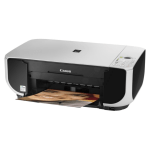
The Canon Pixma MP210 is a standard photo all-in-one for the home user that can print, copy and scan.
Whether you’re looking for a device that can perform administrative printing for a small office or possess a little more flexibility to help with a child’s school work, this is the ideal machine for your home. Thanks to a 4800 x 1200dpi print resolution, photo prints will have smooth gradations and colour vibrancy.
A 10 x 15cm borderless photo can be printed in 46 seconds whilst the Auto Image Fix feature can automatically enhance your photos and remove the appearance of red eye through the use of the image enhancing software.
High levels of productivity are made possible as a result of print speeds with documents at up to 22ppm in mono or 17ppm in colour.
Good colour scans can be delivered by the MP210 whilst there’s also the opportunity to scan straight to PC, email or PDF.
Easy to use, there is a Quick-Start function that can see users print no time at all.
What’s important to remember here is that the Canon Pixma MP210 can be purchased for a low price when compared to other all-in-ones with similar functionality.
Able to print, scan and copy, this machine would be welcome a accompaniment to a small office. The 100-sheet paper capacity is standard for a printer from the Pixma range and despite no automatic document feeder, this could contribute to the saving made on the purchase price.
Usability is simple enough, even without an LCD screen, and there is the added benefit of the Auto Image Fix feature that is an excellent way of enhancing your photographs.
Direct photo printing isn’t possible as the MP210 has no memory card slots but the prints themselves, whether text documents or colour graphics, are very good and should easily satisfy the home printer user.
As mentioned earlier, this printer is cheaper than comparable models but produces results that see the cost saving not compromise quality.
Pros
Cons
Star Rating: 4


 FREE Delivery over £35
 Unbeatable Prices